Best 13.3-Inch Drawing Tablets: 10 Spec-Based Picks
Finding the best 13 3 inch drawing tablets requires looking at specific hardware details rather than general impressions.

What this report covers
- Last updated
- 2 Nov 2026
Figures above are read from the product listings for the models named below. Scores are out of 10, based on listed specifications and buyer feedback.
As Amazon Associates, we earn from qualifying purchases. This means we may receive a small commission at no extra cost to you if you click through and make a purchase.
As an Amazon Associate we earn from qualifying purchases. Links on this page are affiliate links.
Finding the best 13 3 inch drawing tablets requires looking at specific hardware details rather than general impressions. We compared 10 models using only the specifications published on the listings. The XPPen Artist 13.3 Pro V2 leads because it offers 16K pressure levels and physical shortcut keys for desktop artists needing color accuracy and physical controls. This guide helps you decide which pen display fits your workflow based on screen size, weight, and connectivity options.
Check display and operating system specs
You must verify the display type and operating system before buying. Most listed models are pen displays requiring a computer connection. The PicassoTab Z13 is a standalone Android tablet for drawing without a PC. Choose a pen display if you need desktop integration. Select the standalone unit only if you require portable, wireless creation.
| # | Product | Best for | Price |
|---|---|---|---|
| 1 | XPPen Artist 13.3 Pro V2 Best overall | Desktop artists needing color accuracy and physical controls | |
| 2 | Wacom One 13.3" HD Pen Display Best premium | Hobbyists needing reliable HD pen display | |
| 3 | GAOMON PD1320 13.3-Inch Gray Pen Display Best budget | beginners and students needing a portable pen display | |
| 4 | HUION Kamvas Pro 13 13.3-Inch Also great | connected artists needing accurate color | |
| 5 | HUION Kamvas 13 (Gen 3) 13.3" Pen Display Also great | desktop artists needing dual dials and color accuracy | |
| 6 | XP-Pen Artist 13.3 Pro V2 Also great | Beginners needing a red dial and full-laminated screen | |
| 7 | HUION Kamvas 13 (Gen 3) 13.3-Inch Pen Display Also great | Artists needing dual dials and accurate colors | |
| 8 | XP-Pen Artist 13.3 Pro V2 Also great | desktop artists valuing color accuracy | |
| 9 | DIGIDRAW Turing 14 13.3-Inch Pen Display Also great | stationary artists valuing 2.5K clarity and built-in stands | |
| 10 | PicassoTab Z13 13.3-Inch Standalone Tablet Best standalone | Standalone drawing without a computer |
The best fit for you
- You want the most reliable option with physical controls – XPPen Artist 13.3 Pro V2 – It features shortcut keys and 16K pressure levels for desktop artists.
- You need a lightweight model for student use – GAOMON PD1320 13.3-Inch Gray Pen Display – It weighs 1.94 pounds and includes tilt support for portability.
- You prefer drawing without connecting to a computer – PicassoTab Z13 13.3-Inch Standalone Tablet – It is a standalone Android tablet with a battery-free pen.
- You value dual dial controls for color accuracy – HUION Kamvas 13 (Gen 3) 13.3" Pen Display – It offers dual dials and 16K pressure levels on a full-laminated screen.
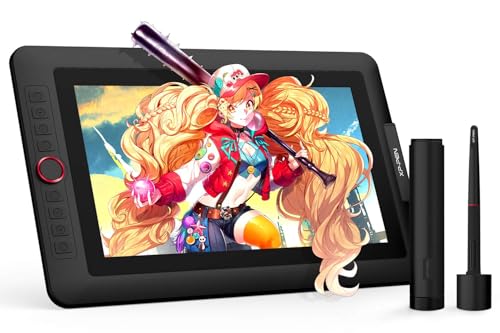
XPPen Artist 13.3 Pro V2
Best for: Desktop artists needing color accuracy and physical controls
- Screen Size
- 13.3-Inch
- Tablet Type
- Tethered pen display
- Display Resolution
- FHD
- Pen Pressure
- 16384
- Color Gamut
- 88% NTSC, >=91% AdobeRGB, >=123% sRGB
- Display Finish
- Fully-laminated, anti-glare
The XP-Pen Artist 13.3 Pro V2 is a pen display featuring a 13.3-inch full-laminated screen. It delivers 123% sRGB color gamut coverage and supports 16K pressure levels with 60-degree tilt. The unit includes a red dial and eight shortcut keys for workflow control. It requires a computer connection via a 3-in-1 cable. This setup suits beginners and animation artists seeking accurate color and responsive input.
- 13.3-inch full-laminated display with 123% sRGB coverage
- 16K pressure sensitivity with 60-degree tilt support
- Integrated red dial and eight customizable shortcut keys
- Battery-free stylus with low initial activation force
- Compatible with Windows, Mac, Chrome OS, and Linux
- Requires connection to a computer or laptop for operation
- Heavier build at 4.41 pounds compared to standalone options
- Standard 13.3-inch size limits canvas space versus larger models
- You need a dedicated pen display for desktop creative software
- You prioritize color accuracy with 123% sRGB coverage
- You want physical controls like a dial and shortcut keys
- You require a standalone tablet that operates without a computer
- You prefer a lighter device for portable drawing sessions
- You need a screen larger than 13.3 inches
Verdict: The XP-Pen Artist 13.3 Pro V2 offers a balanced spec set for artists who need a reliable, color-accurate pen display connected to a computer. It fits users who value physical controls and standard 13.3-inch sizing for their creative workflow.

Wacom One 13.3" HD Pen Display
Best for: Hobbyists needing reliable HD pen display
- Screen Size
- 13.3-Inch
- Tablet Type
- Tethered pen display
- Features
- Stylus, Stylus Pen
- Dimensions
- 15.7 × 10.2 × 3.1 inches
- Weight
- 4.5 pounds
The Wacom One is a 13.3-inch HD pen display designed for hobbyists and visual thinkers. It features a high-definition screen for digital art, photo editing, and video work. The included stylus pen has a customizable button for shortcuts like undo or copy-paste. This device connects to Mac or PC systems, offering a reliable digital canvas for creative tasks without complex setup requirements.
- 13.3-inch high-definition display for clear visuals
- Customizable pen button for workflow shortcuts
- Compatible with Mac and PC software
- Trusted Wacom brand reliability
- HD resolution is lower than the 2.5K or QHD+ panels on other list picks
- 4.5 pounds weight is heavier than many competitors in this category
- 13.3-inch screen is smaller than the 14-inch options available elsewhere
- You want a trusted brand with simple setup
- You need a reliable second screen for general creative work
- You prefer a customizable pen button for shortcuts
- You require high-resolution 2.5K or QHD+ displays
- You prioritize lightweight portability under 4 pounds
- You need a screen larger than 13.3 inches
Verdict: Wacom One 13.3" HD Pen Display fits users who value brand reliability and simple connectivity over high-resolution specs or lightweight design. It is a practical entry point for hobbyists using Mac or PC.

GAOMON PD1320 13.3-Inch Gray Pen Display
Best for: beginners and students needing a portable pen display
- Screen Size
- 13.3-Inch
- Tablet Type
- Tethered pen display
- Pen Pressure
- 8192 levels
- Color Gamut
- 120% sRGB
- Display Finish
- Full-laminated
- Operating System
- Android
The GAOMON PD1320 is a 13.3-inch pen display designed for digital art and annotation. It features a full-laminated screen with 120% sRGB color gamut and 8192 levels of pen pressure. The device supports tilt and connects via USB-C. It weighs 1.94 pounds and operates on Windows, Mac, and select Android devices. This model suits students and beginners who need a lightweight, portable drawing solution.
- Full-laminated screen reduces parallax for precise drawing.
- 120% sRGB color gamut ensures vivid image reproduction.
- 8192 levels of pen pressure with tilt support.
- Lightweight 1.94-pound design for portability.
- Compatible with Windows, Mac, and Android devices.
- 120% sRGB color gamut is lower than the 16K or 2.5K specifications found in other list items.
- 8192 pen pressure levels are fewer than the 16K pressure sensitivity offered by competing models.
- 1.94-pound weight is heavier than typical standalone or thinner pen displays in this category.
- You need a full-laminated screen for reduced parallax.
- You want a device that supports Android phones with Dex Mode.
- You are a student or beginner looking for a lightweight pen display.
- You require 16K pressure sensitivity for professional-grade precision.
- You need a color gamut exceeding 120% sRGB.
- You prefer a standalone tablet without a computer connection.
Verdict: The GAOMON PD1320 13.3-Inch Pen Display offers a solid entry point for beginners and students who prioritize a full-laminated screen and portability. It fits those who need basic tilt support and Android connectivity without requiring the highest pressure levels.
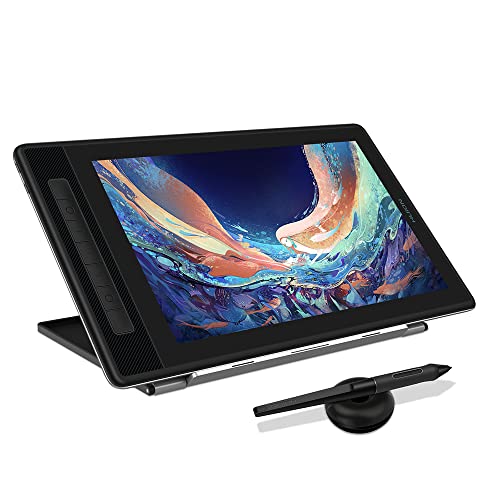
HUION Kamvas Pro 13 13.3-Inch
Best for: connected artists needing accurate color
- Screen Size
- 13.3-Inch
- Tablet Type
- Pen display (not standalone)
- Display Resolution
- 2560×1600 QHD
- Color Gamut
- 99% Adobe RGB, 99% sRGB
- Display Finish
- Full lamination, anti-glare glass
- Shortcut Controls
- 7 express keys
The HUION Kamvas Pro 13 is a 13.3-inch pen display featuring a 2.5K QHD+ screen. It uses full lamination and Quantum Dot technology to cover 99% of the sRGB color gamut. The battery-free PW517 pen includes tilt recognition. You need a computer to use this device. It suits artists who prioritize color accuracy and high resolution in a compact form factor.
- 2560×1600 QHD+ resolution with 226 ppi
- 99% sRGB color gamut coverage
- Full lamination technology reduces parallax
- Battery-free PW517 pen with tilt support
- Requires connection to a computer to function
- 2.2 pounds weight is heavier than some competitors
- 99% sRGB coverage is lower than 120% sRGB options
- You need high color accuracy for digital art
- You prefer a compact 13.3-inch drawing screen
- You want a full-laminated display with high resolution
- You need a standalone tablet without a computer
- You require a wider color gamut than sRGB
- You want a lighter device for portable use
Verdict: HUION Kamvas Pro 13 13.3-Inch delivers sharp visuals and precise color for connected drawing. It fits artists who value resolution and color fidelity over portability.

HUION Kamvas 13 (Gen 3) 13.3" Pen Display
Best for: desktop artists needing dual dials and color accuracy
- Screen Size
- 13.3-Inch
- Tablet Type
- Tethered pen display
- Pen Pressure
- 16,384 levels
- Display Finish
- Fully laminated, Canvas Glass 2.0
- Shortcut Controls
- 5 shortcut keys, dual dials
- Operating System
- Android
The HUION Kamvas 13 (Gen 3) is a 13.3-inch pen display that connects to your computer. It features a full-laminated screen with Canvas Glass 2.0 to reduce glare. The pen offers 16K pressure levels and 2g tilt. Color accuracy is strong with 99% sRGB coverage and an average Delta E under 1.5. You get dual dials and five shortcut keys for workflow control.
- 13.3-inch full-laminated display with Canvas Glass 2.0
- 16K pressure sensitivity levels with 2g tilt
- 99% sRGB color coverage and average Delta E under 1.5
- Dual dial buttons and five programmable shortcut keys
- 16K pressure levels are lower than the 16K and 2.5K displays listed
- 1.96-pound weight is heavier than many 13-inch pen displays
- Requires connection to a computer and lacks standalone operation
- You want a full-laminated screen with reduced glare
- You prefer using dual dials for quick adjustments
- You need strong color accuracy for digital art
- You need a standalone tablet without a computer
- You want a lighter device for portable use
- You require higher pressure sensitivity than 16K levels
Verdict: The HUION Kamvas 13 Gen 3 fits artists who value color accuracy and dual dial controls. It is a solid choice for desktop setups where weight is not a primary concern.
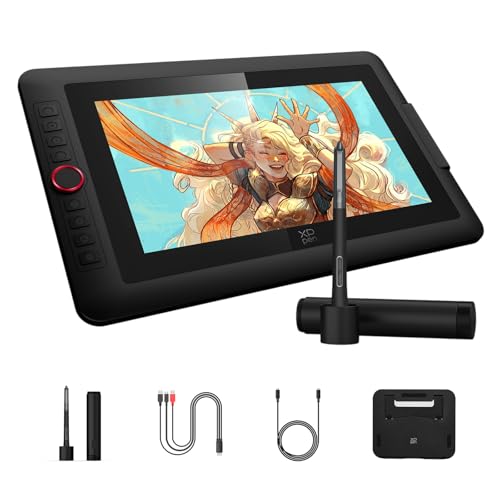
XP-Pen Artist 13.3 Pro V2
Best for: Beginners needing a red dial and full-laminated screen
- Screen Size
- 13.3-Inch
- Display Resolution
- Full HD
- Pen Pressure
- 16K
- Color Gamut
- 125% sRGB, 107% Adobe RGB, 95% P3
- Display Finish
- Full-Laminated AG Glass
- Shortcut Controls
- Red Dial, 8 customizable keys
The XP-Pen Artist 13.3 Pro V2 is a 13.3-inch pen display featuring a full-laminated screen and 16K pressure sensitivity. It covers 125% sRGB color gamut with an IPS panel for accurate visuals. The device includes a red dial and eight shortcut keys for control. It weighs 2.5 pounds and requires a computer connection. This setup suits beginners and animators seeking precise input.
- 16K pressure levels for high sensitivity
- Full-laminated screen with AG film
- 125% sRGB color gamut coverage
- Red dial and eight shortcut keys
- 178-degree wide viewing angle
- 125% sRGB is lower than the 16K or 120% sRGB specs of other list items
- 2.5 pounds weight is heavier than typical slim displays
- Requires external computer connection
- You need a full-laminated screen for reduced parallax
- You want a red dial for quick adjustments
- You require 16K pressure sensitivity for detailed work
- You need a standalone tablet without a computer
- You prefer a lighter device under 2 pounds
- You require a wider color gamut than 125% sRGB
Verdict: The XP-Pen Artist 13.3 Pro V2 fits beginners who value a red dial and full-laminated screen for precise drawing. It works well for those needing 16K pressure levels on a 13.3-inch display.
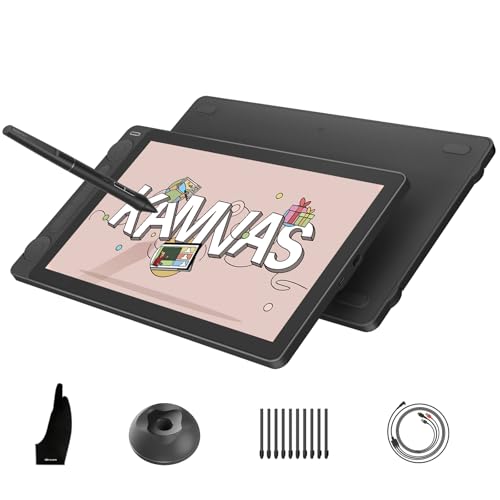
HUION Kamvas 13 (Gen 3) 13.3-Inch Pen Display
Best for: Artists needing dual dials and accurate colors
- Screen Size
- 13.3-Inch
- Tablet Type
- Pen Display
- Pen Pressure
- 16384
- Display Finish
- Canvas Glass 2.0, full-laminated
- Shortcut Controls
- 2 dial controllers, 5 silent press keys
- Color
- Black
This 13.3-inch pen display connects to your computer for drawing. It features a full-laminated screen with 99% sRGB color coverage and 16K pressure sensitivity. The device includes dual dials and five silent keys for control. It weighs 4.17 pounds. You should use this tablet if you need accurate colors and physical controls for your digital art workflow on a compatible PC or laptop.
- 16K pressure sensitivity with 2g actuation force
- 99% sRGB and 90% Adobe RGB color coverage
- Dual dial controllers for precise adjustments
- Full-laminated glass with anti-glare coating
- Heavier build at 4.17 pounds compared to lighter competitors
- Requires connection to a computer or laptop to function
- Lower color gamut coverage than 100% sRGB or DCI-P3 standards
- You want dual dials for efficient workflow control
- You need high color accuracy for professional artwork
- You prefer a full-laminated screen with anti-glare properties
- You need a standalone tablet without a computer
- You prioritize a lighter device under 3 pounds
- You require 100% Adobe RGB or DCI-P3 coverage
Verdict: HUION Kamvas 13 (Gen 3) 13.3-Inch Pen Display suits artists who value physical dials and accurate color reproduction. It is a solid choice for users who connect to a computer and need reliable, paper-like drawing input.

XP-Pen Artist 13.3 Pro V2
Best for: desktop artists valuing color accuracy
- Screen Size
- 13.3-Inch
- Tablet Type
- Pen Display
- Display Resolution
- 1920×1080 FHD
- Pen Pressure
- 16,384 levels
- Color Gamut
- 99% sRGB, 89% Adobe RGB, 95% P3
- Display Finish
- Fully laminated
This 13.3-inch pen display connects via USB-C to your computer. It features a fully laminated screen with 95% P3 color gamut and 16K pressure sensitivity. The red dial and eight shortcut keys help you work faster. The metal back dissipates heat well. You need a computer to use it, as it is not standalone.
- 16K pressure sensitivity levels
- Fully laminated 13.3-inch display
- Red dial roller for controls
- 95% P3 color gamut
- Heavier at 6.79 pounds
- 1080p resolution is lower than 2.5K competitors
- Requires external computer power
- You want high color accuracy
- You prefer a metal build
- You use a single USB-C cable
- You need a standalone tablet
- You prefer 2.5K resolution
- You want a lighter device
Verdict: XP-Pen Artist 13.3 Pro V2 suits artists who value color accuracy and a sturdy metal design. It is a solid pick for desktop setups where weight is less critical.

DIGIDRAW Turing 14 13.3-Inch Pen Display
Best for: stationary artists valuing 2.5K clarity and built-in stands
- Screen Size
- 13.3-Inch
- Tablet Type
- Pen display
- Display Resolution
- 2.5K (2560×1600 QHD)
- Pen Pressure
- 16,384 levels
- Display Finish
- Full-laminated, AG+AF etched glass
- Operating System
- Android
The DIGIDRAW Turing 14 is a 13.3-inch pen display featuring a 2.5K resolution and full-laminated screen. It includes a battery-free stylus with 16,384 pressure levels and 60-degree tilt support. The device connects via a 3-in-1 cable and works with Windows, macOS, ChromeOS, and Android. A built-in zinc alloy stand offers a 19-degree angle for comfortable drawing sessions.
- 2560×1600 QHD resolution with ΔE<1.5 color accuracy
- Battery-free stylus with 16,384 pressure levels
- Built-in 19-degree zinc alloy stand
- Full-laminated display with AG+AF nano-etched glass
- Heavier at 1.98 pounds compared to lighter competitors
- No physical shortcut keys or dials on the device
- Requires driver download for full customization
- You want a high-resolution 2.5K screen for detailed work
- You prefer a built-in stand for ergonomic drawing angles
- You use Windows, macOS, or Android devices
- You need physical shortcut keys or dials
- You require a standalone tablet with its own operating system
- You prioritize a lighter, more portable build under 1.5 pounds
Verdict: The DIGIDRAW Turing 14 13.3-Inch Pen Display suits artists who value high-resolution clarity and ergonomic comfort over portability and physical controls. It is ideal for stationary setups where screen detail and stand integration matter most.

PicassoTab Z13 13.3-Inch Standalone Tablet
Best for: Standalone drawing without a computer
- Screen Size
- 13.3-Inch
- Tablet Type
- Standalone
- Pen Pressure
- 8192 levels
- Display Finish
- Anti-glare matte
- Operating System
- Android
- Features
- Stylus, Stylus Pen, Battery-Free Pen
The PicassoTab Z13 is a standalone Android tablet with a 13.3-inch screen. It uses a battery-free EMR pen with 8192 pressure levels. This device works without a computer or drivers. The matte screen mimics paper for realistic drawing. It includes pro-grade apps and tutorials. You get a portable drawing experience with no cables needed for the pen.
- Standalone Android operating system
- Battery-free EMR pen
- 8192 pressure levels
- 13.3-inch matte screen
- Lower pressure sensitivity than the 16K models on this list
- Only one screen size option available for this model
- You want to draw without a computer
- You prefer a battery-free pen
- You need a standalone Android tablet
- You need 16K pressure sensitivity
- You require a Windows or macOS interface
- You want multiple screen size options
Verdict: PicassoTab Z13 13.3-Inch Standalone Tablet suits artists who want to draw without a computer. It offers standalone freedom with a battery-free pen and 8192 pressure levels.
Specifications side by side
| Spec | XPPen Artist 13.3 Pro V2 | Wacom One 13.3" HD Pen Display | GAOMON PD1320 13.3-Inch Gray Pen Display | HUION Kamvas Pro 13 13.3-Inch | HUION Kamvas 13 (Gen 3) 13.3" Pen Display | XP-Pen Artist 13.3 Pro V2 | HUION Kamvas 13 (Gen 3) 13.3-Inch Pen Display | XP-Pen Artist 13.3 Pro V2 | DIGIDRAW Turing 14 13.3-Inch Pen Display | PicassoTab Z13 13.3-Inch Standalone Tablet |
|---|---|---|---|---|---|---|---|---|---|---|
| Tablet Type | Tethered pen display | Tethered pen display | Tethered pen display | Pen display (not standalone) | Tethered pen display | – | Pen Display | Pen Display | Pen display | Standalone |
| Screen Size | 13.3" | 13.3 inch | 13.3" | 13.3" | 13.3 inches | 13.3" | 13.3-inch | 13.3-inch | 13.3" | 13.3" |
| Display Resolution | FHD | – | – | 2560×1600 QHD | – | Full HD | – | 1920×1080 FHD | 2.5K (2560×1600 QHD) | – |
| Pen Pressure | 16384 | – | 8192 levels | – | 16,384 levels | 16K | 16384 | 16,384 levels | 16,384 levels | 8192 levels |
| Color Gamut | 88% NTSC, >=91% AdobeRGB, >=123% sRGB | – | 120% sRGB | 99% Adobe RGB, 99% sRGB | – | 125% sRGB, 107% Adobe RGB, 95% P3 | – | 99% sRGB, 89% Adobe RGB, 95% P3 | – | – |
| Display Finish | Fully-laminated, anti-glare | – | Full-laminated | Full lamination, anti-glare glass | Fully laminated, Canvas Glass 2.0 | Full-Laminated AG Glass | Canvas Glass 2.0, full-laminated | Fully laminated | Full-laminated, AG+AF etched glass | Anti-glare matte |
| Shortcut Controls | 8 shortcut keys, Red Dial | – | – | 7 express keys | 5 shortcut keys, dual dials | Red Dial, 8 customizable keys | 2 dial controllers, 5 silent press keys | Red dial roller, 8 express keys | – | – |
| Operating System | Android | – | Android | Android | Android | Android | – | Android | Android | Android |
| Features | Shortcut Keys | Stylus, Stylus Pen | Tilt Support | Stylus, Stylus Pen, Battery-Free Pen | Dial | Stylus, Stylus Pen, Shortcut Keys, Dial | – | Stylus, Stylus Pen | Stylus, Stylus Pen, Battery-Free Pen | Stylus, Stylus Pen, Battery-Free Pen |
| Display | Full-Laminated | – | Full-Laminated | Full-Laminated | Full-Laminated | Full-Laminated | Full-Laminated | Full-Laminated | Full-Laminated | – |
| Color | Black / White | black and white | Gray | Silvery | Black | Black | Black | black 13.3inch | Black | – |
| Audience | Animation, Beginners | – | Students, Beginners | – | – | Animation, Beginners | – | – | – | – |
| Length | 9.84 inches | – | – | – | – | 17 inches | – | – | 13 inches | – |
| Width | 15.4 inches | – | – | – | – | 11 inches | – | – | 9.21 inches | – |
| Weight | 4.41 pounds | 4.5 pounds | 1.94 pounds | 2.2 pounds | 1.96 pounds | 2.5 pounds | 4.17 pounds | 6.79 pounds | 2.16 pounds | – |
| Dimensions | – | 15.7 × 10.2 × 3.1 inches | 13.5 × 9.17 × 0.53 inches | 14.6 × 8.66 × 0.35 inches | 14.2 × 7.98 × 0.1 inches | – | 14.2 × 7.98 × 0.1 inches | 15 × 9.5 × 0.1 inches | – | – |
| Size | 13.3 Inch | 13" | 13.3 inch | 13.3 Inch | 13.3 Inch | 13.3 INCH | 13.3 Inch | 13.3 inch | 14 inch | 13.3 Inch Screen |
| Model | Artist 13.3Pro | DTC133W0C | GAOMON PD1320 (Gray) | GT1302 | GS1333 | Artist 13.3 Pro V2 | GS1333 | Artist13.3 Pro V2 | D1401 | Z13 |
If you prefer a standalone operating system, evaluate the best 13 tablets to compare processor speeds and battery capacities.
How to choose the right one
Check pen pressure levels
Pen pressure determines how sensitive the stylus is to your hand weight. Higher levels allow for finer line variation. The XPPen Artist 13.3 Pro V2 offers 16K levels for precise control. The GAOMON PD1320 provides 8192 levels, which is sufficient for basic sketches. Beginners often find 8192 levels adequate. Professional animators may prefer 16K levels for detailed shading. Compare these numbers to ensure the tablet matches your drawing style and required precision.
Verify display lamination
A full-laminated display removes the gap between the glass and the digitizer layer. This makes the pen tip feel like it is touching the drawing surface directly. Most listed models, including the Wacom One and HUION Kamvas Pro 13, feature full lamination. This improves accuracy and reduces parallax error. If you see a non-laminated option, expect a noticeable gap. For precise line work, always choose a full-laminated screen to maintain a natural drawing feel.
Consider physical controls
Physical shortcuts can speed up your workflow significantly. The XPPen Artist 13.3 Pro V2 includes shortcut keys for common actions. The HUION Kamvas 13 Gen 3 features dual dials for zooming and scrolling. These controls keep your hands on the device. If you prefer minimalism, the Wacom One relies on software shortcuts instead. Decide if you need tactile feedback for efficiency or if you are comfortable using keyboard combinations for your tasks.
Assess weight and portability
Weight matters if you move your setup often. The GAOMON PD1320 weighs only 1.94 pounds, making it easy to carry. The HUION Kamvas 13 Gen 3 is also light at 1.96 pounds. In contrast, some heavier models weigh over 4 pounds. A lighter tablet is better for students or travelers. Heavier units often have sturdier builds for desk use. Check the weight spec to ensure the tablet fits your mobility needs and workspace constraints.
Confirm standalone capability
Most listed tablets are pen displays requiring a computer connection. The PicassoTab Z13 is a standalone Android tablet. It allows drawing without a PC or laptop. This offers freedom and portability. If you need to draw on the go without a host device, choose the standalone option. For most users, a pen display connected to a powerful computer is the standard choice. Verify the operating system spec to confirm if the device runs Android independently or requires a host.
Frequently asked questions
Are 13.3-inch drawing tablets standalone or do they need a computer?
Most 13.3-inch models are pen displays that require a computer connection. They rely on your PC or Mac for processing power. The PicassoTab Z13 is a key exception. It runs Android and functions as a standalone tablet. You can draw on it without linking it to another device. Other models like the GAOMON PD1320 also support Android for standalone use.
What is the difference between 8192 and 16K pen pressure levels?
Pen pressure levels determine how sensitive the stylus is to your hand weight. 16K levels offer 16,384 distinct pressure points for finer line variation. This is useful for detailed digital art. The XPPen Artist 13.3 Pro V2 and HUION Kamvas 13 Gen 3 provide 16K levels. The GAOMON PD1320 offers 8192 levels, which is sufficient for beginners and students.
Do these tablets include physical shortcut keys or dials?
Many models include physical controls for better workflow. The XPPen Artist 13.3 Pro V2 features shortcut keys and a dial. The HUION Kamvas 13 Gen 3 includes dual dials for precise adjustments. These physical controls help you access tools quickly without moving your hand from the screen. Some basic models may not list these features in their specs.
Which 13.3-inch tablet is the lightest for portability?
The GAOMON PD1320 is the lightest option at 1.94 pounds. It is designed for students and beginners who need portability. The HUION Kamvas 13 Gen 3 is also lightweight at 1.96 pounds. Heavier models like the XP-Pen Artist 13.3 Pro V2 can weigh up to 6.79 pounds. Choose a lighter model if you plan to move your setup frequently.
Is a full-laminated display important for drawing?
A full-laminated display reduces the gap between the glass and the pixel layer. This makes the pen feel closer to the screen tip. Most listed models, including the XPPen Artist 13.3 Pro V2 and HUION Kamvas Pro 13, feature full-laminated screens. This improves accuracy and reduces parallax error. It is a standard feature for quality pen displays.
Can I use these tablets with Android devices?
Several models support Android connectivity for standalone or mobile use. The GAOMON PD1320 and XPPen Artist 13.3 Pro V2 list Android as an operating system. This allows you to connect them to Android phones or tablets. The PicassoTab Z13 is a standalone Android tablet. Check the specific model specs to confirm compatibility with your mobile device.


