Best 15.6-Inch Drawing Tablets in 2026: 9 Picks Ranked by Specs
Finding the best 15 6 inch drawing tablets requires looking at specific hardware details.

What this report covers
- Last updated
- 3 Nov 2026
Figures above are read from the product listings for the models named below. Scores are out of 10, based on listed specifications and buyer feedback.
As Amazon Associates, we earn from qualifying purchases. This means we may receive a small commission at no extra cost to you if you click through and make a purchase.
As an Amazon Associate we earn from qualifying purchases. Links on this page are affiliate links.
Finding the best 15 6 inch drawing tablets requires looking at specific hardware details. We compared 9 models ranked by their published specifications. The XP-Pen Artist 15.6 Pro Drawing Tablet leads because it offers 16K pressure levels and a physical dial for studio control. These picks focus on screen lamination, tilt support, and pen accuracy. This guide helps you decide which device matches your workflow needs.
Check pressure levels and screen type
You should prioritize pen pressure sensitivity and display lamination. The top picks offer 16K levels, while others provide 8192 levels. This difference affects line variation. Also, verify if the screen is full-laminated. This reduces parallax for precise drawing. Most models here are pen displays, not standalone computers. Ensure your setup supports the required connectivity.
| # | Product | Best for | Price |
|---|---|---|---|
| 1 | XP-Pen Artist 15.6 Pro Drawing Tablet Best overall | Studio artists needing large screen and dial controls | |
| 2 | HUION Kamvas Pro 16 15.6-Inch Pen Display Also great | Artists prioritizing color accuracy and touch controls | |
| 3 | HUION KAMVAS Pro 16 15.6-Inch Pen Display Also great | Users wanting a touch bar and full lamination | |
| 4 | GAOMON PD1561 15.6-Inch Drawing Tablet Best budget | artists needing tilt support and shortcut keys | |
| 5 | GAOMON PD156Pro 15.6" Full-Laminated Tablet Best premium | artists needing color accuracy and a dial | |
| 6 | HUION KAMVAS 16 15.6-Inch Drawing Tablet Also great | artists needing 120% sRGB and laminated screens | |
| 7 | XPPen Artist 15.6 Pro V2 Also great | Artists needing a high-accuracy pen display | |
| 8 | HUION Kamvas Pro 16 V2 15.6-Inch Pen Display Also great | Professional artists needing accurate color and pen pressure | |
| 9 | XP-Pen Artist Ultra 16 15.6" Touchscreen Best touchscreen | professional illustrators needing color accuracy and touch |
The best fit for you
- You need a dial for studio workflow precision – XP-Pen Artist 15.6 Pro Drawing Tablet – It includes a physical dial and 16K pressure levels for detailed control.
- You want the lightest 15.6-inch model available – GAOMON PD156Pro 15.6" Full-Laminated Tablet – Weighing 2.87 pounds, it is the most portable option on the list.
- You require touch control for gesture navigation – XP-Pen Artist Ultra 16 15.6" Touchscreen – This is the only model with a touchscreen feature for direct interaction.

XP-Pen Artist 15.6 Pro Drawing Tablet
Best for: Studio artists needing large screen and dial controls
- Screen Size
- 15.6-Inch
- Display Resolution
- 1920×1080 FHD
- Pen Pressure
- 16384 levels
- Color Gamut
- 88% NTSC (120% sRGB)
- Display Finish
- Full-laminated
- Shortcut Controls
- 8 shortcut keys, Red Dial
The XP-Pen Artist 15.6 Pro is a pen display with a 15.6-inch full-laminated IPS screen. It offers 1920×1080 resolution and 120% sRGB color accuracy. The stylus provides 16,384 pressure levels and tilt support. An included Red Dial and eight express keys help control your workflow. This tablet suits artists who want precise input and a large canvas area for detailed work.
- 15.6-inch full-laminated display with 120% sRGB color gamut
- 16,384 levels of pen pressure sensitivity
- Includes programmable Red Dial and eight express keys
- Supports pen tilt for natural shading
- Heavier at 7.28 pounds compared to lighter competitors
- 1920×1080 resolution is lower than 4K OLED options
- 88% NTSC color coverage is less than 100% sRGB equivalents
- You need a large 15.6-inch canvas for detailed illustrations
- You prefer physical controls like a dial and shortcut keys
- You want full-laminated screen technology for reduced parallax
- You require a standalone tablet without a computer connection
- You need 4K resolution for ultra-high-definition output
- You prioritize a lighter device for portable use
Verdict: The XP-Pen Artist 15.6 Pro Drawing Tablet fits professionals who value tactile controls and a large, color-accurate screen. It is a solid choice for studio work where weight and portability are secondary to precision.
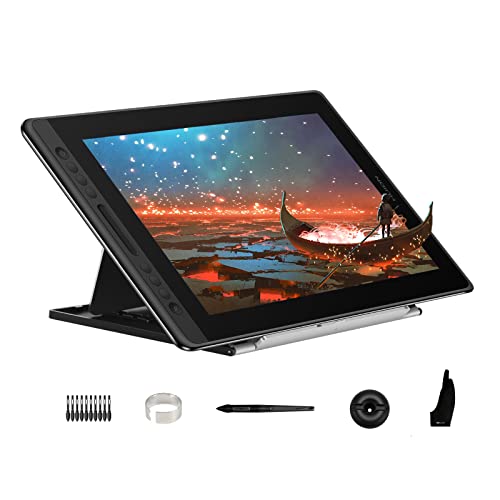
HUION Kamvas Pro 16 15.6-Inch Pen Display
Best for: Artists prioritizing color accuracy and touch controls
- Screen Size
- 15.6-Inch
- Tablet Type
- Tethered pen display
- Color Gamut
- 120% sRGB (92% AdobeRGB)
- Display Finish
- Fully laminated anti-glare glass
- Shortcut Controls
- 6 express keys, touch bar
- Operating System
- Windows
The HUION Kamvas Pro 16 is a 15.6-inch pen display featuring a fully laminated screen with anti-glare glass. It covers 120% sRGB color gamut and includes a touch bar for shortcuts. The unit weighs 2.98 pounds and connects via a 3-in-1 USB-C cable. It supports 16384 pressure levels and 60-degree tilt recognition. This tablet suits artists who need a reliable, color-accurate display for creative software on Windows or macOS.
- 120% sRGB color gamut for vibrant visuals
- Fully laminated screen with anti-glare glass
- Includes a dedicated touch bar for shortcuts
- 60-degree tilt recognition for natural drawing
- 3-in-1 USB-C cable reduces desk clutter
- 8192 pen pressure levels versus 16384 on competitors
- Heavier build at 2.98 pounds compared to lighter models
- You want a fully laminated screen with anti-glare coating
- You prefer using a touch bar for quick shortcuts
- You need 120% sRGB color accuracy for design work
- You require 16384 pressure levels for maximum detail
- You need a lighter device under 2.5 pounds
- You want a standalone tablet without a computer
Verdict: The HUION Kamvas Pro 16 15.6-Inch Pen Display offers solid color accuracy and a convenient touch bar. It fits designers who value a laminated screen and tactile controls over the highest pressure sensitivity count.
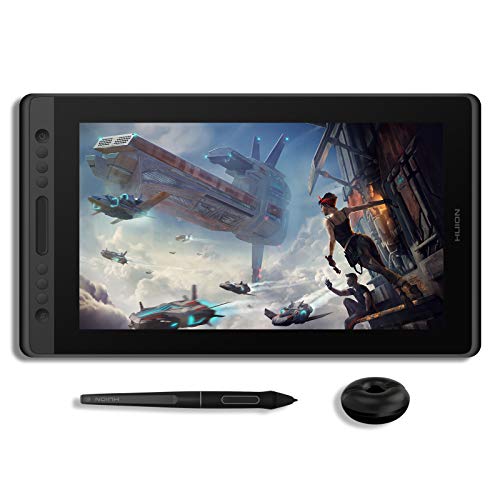
HUION KAMVAS Pro 16 15.6-Inch Pen Display
Best for: Users wanting a touch bar and full lamination
- Screen Size
- 15.6-Inch
- Tablet Type
- Tethered pen display
- Pen Pressure
- 8192
- Display Finish
- Full-laminated anti-glare glass
- Shortcut Controls
- 6 express keys, 1 touch bar
- Features
- Stylus, Stylus Pen, Battery-Free Pen, Shortcut Keys, Tilt Support
The Huion Kamvas Pro 16 is a 15.6-inch pen display featuring a full-laminated screen with 120% sRGB color coverage. It uses a battery-free stylus with 8192 pressure levels and 60-degree tilt support. The device includes a touch bar and six express keys for workflow control. It connects to computers running Windows, Mac, or Linux for digital art and remote work tasks.
- Full-laminated screen reduces parallax for accurate cursor placement
- 120% sRGB color gamut provides vivid image reproduction
- Battery-free stylus offers 8192 pressure levels and 60-degree tilt
- Includes a programmable touch bar and six express keys
- 8192 pressure levels are lower than the 16384 levels found on several competing models
- 2.65-pound weight is heavier than some lighter alternatives in this category
- Requires connection to a computer and is not a standalone tablet
- You want a full-laminated screen with a dedicated touch bar
- You need a display with 120% sRGB color coverage
- You use a computer for Windows, Mac, or Linux drawing
- You require a standalone tablet that works without a PC
- You need the highest pressure sensitivity level available
- You prefer a lighter device under two pounds
Verdict: Huion Kamvas Pro 16 15.6-Inch Pen Display suits artists who value a touch bar and full lamination over maximum pressure sensitivity. It fits users who already have a computer and want a reliable display with good color accuracy.

GAOMON PD1561 15.6-Inch Drawing Tablet
Best for: artists needing tilt support and shortcut keys
- Screen Size
- 15.6-Inch
- Tablet Type
- Tethered pen display
- Display Resolution
- 1920×1080 Full HD
- Pen Pressure
- 8192
- Display Finish
- Anti-glare, pre-applied film
- Shortcut Controls
- 10 shortcut keys
The GAOMON PD1561 is a 15.6-inch pen display designed for digital art and design work. It features an IPS full HD screen with 1920 x 1080 resolution for clear visuals. The battery-free pen offers 8192 levels of pressure and tilt support for natural line variation. You get ten customizable shortcut keys to speed up your workflow. This tablet connects to Windows or Mac computers for professional use.
- 15.6-inch IPS full HD display with 1920 x 1080 resolution
- 8192 levels of pen pressure with tilt support
- Battery-free AP50 pen for comfortable drawing
- Ten customizable shortcut keys for faster workflow
- 8192 pressure levels is lower than the 16384 levels found in competing models
- 3.48-pound weight is heavier than some thinner alternatives
- Standard HD resolution is lower than 4K OLED displays
- You need a reliable pen display with tilt support for sketching
- You want customizable shortcut keys to streamline your drawing process
- You prefer a battery-free pen for long drawing sessions
- You require 4K resolution for ultra-high-definition detail
- You need 16384 pressure levels for professional-grade precision
- You want a lightweight tablet under 3 pounds
Verdict: GAOMON PD1561 15.6-Inch Drawing Tablet is a solid choice for artists who value tilt support and shortcut keys over maximum resolution. It fits beginners and professionals seeking a standard HD pen display.
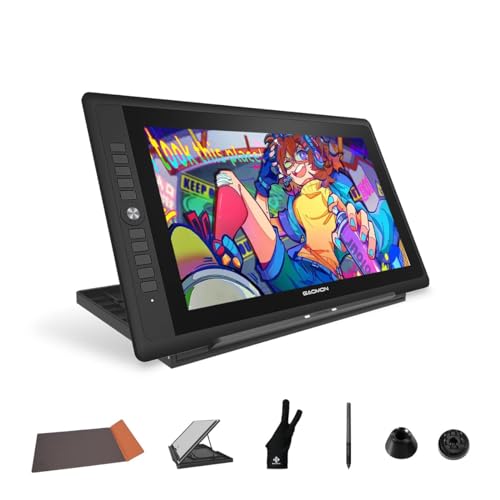
GAOMON PD156Pro 15.6" Full-Laminated Tablet
Best for: artists needing color accuracy and a dial
- Screen Size
- 15.6-Inch
- Tablet Type
- Tethered pen display
- Display Resolution
- 1920 x 1080 FHD
- Pen Pressure
- 8192 levels
- Color Gamut
- 120% sRGB
- Display Finish
- Full-laminated, anti-glare film
The GAOMON PD156Pro is a 15.6-inch pen display with a 1920×1080 resolution and 120% sRGB color gamut. It uses full-lamination to reduce parallax and includes a battery-free stylus with 8192 pressure levels. The device features a dial and ten programmable keys. It connects via a single cable and weighs 2.87 pounds. This tablet suits artists who value color accuracy and tactile controls.
- 120% sRGB color gamut for vibrant visuals
- Full-laminated screen eliminates air gap parallax
- Battery-free stylus with 8192 pressure levels
- Integrated dial and ten programmable shortcut keys
- 8192 pressure levels are lower than competitors offering 16384
- 2.87 pounds weight is heavier than some 15.6-inch alternatives
- 1920×1080 resolution is standard compared to 4K OLED options
- You want a dial for precise control adjustments
- You need a full-laminated screen for reduced parallax
- You prefer a battery-free stylus for reliable drawing
- You require a 4K OLED display for maximum detail
- You need 16384 pressure levels for extreme sensitivity
- You want a standalone tablet without a computer
Verdict: GAOMON PD156Pro 15.6-Inch Pen Display fits users who prioritize color accuracy and physical controls over the highest resolution or pressure levels.

HUION KAMVAS 16 15.6-Inch Drawing Tablet
Best for: artists needing 120% sRGB and laminated screens
- Screen Size
- 15.6-Inch
- Tablet Type
- Tethered pen display
- Pen Pressure
- 8192 levels
- Color Gamut
- 120% sRGB
- Display Finish
- Full-laminated, anti-glare film
- Shortcut Controls
- 10 customizable shortcut keys
The Huion Kamvas 16 (2021) is a 15.6-inch pen display with a full-laminated screen and 120% sRGB color gamut. It uses a battery-free stylus with 8192 pressure levels and tilt support. The device weighs 2.78 pounds and includes ten programmable shortcut keys. This setup suits digital artists who need accurate color reproduction and a parallax-free drawing surface for professional work.
- Full-laminated display reduces parallax for precise cursor tracking.
- 120% sRGB color gamut ensures vibrant, true-to-life colors.
- Battery-free PW517 stylus with 8192 pressure levels and ±60° tilt.
- Ten programmable shortcut keys for faster workflow.
- 8192 pen pressure levels are lower than the 16384 levels found on other list models.
- 2.78-pound weight is heavier than some competitors in this category.
- You prioritize a full-laminated screen for reduced parallax.
- You need 120% sRGB color accuracy for professional editing.
- You prefer a battery-free stylus for long sessions.
- You require 16384 pressure levels for maximum sensitivity.
- You need a 4K OLED display for higher resolution.
- You want the lightest possible portable drawing tablet.
Verdict: Huion Kamvas 16 15.6-Inch Full-Laminated Display offers a balanced spec set for artists who value color accuracy and a laminated screen over the highest pressure sensitivity levels.

XPPen Artist 15.6 Pro V2
Best for: Artists needing a high-accuracy pen display
- Screen Size
- 15.6-Inch
- Pen Pressure
- 16384
- Color Gamut
- 99% sRGB, 96% Adobe RGB, 96% Display P3
- Display Finish
- Full-laminated, anti-glare etched glass
- Shortcut Controls
- Red Dial, 8 shortcut keys
- Operating System
- Android
The XP-Pen Artist 15.6 Pro V2 is a 15.6-inch pen display designed for precise digital art. It features a full-laminated anti-glare screen and a 16K pressure-sensitive stylus. The device includes a dedicated red dial for easy control and eight customizable shortcut keys. It covers 99% sRGB color gamut for accurate color reproduction. This tablet suits artists who need a dedicated screen for their computer workflow.
- 16384 pressure levels for precise line control
- Full-laminated anti-glare screen reduces parallax
- 99% sRGB and 96% Adobe RGB color gamut
- Dedicated red dial for intuitive workflow control
- Eight customizable express keys for shortcuts
- Heavier at 8.07 pounds compared to lighter competitors
- Requires connection to a computer to function
- 15.4-inch viewing area is slightly smaller than the 15.6-inch frame
- You want a full-laminated screen for reduced parallax
- You prefer a physical dial for brush and zoom control
- You need high color accuracy with 99% sRGB coverage
- You need a standalone tablet without a computer
- You prefer a lighter device under 7 pounds
- You want a touchscreen display for navigation
Verdict: The XP-Pen Artist 15.6 Pro V2 fits digital artists who prioritize color accuracy and a dedicated screen over portability. Its 16K pressure sensitivity and red dial offer a professional workflow for stationary desk setups.

HUION Kamvas Pro 16 V2 15.6-Inch Pen Display
Best for: Professional artists needing accurate color and pen pressure
- Screen Size
- 15.6-Inch
- Tablet Type
- Tethered pen display
- Pen Pressure
- 16384
- Display Finish
- Full-laminated Canvas Glass 2.0
- Shortcut Controls
- 6 Express Keys, Smart Touch Bar
- Features
- Stylus, Stylus Pen, Battery-Free Pen, Shortcut Keys
The HUION Kamvas Pro 16 V2 is a 15.6-inch pen display designed for precise digital drawing. It features a full-laminated screen with 120% sRGB color coverage and a battery-free pen offering 16,384 pressure levels. This model includes a smart touch bar and customizable keys for workflow control. You will appreciate the slim build and secure connection for stable creative sessions on your computer.
- 16,384 pressure levels for detailed stroke capture
- 120% sRGB color coverage for print-ready accuracy
- Full-laminated anti-glare display with minimal parallax
- Battery-free PenTech 4.0 stylus with tilt support
- Smart Touch Bar for quick workflow adjustments
- Heavier at 3 pounds compared to lighter competitors
- No touch screen capability for direct input
- Requires constant connection to a computer
- You need high color accuracy for professional work
- You prefer a dedicated pen display setup
- You want customizable shortcut keys for efficiency
- You require a standalone tablet without a PC
- You need a touch screen for navigation
- You prioritize the lightest possible device
Verdict: HUION Kamvas Pro 16 V2 15.6-Inch Pen Display fits artists who prioritize color fidelity and pen precision over portability and touch interaction. It suits those who already have a computer and want a reliable, high-spec drawing monitor.

XP-Pen Artist Ultra 16 15.6" Touchscreen
Best for: professional illustrators needing color accuracy and touch
- Screen Size
- 15.6-Inch
- Tablet Type
- Tethered pen display
- Display Resolution
- 3840 x 2160 UHD
- Pen Pressure
- 16384
- Color Gamut
- 99% Adobe RGB, 99% sRGB, 98% Display P3
- Display Finish
- Laminated, etched glass, AF coating
The XPPen Artist Ultra 16 is a 15.6-inch drawing tablet with a 4K OLED touchscreen. It features 16K pen pressure levels and 99% Adobe RGB color coverage. The device supports multi-point touch gestures for canvas manipulation. It includes dual USB-C connections and HDMI input for flexible setup. This tablet suits professionals needing high-resolution visuals and direct touch interaction.
- 15.6-inch 4K OLED display with 3840 x 2160 resolution
- 99% Adobe RGB and 99% sRGB color gamut coverage
- 16K pen pressure levels with 60° tilt support
- Multi-point touch interaction with customizable gestures
- Includes customizable ACK05 shortcut remote with 40 keys
- Heavier at 3.37 pounds compared to many competitors
- Requires connection to a computer or laptop to operate
- Touch function disabled in custom excluded areas
- You need a high-resolution OLED display for precise color work
- You want to use multi-touch gestures to navigate your canvas
- You prefer a dedicated shortcut remote for efficiency
- You require a standalone tablet without a computer
- You need a lighter device for portable use
- You do not need touchscreen capabilities
Verdict: XPPen Artist Ultra 16 15.6" OLED Touchscreen delivers professional-grade color accuracy and touch control for stationary studio work. It fits artists who prioritize visual fidelity and gesture navigation over portability.
Specifications side by side
| Spec | XP-Pen Artist 15.6 Pro Drawing Tablet | HUION Kamvas Pro 16 15.6-Inch Pen Display | HUION KAMVAS Pro 16 15.6-Inch Pen Display | GAOMON PD1561 15.6-Inch Drawing Tablet | GAOMON PD156Pro 15.6" Full-Laminated Tablet | HUION KAMVAS 16 15.6-Inch Drawing Tablet | XPPen Artist 15.6 Pro V2 | HUION Kamvas Pro 16 V2 15.6-Inch Pen Display | XP-Pen Artist Ultra 16 15.6" Touchscreen |
|---|---|---|---|---|---|---|---|---|---|
| Tablet Type | – | Tethered pen display | Tethered pen display | Tethered pen display | Tethered pen display | Tethered pen display | – | Tethered pen display | Tethered pen display |
| Screen Size | 15.6" | 15.6" | 15.6" | 15.6" | 15.6 inch | 15.6" | 15.6" | 15.6" | 15.6" |
| Display Resolution | 1920×1080 FHD | – | – | 1920×1080 Full HD | 1920 x 1080 FHD | – | – | – | 3840 x 2160 UHD |
| Pen Pressure | 16384 levels | – | 8192 | 8192 | 8192 levels | 8192 levels | 16384 | 16384 | 16384 |
| Color Gamut | 88% NTSC (120% sRGB) | 120% sRGB (92% AdobeRGB) | – | – | 120% sRGB | 120% sRGB | 99% sRGB, 96% Adobe RGB, 96% Display P3 | – | 99% Adobe RGB, 99% sRGB, 98% Display P3 |
| Display Finish | Full-laminated | Fully laminated anti-glare glass | Full-laminated anti-glare glass | Anti-glare, pre-applied film | Full-laminated, anti-glare film | Full-laminated, anti-glare film | Full-laminated, anti-glare etched glass | Full-laminated Canvas Glass 2.0 | Laminated, etched glass, AF coating |
| Shortcut Controls | 8 shortcut keys, Red Dial | 6 express keys, touch bar | 6 express keys, 1 touch bar | 10 shortcut keys | 10 shortcut keys, 1 dial key | 10 customizable shortcut keys | Red Dial, 8 shortcut keys | 6 Express Keys, Smart Touch Bar | ACK05 shortcut remote (40 keys) |
| Operating System | – | Windows | – | – | Windows | Android | Android | – | Android |
| Features | Stylus, Stylus Pen, Shortcut Keys, Tilt Support, Dial | Shortcut Keys | Stylus, Stylus Pen, Battery-Free Pen, Shortcut Keys, Tilt Support | Battery-Free Pen, Shortcut Keys, Tilt Support | Stylus, Stylus Pen, Battery-Free Pen, Tilt Support, Dial | Stylus, Stylus Pen, Battery-Free Pen, Shortcut Keys, Tilt Support | Shortcut Keys | Stylus, Stylus Pen, Battery-Free Pen, Shortcut Keys | Stylus, Stylus Pen, Dial |
| Display | Full-Laminated | Full-Laminated | Full-Laminated | Anti-Glare | Full-Laminated | Full-Laminated | Full-Laminated | Full-Laminated | Touchscreen |
| Color | Red | Black | Black | Black | Black | Black | Black | Black | – |
| Audience | – | – | – | Animation | – | – | – | – | – |
| Dimensions | 17.4 × 11 × 0.51 inches | 17.2 × 9.88 × 0.47 inches | – | 17.8 × 9.92 × 0.77 inches | 13.5 × 7.62 × 0.1 inches | – | – | 17.2 × 9.89 × 0.1 inches | – |
| Weight | 7.28 pounds | 2.98 pounds | 2.65 pounds | 3.48 pounds | 2.87 pounds | 2.78 pounds | 8.07 pounds | 3 pounds | 3.37 pounds |
| Length | – | – | 17.3 inches | – | – | 9.96 inches | – | – | 15.9 inches |
| Width | – | – | 9.84 inches | – | – | 16.7 inches | – | – | 13.5 inches |
| Size | 15.6 Inch | 15.6 Inch | 15.6 Inch | 15.6 inch | 15.6 Inch | 15.6inch | 15.6 inch | 15.6 inch | 15.6" |
| Model | Artist 15.6 Pro | Kamvas Pro 16 | Huion KAMVAS Pro 16 | GAOMON PD1561 Pen Display | A2.PD156P-0-EN0000-0-1-CY-0 | GS1562 | Artist 15.6 Pro V2 | GT-156-V2-US | Ultra16 |
To transport your tablet, compare sleeve measurements against the best briefcases with 15 6 inch laptop compartments.
How to choose the right 15.6-inch drawing tablet
Check pen pressure levels
You should look at the stylus pressure sensitivity first. This spec determines how naturally your lines vary in thickness. Higher numbers like 16K levels offer finer gradations than 8192 levels. The XP-Pen Artist 15.6 Pro V2 provides 16K levels for precise control. The GAOMON PD1561 offers 8192 levels, which is sufficient for many users. Choose the higher count if you need subtle line weight changes for detailed illustration work.
Verify full lamination
Ensure the display is full-laminated to reduce parallax. This means the glass layer sits directly on the display panel. It makes your cursor feel closer to the pen tip. The XP-Pen Artist 15.6 Pro and HUION Kamvas Pro 16 both use full-lamination. The GAOMON PD1561 uses an anti-glare screen instead. Lamination improves accuracy for professional digital art. You should prioritize this feature for detailed drawing tasks.
Look for physical dials
A physical dial offers tactile control for studio workflows. It allows quick adjustments without looking at the screen. The XP-Pen Artist 15.6 Pro includes a dial for zooming or scrolling. The GAOMON PD156Pro also features a dial for similar functions. The HUION Kamvas Pro 16 uses a touch bar instead. Choose a dial if you prefer physical knobs for navigating your software interface efficiently.
Consider weight and size
Weight matters if you move your tablet often. The GAOMON PD156Pro is the lightest at 2.87 pounds. The XP-Pen Artist 15.6 Pro is heavier at 7.28 pounds. Heavier models often feel more stable on a desk. Lighter models are easier to carry to different workspaces. Check the dimensions in the specs. A smaller footprint saves desk space. Pick a weight that matches your portability needs.
Check for tilt support
Tilt support lets the pen detect angle changes. This mimics real brush behavior for shading and sketching. The XP-Pen Artist 15.6 Pro supports tilt for natural strokes. The HUION KAMVAS Pro 16 also includes this feature. The GAOMON PD1561 supports tilt for animation work. If you use brush tools often, tilt support is essential. Verify this spec in the attributes list before buying.
Frequently asked questions
Which 15.6-inch drawing tablet is best for studio artists who need tactile controls?
The XP-Pen Artist 15.6 Pro Drawing Tablet is the top choice for this need. It features a physical dial for precise workflow adjustments. You also get 16K pressure levels for detailed line work. The full-laminated screen reduces parallax for accurate drawing. This model weighs 7.28 pounds, making it a stationary studio tool rather than a portable device.
Do all 15.6-inch drawing tablets have laminated screens?
No, not all models include this feature. Most top picks like the XP-Pen Artist 15.6 Pro and HUION Kamvas Pro 16 use full-laminated displays. This technology minimizes the gap between the glass and the pixel layer. However, the GAOMON PD1561 uses an anti-glare display instead. You should check the specific display type in the specs before buying.
What is the lightest 15.6-inch drawing tablet on this list?
The GAOMON PD156Pro is the lightest option at 2.87 pounds. It also measures just 0.1 inches thick. This makes it the most portable choice for artists who move between locations. Other models like the XP-Pen Artist 15.6 Pro weigh over 7 pounds. Portability varies significantly across these 15.6-inch pen displays.
Which tablet supports touch controls for gesture navigation?
The XP-Pen Artist Ultra 16 15.6-inch Touchscreen is the only model listed with this feature. It allows you to use hand gestures for zooming and scrolling. Most other tablets, such as the HUION Kamvas Pro 16, offer a touch bar instead. That bar provides shortcut keys rather than full touch interaction on the screen itself.
Are the styluses battery-free on these drawing tablets?
Yes, most models in this group use battery-free pens. The HUION KAMVAS Pro 16 and GAOMON PD1561 both include battery-free styluses. This means you do not need to charge the pen or replace batteries. The XP-Pen Artist 15.6 Pro also supports a battery-free pen for uninterrupted creative sessions.
Which 15.6-inch tablet offers the highest pen pressure sensitivity?
Several models offer 16K pressure levels for the finest gradations. These include the XP-Pen Artist 15.6 Pro, XP-Pen Artist 15.6 Pro V2, and HUION Kamvas Pro 16 V2. Other tablets like the HUION KAMVAS 16 provide 8192 levels. While 8192 is sufficient for many users, 16K allows for more nuanced line weight variations.


