Best Drawing Tablets with 256GB in 2026: 6 Picks Ranked by Specs
Finding the best drawing tablets with 256GB requires looking closely at published specifications.

What this report covers
- Last updated
- 4 Nov 2026
Figures above are read from the product listings for the models named below. Scores are out of 10, based on listed specifications and buyer feedback.
As Amazon Associates, we earn from qualifying purchases. This means we may receive a small commission at no extra cost to you if you click through and make a purchase.
As an Amazon Associate we earn from qualifying purchases. Links on this page are affiliate links.
Finding the best drawing tablets with 256GB requires looking closely at published specifications. We compared 6 standalone devices to help you choose based on data, not hype. The XPPen Magic Drawing Pad 12.2" 256GB leads this list because it offers 16K pressure sensitivity in a portable 1.3-pound form factor. Each pick is ranked strictly by the specs listed on the product pages. This guide helps you decide which tablet matches your storage and performance needs.
Choose between screen size and weight
All listed tablets include 256GB of storage. Your main decision rests on screen size and weight. The XP-Pen Magic Drawing Pad offers a 12.2-inch display and weighs 1.3 pounds, making it highly portable. The UGEE UT3 provides a larger 14.25-inch canvas but weighs 3.92 pounds. Select the device that matches your preferred balance of portability and workspace.
| # | Product | Best for | Price |
|---|---|---|---|
| 1 | XPPen Magic Drawing Pad 12.2" 256GB Best overall | Portable drawing with high storage capacity | |
| 2 | UGEE UT3 14.25" 2.4K Standalone Tablet Best budget | Large canvas standalone drawing | |
| 3 | XP-Pen Magic Drawing Pad 12.2 Standalone Best premium | Portable artists needing 256GB storage | |
| 4 | Wacom MovinkPad Pro 14 Android Tablet Also great | Android artists needing high RAM and OLED clarity | |
| 5 | Callsky-Kids 12-Inch Blue Standalone Tablet Best blue | beginners needing portable storage and LTE | |
| 6 | HUION KAMVAS Pad 12 Standalone Best battery-free pen | Portable digital artists needing high refresh rate |
The best fit for you
- You need a portable drawing tablet with high storage – XPPen Magic Drawing Pad 12.2" 256GB – It weighs 1.3 pounds and includes 256GB of storage for your files.
- You want the largest canvas for standalone drawing – UGEE UT3 14.25" 2.4K Standalone Tablet – This 14.3-inch tablet offers a large 2.4K display and 256GB of space.
- You prioritize screen quality and memory for work – Wacom MovinkPad Pro 14 Android Tablet – It features an OLED display and 256GB of storage on Android.
- You are a beginner needing mobile connectivity – Callsky-Kids 12-Inch Blue Standalone Tablet – This blue tablet provides 256GB of storage and LTE for drawing on the go.

XPPen Magic Drawing Pad 12.2" 256GB
Best for: Portable drawing with high storage capacity
- Storage
- 256GB
- Tablet Type
- Standalone
- Screen Size
- 12.2-inch
- Display Resolution
- 2160*1440
- Pen Pressure
- 16,384 levels
- Color Gamut
- 97% sRGB
This standalone drawing tablet features a 12.2-inch display with a 2160×1440 resolution and 256GB of storage. It runs Android 14 and includes 8GB of RAM. The device supports 16K pressure levels and 60-degree tilt recognition. Weighing 599 grams, it offers portable performance for digital artists who need a reliable, high-capacity screen for creation without a computer.
- 256GB internal storage expandable to 1TB
- 16K pressure sensitivity with 60-degree tilt support
- 12.2-inch screen with 2160×1440 resolution
- 8GB RAM for smooth multitasking
- 8000 mAh battery for long usage
- Smaller 12.2-inch screen compared to 14-inch competitors
- Lower 2160×1440 resolution versus 2.4K or 2K+ displays
- Heavier 599g build compared to lighter alternatives
- You need 256GB of storage for large artwork files
- You prefer a portable device under 600 grams
- You want 16K pressure sensitivity for detailed drawing
- You require a screen larger than 12.2 inches
- You need 4K or higher display resolution
- You prioritize the lightest possible tablet weight
Verdict: XP-Pen Magic Drawing Pad 12.2" 256GB suits artists who value high pressure sensitivity and ample storage in a portable form factor. It is ideal for creators who need a standalone device with strong specs but do not require the largest available screen.

UGEE UT3 14.25" 2.4K Standalone Tablet
Best for: Large canvas standalone drawing
- Storage
- 256GB
- Tablet Type
- Standalone
- Screen Size
- 14.25 inches
- Display Resolution
- 2.4K
- Display Finish
- Paper-like NanoMatte
- Shortcut Controls
- U-Key
The UGEE UT3 is a standalone drawing tablet featuring a 14.25-inch 2.4K display and 256GB of storage. It runs Android 14 on a 6nm octa-core processor and includes a 10,000mAh battery with 27W fast charging. Weighing 3.92 pounds, it offers a large canvas in a portable form. This device suits artists who need a powerful, all-in-one solution for digital creation without a computer.
- 14.25-inch 2.4K display for detailed artwork
- 256GB internal storage for files and apps
- 10,000mAh battery supports extended creative sessions
- Android 14 OS with 6nm octa-core processor
- Heavier at 3.92 pounds compared to lighter competitors
- Lower 2.4K resolution than 4K or 2K+ options
- Fewer color mode settings than premium models
- You want a large 14.25-inch screen for detailed work
- You need 256GB of storage for large projects
- You prefer a standalone device with Android 14
- You prioritize the lightest possible device for travel
- You require a 4K or higher resolution display
- You need a tablet under 3 pounds in weight
Verdict: UGEE UT3 14.25" 2.4K Standalone Tablet fits artists who value a large canvas and ample storage over portability. It delivers strong standalone performance for those who do not mind a heavier device.

XP-Pen Magic Drawing Pad 12.2 Standalone
Best for: Portable artists needing 256GB storage
- Storage
- 256GB
- Tablet Type
- Standalone
- Screen Size
- 12.2"
- Display Resolution
- 2160×1440
- Pen Pressure
- 16384
- Color Gamut
- 97% sRGB
This standalone drawing tablet features a 12.2-inch display with 2160×1440 resolution and 97% sRGB color gamut. It includes 256GB of storage, 8GB RAM, and runs Android 14. The device offers 16,384 pressure levels and an 8,000mAh battery for up to 13 hours of use. You will appreciate the slim 6.9mm build and 599g weight for portable creative work.
- 256GB storage capacity
- 16,384 pressure sensitivity levels
- 8,000mAh battery with 13-hour life
- 599g lightweight design
- 12.2-inch screen is smaller than the 14.25-inch UGEE model
- 2160×1440 resolution is lower than the 2.4K UGEE display
- 599g weight is heavier than the Wacom MovinkPad Pro
- You need 256GB of local storage for large projects
- You want a standalone device with no computer required
- You prefer a lightweight tablet for portable drawing
- You require a larger 14-inch or bigger screen
- You need the highest possible screen resolution available
- You want the lightest possible device for travel
Verdict: XPPen Magic Drawing Pad 12.2 Inch provides ample 256GB storage and high pressure sensitivity for artists who need portable power. It suits creators who prioritize storage capacity and pen precision over maximum screen size or resolution.

Wacom MovinkPad Pro 14 Android Tablet
Best for: Android artists needing high RAM and OLED clarity
- Storage
- 256GB
- Screen Size
- 14 inch
- Display Resolution
- 3K (2880 × 1800px)
- Pen Pressure
- 8,192 levels
- Color Gamut
- 100% sRGB & DCI-P3
- Display Finish
- Etched glass, anti-glare matte
The Wacom MovinkPad Pro 14 is a standalone Android tablet featuring a 14-inch OLED display with 3K resolution. It includes 12GB of RAM and 256GB of storage for your artwork. The device runs Android 15 and uses the Pro Pen 3 with 8,192 pressure levels. This combination offers vivid colors and smooth performance for digital artists who need a portable, all-in-one creative studio.
- 14-inch OLED screen with 3K resolution
- 12GB RAM for smooth multitasking
- 256GB internal storage capacity
- Pro Pen 3 with 8,192 pressure levels
- Android 15 operating system
- Heavier build at 1.61 pounds
- Lower screen resolution than 2.4K or 2K competitors
- You need a standalone tablet with high RAM
- You prefer the tactile feel of an OLED display
- You require a large 14-inch drawing canvas
- You want the lightest possible portable device
- You need a 2.4K or higher resolution screen
- You prefer Windows or macOS over Android
Verdict: Wacom MovinkPad Pro 14 suits artists who prioritize screen quality and memory over weight. It fits those who want a large, standalone Android canvas for professional work.
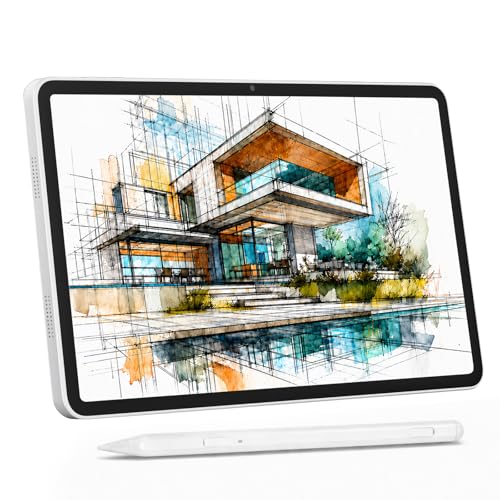
Callsky-Kids 12-Inch Blue Standalone Tablet
Best for: beginners needing portable storage and LTE
- Storage
- 256GB
- Tablet Type
- Standalone
- Screen Size
- 12-inch
- Display Resolution
- 2000 x 1200
- Pen Pressure
- 4096 levels
- Color Gamut
- 100% sRGB
This 12-inch standalone drawing tablet runs Android 15 with 16GB of RAM and 256GB of storage. The IPS display offers 2000×1200 resolution and 100% sRGB color gamut. A 4096-level stylus with 60-degree tilt support provides natural drawing feel. The device includes a 4G LTE dual-SIM slot and an 8000mAh battery. It targets students and beginners who need a portable, all-in-one creative tool.
- 256GB internal storage expandable to 2TB
- 12-inch IPS display with 100% sRGB color gamut
- 4096 pressure levels and 60-degree tilt support
- 4G LTE dual-SIM connectivity for mobile use
- 8000mAh battery with reverse charging capability
- 12-inch screen is smaller than the 14-inch options on this list
- 2000×1200 resolution is lower than the 2.4K and 2K+ displays found in other picks
- 15.9-ounce weight is heavier than typical lightweight tablets
- You need 256GB of storage for large art files
- You want standalone functionality without a computer
- You prefer a blue-colored device for personal style
- You require a screen larger than 12 inches
- You need higher resolution than 2000×1200 pixels
- You prioritize the lightest possible portable device
Verdict: Callsky-Kids 12-Inch Blue Drawing Tablet suits beginners who need ample storage and mobile connectivity. It offers a compact form factor for students who draw on the go.
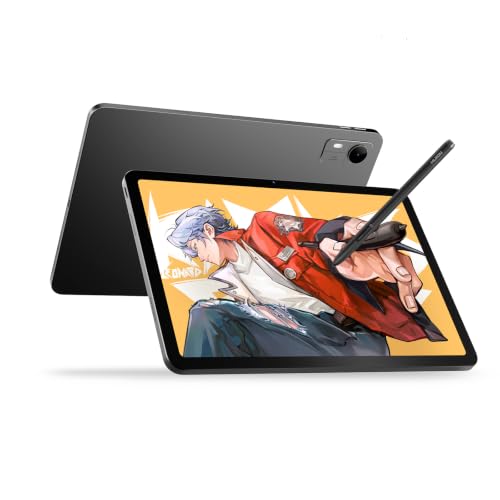
HUION KAMVAS Pad 12 Standalone
Best for: Portable digital artists needing high refresh rate
- Storage
- 256GB
- Tablet Type
- Standalone
- Screen Size
- 12.2"
- Display Resolution
- 2K+
- Pen Pressure
- 16384 levels
- Color Gamut
- 99% sRGB
The HUION KAMVAS Pad 12 is a standalone drawing tablet with a 12.2-inch 2K+ screen. It runs Android 16 and includes 256GB of storage. The device features a battery-free pen with 16,384 pressure levels. Its 90Hz refresh rate ensures smooth strokes. This tablet suits artists who need a portable, high-resolution canvas without a computer.
- 12.2-inch 2K+ display with 236 PPI for sharp details
- 90Hz refresh rate for fluid drawing and video playback
- Battery-free pen with 16,384 pressure levels and tilt support
- 256GB expandable storage for large projects
- 99% sRGB color accuracy with factory calibration
- 12.2-inch screen is smaller than the 14.25-inch option
- 1.47-pound weight is heavier than some competitors
- 8000mAh battery may require daily charging under heavy use
- You want a standalone tablet with a high refresh rate
- You prefer a 3:2 aspect ratio for vertical drawing space
- You need 256GB of local storage for your artwork
- You need a screen larger than 12.2 inches
- You require a lighter device under 1.47 pounds
- You prefer a 16:9 display format
Verdict: The HUION KAMVAS Pad 12 12.2-Inch Drawing Tablet fits artists who prioritize a high-refresh-rate screen and precise pen control in a portable package. It is a solid choice for digital sketching on the go.
Specifications side by side
| Spec | XPPen Magic Drawing Pad 12.2" 256GB | UGEE UT3 14.25" 2.4K Standalone Tablet | XP-Pen Magic Drawing Pad 12.2 Standalone | Wacom MovinkPad Pro 14 Android Tablet | Callsky-Kids 12-Inch Blue Standalone Tablet | HUION KAMVAS Pad 12 Standalone |
|---|---|---|---|---|---|---|
| Tablet Type | Standalone | Standalone | Standalone | – | Standalone | Standalone |
| Screen Size | 12.2-inch | 14.25 inches | 12.2" | 14 inch | 12-inch | 12.2" |
| Display Resolution | 2160*1440 | 2.4K | 2160×1440 | 3K (2880 × 1800px) | 2000 x 1200 | 2K+ |
| Pen Pressure | 16,384 levels | – | 16384 | 8,192 levels | 4096 levels | 16384 levels |
| Color Gamut | 97% sRGB | – | 97% sRGB | 100% sRGB & DCI-P3 | 100% sRGB | 99% sRGB |
| Refresh Rate | – | – | – | – | – | 90Hz |
| Display Finish | AG-etched | Paper-like NanoMatte | – | Etched glass, anti-glare matte | Full-lamination, anti-glare protector | Fully laminated nano-etched glass, AF |
| Shortcut Controls | – | U-Key | – | – | – | – |
| Storage | 256GB | 256GB | 256GB | 256GB | 256GB | 256GB |
| Operating System | – | – | – | Android | Android | Android |
| Features | Stylus, Stylus Pen, Tilt Support | – | – | Stylus, Stylus Pen | Stylus, Stylus Pen | Stylus, Stylus Pen, Battery-Free Pen |
| Display | – | 4K | – | Anti-Glare | Anti-Glare | Anti-Glare |
| Color | Purple | Black | Black | Light Gray | Blue | Grey |
| Audience | – | – | – | – | Students, Beginners | – |
| Length | 11.4 inches | 14.3 inches | – | 12.7 inches | – | – |
| Width | 7.48 inches | 10.9 inches | – | 8.3 inches | – | – |
| Weight | 1.3 pounds | 3.92 pounds | 1.3 pounds | 1.61 pounds | 15.9 ounces | 1.47 pounds |
| Dimensions | – | – | – | – | 9.48 × 6.31 × 0.34 inches | 11.1 × 7.7 × 0.1 inches |
| Size | 279 x 192 x 6.9 mm | UT3 | 12.2 inch | 14 inch | 12-Inch | – |
| Model | Magic Drawing Pad | 2fc69a16-6cca-4244-88eb-48eef704e039 | X3 Pro | MovinkPad Pro 14 Android All-in-One | Ctab12-Pro | KP1202 |
How to Choose the Right Tablet
Check Pen Pressure Levels
Look for 16K pressure sensitivity if you want precise line control. The XP-Pen Magic Drawing Pad and HUION KAMVAS Pad both offer this level. Higher numbers mean more subtle variations in stroke width. This matters for detailed digital art. If you are a beginner, standard sensitivity may suffice. However, professional artists usually need the full range. Check the attributes section for this spec. It helps you gauge how responsive the stylus will feel during use.
Weigh Portability Needs
Consider the weight if you draw on the go. The XP-Pen Magic Drawing Pad weighs only 1.3 pounds. It is easy to carry in a bag. The UGEE UT3 is much heavier at 3.92 pounds. It is better for a desk setup. Lighter tablets reduce fatigue during long sessions. Heavier ones may feel more stable. Compare the weight specs in the product data. Choose the size that fits your lifestyle and carrying habits.
Compare Screen Sizes
Screen size affects your workspace and portability. The UGEE UT3 has a 14.3-inch display. It offers a large canvas for detailed work. The Callsky-Kids is smaller at 9.48 inches long. It is more compact for travel. Larger screens provide more room for tools. Smaller screens are easier to hold. Decide based on how much space you have. Match the dimensions to your drawing style and environment.
Review Operating Systems
The operating system determines app availability. The Wacom MovinkPad Pro and Callsky-Kids run Android. This gives access to a wide app store. Some tablets may have different systems. Check the attributes for the OS. Android allows you to install various drawing programs. This flexibility is useful for different workflows. Ensure the system supports the software you need. Compatibility is key for a smooth creative experience.
Assess Display Quality
Display resolution impacts image clarity. The UGEE UT3 features a 2.4K display. This provides sharp visuals for detailed art. Other tablets may have lower resolutions. Check the specs for display type. Anti-glare coatings help in bright environments. Look for these details in the attributes. A clear screen reduces eye strain. It also helps you see fine lines accurately. Prioritize resolution and coating for the best viewing experience.
Frequently asked questions
Which drawing tablet with 256GB is the most portable?
The XP-Pen Magic Drawing Pad 12.2" 256GB is the lightest option on this list. It weighs just 1.3 pounds and measures 11.4 by 7.48 inches. This compact size makes it easy to carry for artists who need to work on the go. You get ample storage without the bulk of larger screens.
What is the largest screen available among these 256GB tablets?
The UGEE UT3 14.25" 2.4K Standalone Tablet offers the largest canvas. It features a 14.3-inch length and a 2.4K display for detailed work. While it provides significant screen real estate, it is heavier at 3.92 pounds. This model suits those who prioritize display size over portability.
Do these tablets support tilt functionality for natural shading?
Yes, the XP-Pen Magic Drawing Pad 12.2" 256GB supports tilt. This feature allows you to create more natural shading and line variations. Other models like the Wacom MovinkPad Pro and Callsky-Kids include stylus pens but do not explicitly list tilt support in their published attributes. Check the specific pen features for your needs.
Which 256GB tablet runs Android for app flexibility?
Several models here run the Android operating system. The Wacom MovinkPad Pro 14, Callsky-Kids 12-Inch, and HUION KAMVAS Pad 12 all use Android. This allows you to install drawing apps directly on the device. You do not need to connect it to a computer to access your creative software suite.
Is there a tablet with a battery-free pen included?
The HUION KAMVAS Pad 12 Standalone features a battery-free pen. This means you do not need to charge the stylus separately. It also offers 16K pressure sensitivity and an anti-glare display. This setup reduces maintenance and keeps your workflow uninterrupted during long drawing sessions.
Which device has the thinnest profile for easy carrying?
The Callsky-Kids 12-Inch Blue Standalone Tablet has a very thin profile at 0.34 inches. It also weighs only 15.9 ounces, making it the lightest option. This compact design is ideal for students or beginners who need a portable solution. It includes 256GB of storage in a highly mobile form factor.
How much pressure sensitivity do these drawing tablets offer?
The XP-Pen Magic Drawing Pad models and the HUION KAMVAS Pad 12 both offer 16K levels of pen pressure. This high sensitivity allows for subtle variations in line weight and opacity. Other listed tablets do not specify their pressure sensitivity levels in the provided data. Higher levels generally provide more precise control.


