Best Drawing Tablets with 8192 Levels: 15 Spec-Based Picks
Finding the best drawing tablets with 8192 Levels requires checking specific pressure sensitivity specs.

What this report covers
- Last updated
- 31 Oct 2026
Figures above are read from the product listings for the models named below. Scores are out of 10, based on listed specifications and buyer feedback.
As Amazon Associates, we earn from qualifying purchases. This means we may receive a small commission at no extra cost to you if you click through and make a purchase.
As an Amazon Associate we earn from qualifying purchases. Links on this page are affiliate links.
Finding the best drawing tablets with 8192 Levels requires checking specific pressure sensitivity specs. You need a pen that responds to subtle hand movements for professional digital art. The Wacom Cintiq Pro 24 4K Touch Display leads this list because its 24-inch 4K touchscreen offers the largest canvas for detailed work. We compared 15 models based strictly on their published specifications. This guide helps you decide which pen display fits your workflow and desk space.
Match Screen Size to Your Workflow
All 15 options share 8192 pressure levels. Your choice depends on screen size and portability. The Wacom Cintiq Pro 24 offers a large 24-inch canvas for stationary work. Smaller models like the XP-Pen Artist12 fit easily in a bag. Pick a size that matches your desk space and travel needs.
| # | Product | Best for | Price |
|---|---|---|---|
| 1 | Wacom Cintiq Pro 24 4K Touch Display Best overall | large canvas professional digital art | |
| 2 | XP-PEN Artist12 11.6-Inch Pen Display Also great | beginners needing a portable, budget-friendly pen display | |
| 3 | HUION KAMVAS Pro 16 15.6-Inch Pen Display Also great | artists needing a mid-size connected pen display | |
| 4 | GAOMON PD1161 11.6" Pen Display Also great | Beginners needing a portable drawing screen | |
| 5 | XP-Pen Artist 12 Pro 11.6-Inch Also great | compact digital art and sketching | |
| 6 | GAOMON PD1561 15.6-Inch Drawing Tablet Also great | Digital artists needing a mid-sized screen with tilt support | |
| 7 | HUION Kamvas 22 21.5-Inch Pen Display Best premium | Large desktop canvas with wide color coverage | |
| 8 | VEIKK VK1200 V2 11.6-Inch Pen Display Best budget | compact drawing on a budget | |
| 9 | HUION Kamvas Pro 16 Plus 4K Pen Display Also great | detailed digital art and color-critical work | |
| 10 | HUION KAMVAS 16 15.6-Inch Drawing Tablet Also great | Portable artists needing a laminated 15.6-inch screen | |
| 11 | HUION KAMVAS 22 Plus 21.5-Inch Drawing Tablet Also great | Large desktop canvas with wide color gamut | |
| 12 | XP-Pen Artist 22 2nd 21.5-Inch Display Best windows | Windows users needing a large 21.5-inch screen | |
| 13 | HUION Kamvas 24 Plus 23.8-inch Drawing Tablet Best 23.8-inch | Large screen professional graphic design | |
| 14 | Xencelabs Pen Display 24 4K Drawing Tablet Best 4k | Professional graphic designers needing 4K color accuracy | |
| 15 | VEIKK VK1200 11.6" Drawing Tablet Also great | Beginners needing a compact, entry-level pen display |
The best fit for you
- You need the largest professional canvas for digital art – Wacom Cintiq Pro 24 4K Touch Display – The 24-inch 4K touchscreen provides the maximum screen real estate on this list.
- You want a lightweight tablet for portable sketching – VEIKK VK1200 V2 11.6-Inch Pen Display – This 11.6-inch display weighs only 1.78 pounds, making it the lightest option available.
- You require a large screen for Windows-based design work – XP-Pen Artist 22 2nd 21.5-Inch Display – It features a 21.5-inch display and is explicitly listed as compatible with Windows.
- You need high-resolution visuals for color-critical professional work – Xencelabs Pen Display 24 4K Drawing Tablet – This model offers a 4K display with 8192 levels of pen pressure for precise detail.

Wacom Cintiq Pro 24 4K Touch Display
Best for: large canvas professional digital art
- Pen Pressure
- 8192 Levels
- Screen Size
- 23.6"
- Display Resolution
- 4K
- Color Gamut
- 99% Adobe RGB, 97% sRGB
- Display Finish
- Optical bonding
- Shortcut Controls
- ExpressKey Remote
This 24-inch pen display features a 4K touchscreen with 8192 levels of pen pressure. It covers 99% of the Adobe RGB color gamut and includes tilt recognition. The package comes with an ExpressKey Remote for shortcuts. It suits professionals who need large canvas space and high color accuracy for detailed digital artwork.
- 24-inch 4K touchscreen display
- 8192 levels of pen pressure
- 99% Adobe RGB color coverage
- Includes ExpressKey Remote
- 15.9 pounds weight is heavy for portability
- 15.5 inches width limits desk space
- 99% Adobe RGB is lower than 145% sRGB on other picks
- You need a large 24-inch canvas for detailed work
- You require 4K resolution for precise drawing
- You want included shortcut keys via the remote
- You need a portable device for travel
- You want a lighter screen under 10 pounds
- You require 145% sRGB color gamut coverage
Verdict: Wacom Cintiq Pro 24 offers a large 24-inch 4K canvas for professionals needing high color accuracy. It fits artists who prioritize screen real estate and included hardware controls over portability.

XP-PEN Artist12 11.6-Inch Pen Display
Best for: beginners needing a portable, budget-friendly pen display
- Pen Pressure
- 8192 Levels
- Screen Size
- 11.6"
- Display Resolution
- 1920×1080 FHD
- Color Gamut
- 72% NTSC (100% sRGB)
- Display Finish
- anti-reflective screen protector
- Shortcut Controls
- 6 shortcut keys, slim touch bar
The XP-Pen Artist12 is an 11.6-inch pen display with 8192 levels of pen pressure and a 100% sRGB color gamut. It features a battery-free stylus and customizable shortcut keys. This compact unit weighs 2 pounds and measures 0.31 inches thick. It suits artists who need a portable, entry-level screen for digital drawing and sketching on Windows, Mac, or Linux systems.
- 8192 levels of pen pressure for precise control
- 100% sRGB color gamut for accurate color reproduction
- Battery-free P06 stylus with a hexagonal grip design
- 6 customizable shortcut keys and a programmable touch bar
- Universal compatibility with Windows, Mac, and Linux
- 11.6-inch screen is smaller than most competitors on this list
- HD 1920×1080 resolution is lower than the 4K or 2.5K displays in this guide
- 72% NTSC color rating is less comprehensive than the 120% sRGB or 145% sRGB options available elsewhere
- You need a compact drawing tablet that fits easily on a small desk
- You want a budget-friendly pen display with a battery-free stylus
- You primarily work with 2D digital art and do not require 4K resolution
- You require a large 22-inch or 24-inch canvas for detailed work
- You need a 4K UHD or 2.5K QHD screen for professional color grading
- You want a device with a wider color gamut than 100% sRGB
Verdict: The XP-Pen Artist12 11.6-Inch Pen Display is a solid entry-level choice for beginners and students who prioritize portability and basic pressure sensitivity over high-resolution screens or large display sizes.
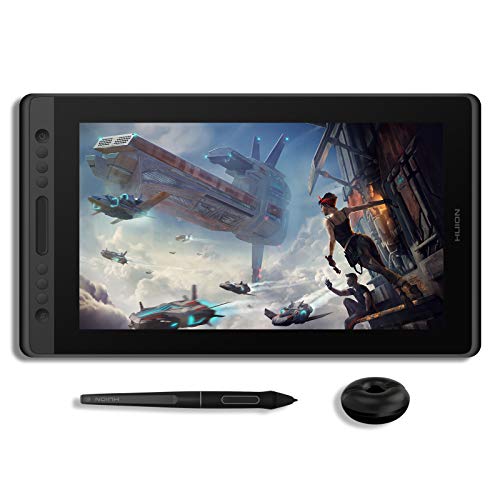
HUION KAMVAS Pro 16 15.6-Inch Pen Display
Best for: artists needing a mid-size connected pen display
- Pen Pressure
- 8192 Levels
- Tablet Type
- Tethered pen display
- Screen Size
- 15.6"
- Display Finish
- Full-laminated anti-glare glass
- Shortcut Controls
- 6 express keys, 1 touch bar
- Features
- Stylus, Stylus Pen, Battery-Free Pen, Shortcut Keys, Tilt Support
The Huion KAMVAS Pro 16 is a 15.6-inch pen display with full-laminated anti-glare glass. It features a battery-free stylus with 8192 pressure levels and 60-degree tilt support. The 120% sRGB color gamut covers 16.7 million colors. Six express keys and a touch bar offer customizable controls. It connects to Windows, Mac, or Linux computers for drawing and remote work.
- Full-laminated screen reduces parallax for accurate drawing
- 8192 pressure levels with 60-degree tilt support
- 120% sRGB color gamut for vivid images
- Six express keys and one programmable touch bar
- Battery-free PW507 stylus with 266PPS report rate
- 120% sRGB gamut is narrower than the 145% sRGB on the KAMVAS Pro 16 Plus
- 15.6-inch display is smaller than the 21.5-inch KAMVAS 22 and 23.8-inch Kamvas 24 Plus
- 2.65-pound weight is heavier than the 11.6-inch GAOMON PD1161 and VEIKK VK1200
- You need a full-laminated screen with anti-glare glass for reduced parallax
- You want a 15.6-inch display that balances size and portability
- You require customizable express keys and a touch bar for workflow efficiency
- You need a standalone tablet that works without a computer
- You require a 4K UHD or 2.5K QHD resolution display
- You prefer a larger 21.5-inch or 23.8-inch screen size
Verdict: Huion KAMVAS Pro 16 15.6-Inch Pen Display offers a solid balance of color accuracy and tactile controls for artists who need a mid-size connected display. It suits users who value parallax reduction and customizable shortcuts over maximum screen real estate.

GAOMON PD1161 11.6" Pen Display
Best for: Beginners needing a portable drawing screen
- Pen Pressure
- 8192 Levels
- Tablet Type
- Tethered pen display
- Screen Size
- 11.6"
- Display Resolution
- 1920×1080 Full HD
- Display Finish
- Anti-glare film
- Shortcut Controls
- 8 shortcut keys
The GAOMON PD1161 is an 11.6-inch pen display designed for portable digital art. It features 8192 levels of pen pressure and tilt support for natural line variation. The battery-free stylus includes two programmable buttons. Eight customizable shortcut keys sit on the left side. This lightweight unit weighs 1.91 pounds, making it easy to carry for students or beginners.
- 8192 Levels of pen pressure sensitivity
- Tilt support for natural shading
- Battery-free pen with two programmable buttons
- Eight customizable shortcut keys
- Lightweight 1.91-pound portable design
- Smaller 11.6-inch screen compared to 16-inch and 22-inch competitors
- Standard Full HD 1920×1080 resolution rather than 4K or 2.5K
- Heavier build than some 11.6-inch rivals at 1.91 pounds
- You need a lightweight tablet for travel or school
- You are a beginner looking for basic drawing features
- You prefer a smaller screen for desk space
- You require 4K UHD resolution for professional color work
- You need a screen larger than 15.6 inches
- You want a standalone device without a computer
Verdict: The GAOMON PD1161 11.6" Pen Display suits beginners and students who need a portable, budget-friendly drawing monitor. It delivers essential pressure and tilt specs in a compact form factor.

XP-Pen Artist 12 Pro 11.6-Inch
Best for: compact digital art and sketching
- Pen Pressure
- 8192 Levels
- Tablet Type
- Tethered pen display
- Screen Size
- 11.6"
- Color Gamut
- 72% NTSC
- Display Finish
- Fully-laminated, anti-glare film
- Shortcut Controls
- 8 express keys, Red Dial
The XP-Pen Artist 12 Pro is an 11.6-inch pen display with a full-laminated screen. It features 8192 levels of pressure sensitivity and 60-degree tilt support. The battery-free stylus ensures precise input. This compact unit connects to a host device for digital art. It suits users needing a portable, affordable drawing monitor for creative work.
- 8192 levels of pen pressure sensitivity
- Full-laminated display with zero parallax
- 60-degree natural tilt support
- Battery-free stylus pen
- 8 customizable express keys
- 11.6-inch screen is smaller than most competitors
- 1080p resolution is lower than 4K or 2.5K models
- 3.31-pound weight is heavier than some 11.6-inch rivals
- You need a compact drawing monitor for limited desk space
- You require 8192 pressure levels for detailed digital painting
- You want a full-laminated screen with zero parallax
- You require a standalone tablet without a host computer
- You need a screen larger than 11.6 inches
- You prefer a 4K or 2.5K display resolution
Verdict: The XP-Pen Artist 12 Pro 11.6-Inch fits artists who prioritize portability and a fully-laminated screen over larger display real estate. It delivers precise 8192-level pressure control in a compact form factor.

GAOMON PD1561 15.6-Inch Drawing Tablet
Best for: Digital artists needing a mid-sized screen with tilt support
- Pen Pressure
- 8192 Levels
- Tablet Type
- Tethered pen display
- Screen Size
- 15.6"
- Display Resolution
- 1920×1080 Full HD
- Display Finish
- Anti-glare, pre-applied film
- Shortcut Controls
- 10 shortcut keys
The GAOMON PD1561 is a 15.6-inch pen display with 8192 levels of pressure sensitivity and tilt support. It features a Full HD IPS screen and ten customizable shortcut keys. The battery-free pen ensures consistent line weight. This tablet connects to Windows or Mac computers for digital art, sketching, and design work. It includes an adjustable stand and pre-applied screen film for a paper-like feel.
- 15.6-inch Full HD IPS display with 1920 x 1080 resolution
- 8192 levels of pen pressure sensitivity for precise line control
- Tilt support and battery-free AP50 pen for natural drawing
- Ten customizable shortcut keys for efficient workflow
- Adjustable stand allows for comfortable viewing angles
- 15.6-inch screen is smaller than the 22-inch and 24-inch options on this list
- Full HD resolution is lower than the 2.5K or 4K displays in other picks
- Weighs 3.48 pounds, making it less portable than the 11.6-inch models
- You need a mid-sized screen for detailed digital painting or illustration
- You want ten shortcut keys to speed up your drawing process
- You prefer an adjustable stand for ergonomic comfort during long sessions
- You require a 4K or 2.5K screen for maximum pixel density
- You need a portable tablet under 12 inches for travel
- You are looking for a standalone device that works without a computer
Verdict: GAOMON PD1561 15.6-Inch Pen Display offers a balanced mix of screen size and pressure sensitivity for artists who want a dedicated workspace without the bulk of a 22-inch monitor. It fits users who prioritize tactile shortcut keys and an adjustable stand over ultra-high resolution.
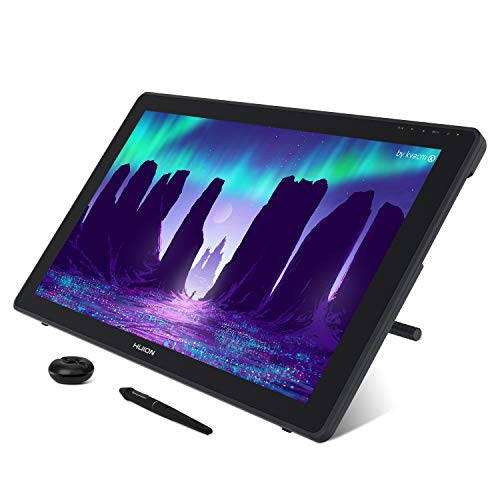
HUION Kamvas 22 21.5-Inch Pen Display
Best for: Large desktop canvas with wide color coverage
- Pen Pressure
- 8192 Levels
- Tablet Type
- Tethered pen display
- Screen Size
- 21.5 inch
- Display Resolution
- 1920 x 1080
- Color Gamut
- 120% sRGB
- Display Finish
- Full-laminated, anti-glare matte film
The HUION KAMVAS 22 offers a 21.5-inch full-laminated screen with 120% sRGB color coverage. It features 8192 pressure levels and tilt support for precise input. The device connects via USB-C to computers or Android devices. It includes an adjustable stand for ergonomic angles. This large display suits artists needing a spacious canvas for detailed work on a desktop.
- 21.5-inch full-laminated display with 1920 x 1080 resolution
- 120% sRGB color gamut for vivid visuals
- 8192 pressure levels with tilt response
- Adjustable stand supports angles from 20 to 80 degrees
- Battery-free stylus with stable magnetic core
- Heavier at 8.6 pounds compared to many portable competitors
- 1080p resolution is lower than the 4K or 2.5K screens on other list items
- Requires a computer connection as it is not a standalone device
- You need a large 21.5-inch canvas for detailed artwork
- You want a wide 120% sRGB color gamut for accurate colors
- You prefer a stable stand with adjustable ergonomic angles
- You require a standalone tablet that works without a computer
- You need a high-resolution 4K or 2.5K display
- You prioritize a lightweight and portable design under 5 pounds
Verdict: HUION KAMVAS 22 21.5-Inch Pen Display fits artists who prioritize screen size and color accuracy over portability and maximum resolution. It is a solid desktop choice for those who need a large, stable workspace.

VEIKK VK1200 V2 11.6-Inch Pen Display
Best for: compact drawing on a budget
- Pen Pressure
- 8192 Levels
- Tablet Type
- Tethered pen display
- Screen Size
- 11.6"
- Display Resolution
- 1920 x 1080
- Display Finish
- Full-laminated, anti-glare glass
- Color
- Black
The VEIKK VK1200 V2 is an 11.6-inch pen display with full-laminated IPS glass and 8192 levels of pen pressure. It features 60-degree tilt support and six programmable shortcut keys. The device connects via a single USB-C cable or HDMI. Its 1920×1080 resolution and 72% NTSC color gamut suit casual artists. The compact 1.78-pound build makes it portable for your workspace.
- 8192 levels of pen pressure sensitivity
- Full-laminated display minimizes parallax
- 60-degree tilt recognition support
- Six programmable shortcut keys
- Single-cable USB-C connectivity
- 72% NTSC color gamut is lower than the 120-145% sRGB found on other list items
- 11.6-inch screen is smaller than the 15.6-24-inch displays in this guide
- 1.78-pound weight is heavier than the 11.6-inch XP-PEN Artist12
- You need a compact drawing screen under 12 inches
- You want a budget-friendly entry into pen displays
- You require a battery-free pen with tilt support
- You need a color gamut wider than 72% NTSC
- You prefer a screen larger than 11.6 inches
- You require a 4K UHD resolution display
Verdict: VEIKK VK1200 V2 11.6-Inch Pen Display fits artists who prioritize portability and basic pressure sensitivity over high-end color accuracy. It serves as a practical starter tool for those with limited desk space.
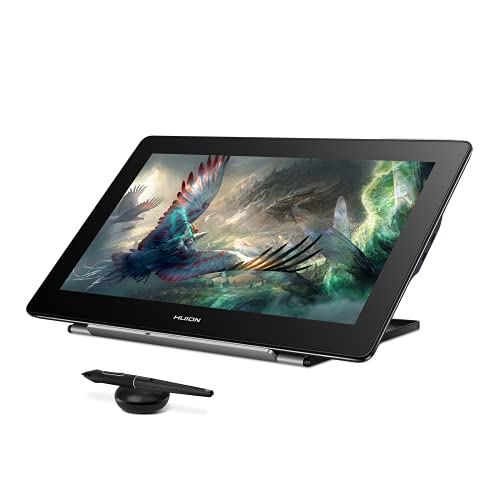
HUION Kamvas Pro 16 Plus 4K Pen Display
Best for: detailed digital art and color-critical work
- Pen Pressure
- 8192 Levels
- Tablet Type
- Tethered pen display
- Screen Size
- 15.6"
- Display Resolution
- 4K UHD
- Color Gamut
- 145% sRGB
- Display Finish
- Full-laminated, etched glass
The Huion Kamvas Pro 16 Plus is a 15.6-inch pen display with a 4K UHD screen and 145% sRGB color gamut. It uses full lamination and an etched glass surface for a natural drawing feel. The battery-free pen offers 8192 pressure levels and tilt support. You need a computer or Android device to operate it. This setup suits artists who want high resolution and wide color coverage in a portable 15.6-inch form factor.
- 15.6-inch 4K UHD display with full lamination
- 145% sRGB wide color gamut using Quantum Dot technology
- 8192 levels of pen pressure sensitivity
- ±60° tilt recognition for natural shading
- Dual USB-C ports for flexible connectivity
- 2.8 pounds weight is heavier than many 15.6-inch competitors
- Requires external power and host device; not standalone
- 1200:1 contrast ratio is lower than premium 4K displays
- You need a high-resolution 4K screen for detailed digital art
- You want wide color accuracy with 145% sRGB coverage
- You prefer a portable 15.6-inch size for your workspace
- You require a standalone tablet without a computer connection
- You need a lighter device for frequent travel
- You prioritize a higher contrast ratio for deep blacks
Verdict: Huion Kamvas Pro 16 Plus 4K delivers professional-grade visuals with its 4K resolution and wide color gamut, making it ideal for artists who prioritize screen clarity and color precision over portability.

HUION KAMVAS 16 15.6-Inch Drawing Tablet
Best for: Portable artists needing a laminated 15.6-inch screen
- Pen Pressure
- 8192 Levels
- Tablet Type
- Tethered pen display
- Screen Size
- 15.6"
- Color Gamut
- 120% sRGB
- Display Finish
- Full-laminated, anti-glare film
- Shortcut Controls
- 10 customizable shortcut keys
This 15.6-inch pen display from HUION features a full-laminated screen with 120% sRGB color gamut and 8192 levels of pen pressure. It includes a battery-free stylus with tilt support and ten programmable shortcut keys. The unit weighs 2.78 pounds and offers an adjustable stand. It suits artists who want a portable, anti-glare drawing monitor for detailed digital work.
- Full-laminated display reduces parallax for precise cursor tracking.
- 120% sRGB color gamut provides vibrant, true-to-life colors.
- Battery-free PW517 stylus captures 8192 pressure levels and ±60° tilt.
- Ten customizable shortcut keys streamline your workflow.
- 15.6-inch screen is smaller than the 21.5-inch and 24-inch options on this list.
- 120% sRGB color gamut is lower than the 145% sRGB and 99% Adobe RGB found in other picks.
- 2.78-pound weight is heavier than the 11.6-inch models in this guide.
- You need a portable drawing tablet that fits in a backpack.
- You want a full-laminated screen with anti-glare coating for eye comfort.
- You prefer a battery-free pen for long painting sessions.
- You require a 4K UHD or 2.5K QHD resolution display.
- You need a screen larger than 15.6 inches for detailed work.
- You want a wider color gamut than 120% sRGB.
Verdict: HUION KAMVAS 16 (2021) 15.6-Inch offers a balanced mix of portability and professional color accuracy for artists who prioritize a laminated screen and a battery-free pen. It fits well if you need a mid-size display that travels easily without demanding the highest resolution or widest color range available.

HUION KAMVAS 22 Plus 21.5-Inch Drawing Tablet
Best for: Large desktop canvas with wide color gamut
- Pen Pressure
- 8192 Levels
- Tablet Type
- Tethered pen display
- Screen Size
- 21.5"
- Display Resolution
- 1080p HD
- Color Gamut
- 140% sRGB
- Display Finish
- Full-laminated, etched anti-glare glass
The HUION KAMVAS 22 Plus is a 21.5-inch pen display with full lamination and 8192 pressure levels. It uses Quantum Dot technology to cover 140% sRGB for accurate color. The battery-free pen supports tilt. It connects via USB-C and works with Android, Windows, Mac, and Linux. This large screen suits desktop artists who need a wide workspace and broad color gamut.
- 21.5-inch full-laminated screen reduces parallax
- 140% sRGB color coverage via Quantum Dot
- 8192 pressure levels with tilt support
- Battery-free pen with PW517 technology
- Compatible with Android, Windows, Mac, and Linux
- 1080p resolution is lower than the 2.5K or 4K displays on this list
- 1200:1 contrast ratio is lower than the 99% Adobe RGB or higher ratios found in premium models
- You need a large 21.5-inch canvas for detailed work
- You want a battery-free pen for long sessions
- You use Android devices for drawing on the go
- You require a 4K or 2.5K screen resolution
- You need a compact 11 or 13-inch portable size
- You only use Windows and do not need Android support
Verdict: HUION KAMVAS 22 Plus 21.5-Inch fits professionals who prioritize a large workspace and wide color gamut over maximum pixel density. It is a solid desktop choice for artists who value screen real estate and color accuracy.

XP-Pen Artist 22 2nd 21.5-Inch Display
Best for: Windows users needing a large 21.5-inch screen
- Pen Pressure
- 8192 Levels
- Tablet Type
- Tethered pen display
- Screen Size
- 21.5"
- Color Gamut
- 86% NTSC (Adobe RGB≥90%, sRGB≥122%)
- Operating System
- Windows
- Features
- Stylus, Stylus Pen, Battery-Free Pen, Shortcut Keys, Tilt Support
The XP-Pen Artist 22 2nd is a 21.5-inch pen display designed for Windows and Mac. It features 8192 levels of pen pressure and tilt support for precise cursor positioning. The screen covers 122% sRGB for vibrant colors. It connects via USB-C or HDMI. This large display suits artists who need ample workspace and wide compatibility with major digital art software.
- 21.5-inch screen size offers ample drawing area
- 8192 levels of pen pressure sensitivity
- Supports 60 degrees of tilt function
- 122% sRGB color gamut for vivid hues
- 21.5-inch size is smaller than the 23.8-inch and 24-inch competitors
- 122% sRGB coverage is lower than the 145% sRGB and 99% Adobe RGB models on the list
- Battery-free pen lacks wireless connectivity
- You need a large 21.5-inch screen for detailed work
- You prefer a wired USB-C or HDMI connection
- You require 8192 levels of pressure sensitivity
- You want a 4K or 2.5K resolution display
- You need more than 122% sRGB color coverage
- You prefer a wireless pen without cables
Verdict: The XP-Pen Artist 22 2nd 21.5 Inch provides a solid 21.5-inch canvas with 8192 pressure levels. It fits Windows users who prioritize a large, wired display with wide color gamut over higher resolution options.

HUION Kamvas 24 Plus 23.8-inch Drawing Tablet
Best for: Large screen professional graphic design
- Pen Pressure
- 8192 Levels
- Tablet Type
- Pen display (not standalone)
- Screen Size
- 23.8"
- Display Resolution
- 2.5K QHD
- Color Gamut
- 140% sRGB (97% NTSC)
- Display Finish
- Full-laminated, anti-glare glass
The HUION Kamvas 24 Plus is a 23.8-inch pen display featuring a 2.5K QHD IPS screen with full lamination. It supports 8192 levels of pen pressure and 60 degrees of tilt. The device uses Quantum Dot technology for 140% sRGB color accuracy. It connects to computers or Android devices. This large format suits users who need a spacious canvas for detailed graphic work.
- 23.8-inch 2.5K QHD IPS display
- 140% sRGB color gamut with Quantum Dot
- 8192 levels of pen pressure
- Full-laminated screen for reduced parallax
- Supports 60 degrees of tilt
- Heavier at 19.6 pounds compared to smaller models
- Requires connection to a host device to function
- 2.5K resolution is lower than 4K options on the list
- You need a large 23.8-inch screen for detailed drawing
- You want high color accuracy for professional work
- You have a desktop setup for the heavier unit
- You require a standalone display without a computer
- You prefer a portable tablet under 15 pounds
- You need 4K UHD resolution for pixel-perfect tasks
Verdict: HUION Kamvas 24 Plus 23.8-inch Drawing Tablet delivers a large, color-accurate canvas for artists who prioritize screen real estate and professional color standards over portability.

Xencelabs Pen Display 24 4K Drawing Tablet
Best for: Professional graphic designers needing 4K color accuracy
- Pen Pressure
- 8192 Levels
- Tablet Type
- Tethered pen display
- Display Resolution
- 3840×2160 4K UHD
- Color Gamut
- 99.43% Adobe RGB, 96.11% DCI-P3
- Display Finish
- Super-AG etched glass
- Shortcut Controls
- 3 buttons, 40 shortcut keys, dial
The Xencelabs Pen Display 24 is a 24-inch 4K pen display with 8192 levels of pen pressure. It features a 4K UHD IPS screen covering 99.43% of Adobe RGB. The package includes two battery-free digital pens with tilt recognition. It also offers 40 programmable shortcut keys and a physical dial. This setup suits professionals who need high color accuracy and precise control for detailed graphic work.
- 4K UHD resolution with 99.43% Adobe RGB coverage
- 8192 levels of pressure sensitivity and tilt recognition
- Two battery-free digital pens included for different preferences
- 40 programmable shortcut keys and a physical dial for workflow
- Weighs 13.2 pounds, making it heavier than smaller 11.6-inch tablets
- Measures 24.3 inches in length, requiring more desk space than compact models
- You need 4K resolution and high color accuracy for professional graphic design
- You prefer battery-free pens with adjustable pressure curves and tilt support
- You want extensive physical controls including shortcut keys and a dial
- You require a portable tablet that fits easily in a bag
- You need a budget-friendly option with fewer programmable features
- You prefer a smaller 11.6-inch or 15.6-inch screen size
Verdict: Xencelabs Pen Display 24 4K fits professionals who need high color accuracy and precise control for detailed graphic work. Its large screen and extensive controls support complex workflows, though its size and weight limit portability.

VEIKK VK1200 11.6" Drawing Tablet
Best for: Beginners needing a compact, entry-level pen display
- Pen Pressure
- 8192 Levels
- Tablet Type
- Tethered pen display
- Screen Size
- 11.6-inch
- Display Resolution
- 1920 x 1080
- Color Gamut
- 72% NTSC
- Shortcut Controls
- 6 shortcut keys
The VEIKK VK1200 is an 11.6-inch pen display with 1920 x 1080 resolution and 8192 pressure levels. It includes tilt support and six shortcut keys for workflow efficiency. The battery-free pen and included artist glove suit students and beginners. Its compact 15.9-ounce build makes it portable for desk use.
- 11.6-inch IPS screen with 1920 x 1080 resolution
- 8192 levels of pen pressure sensitivity
- Tilt function for natural drawing angles
- Six customizable shortcut keys
- Battery-free pen design
- 11.6-inch screen is smaller than most competitors
- 72% NTSC color gamut is lower than list average
- 15.6-inch models offer larger drawing areas
- You need a compact, portable drawing screen
- You are a student or beginner on a budget
- You prefer a lightweight device for desk work
- You require a 4K or 2.5K high-resolution display
- You need a wide color gamut for professional color grading
- You want a larger 15.6-inch or 22-inch screen
Verdict: VEIKK VK1200 11.6" Drawing Tablet fits beginners who prioritize portability and basic pressure sensitivity over high-end color accuracy or large screen real estate.
Specifications side by side
| Spec | Wacom Cintiq Pro 24 4K Touch Display | XP-PEN Artist12 11.6-Inch Pen Display | HUION KAMVAS Pro 16 15.6-Inch Pen Display | GAOMON PD1161 11.6" Pen Display | XP-Pen Artist 12 Pro 11.6-Inch | GAOMON PD1561 15.6-Inch Drawing Tablet | HUION Kamvas 22 21.5-Inch Pen Display | VEIKK VK1200 V2 11.6-Inch Pen Display | HUION Kamvas Pro 16 Plus 4K Pen Display | HUION KAMVAS 16 15.6-Inch Drawing Tablet | HUION KAMVAS 22 Plus 21.5-Inch Drawing Tablet | XP-Pen Artist 22 2nd 21.5-Inch Display | HUION Kamvas 24 Plus 23.8-inch Drawing Tablet | Xencelabs Pen Display 24 4K Drawing Tablet | VEIKK VK1200 11.6" Drawing Tablet |
|---|---|---|---|---|---|---|---|---|---|---|---|---|---|---|---|
| Tablet Type | – | – | Tethered pen display | Tethered pen display | Tethered pen display | Tethered pen display | Tethered pen display | Tethered pen display | Tethered pen display | Tethered pen display | Tethered pen display | Tethered pen display | Pen display (not standalone) | Tethered pen display | Tethered pen display |
| Screen Size | 23.6" | 11.6" | 15.6" | 11.6" | 11.6" | 15.6" | 21.5 inch | 11.6" | 15.6" | 15.6" | 21.5" | 21.5" | 23.8" | – | 11.6-inch |
| Display Resolution | 4K | 1920×1080 FHD | – | 1920×1080 Full HD | – | 1920×1080 Full HD | 1920 x 1080 | 1920 x 1080 | 4K UHD | – | 1080p HD | – | 2.5K QHD | 3840×2160 4K UHD | 1920 x 1080 |
| Pen Pressure | 8,192 levels | 8192 | 8192 | 8192 | 8192 | 8192 | 8192 levels | 8192 levels | 8192 levels | 8192 levels | 8192 levels | 8192 levels | 8192 levels | 8192 levels | 8192 levels |
| Color Gamut | 99% Adobe RGB, 97% sRGB | 72% NTSC (100% sRGB) | – | – | 72% NTSC | – | 120% sRGB | – | 145% sRGB | 120% sRGB | 140% sRGB | 86% NTSC (Adobe RGB≥90%, sRGB≥122%) | 140% sRGB (97% NTSC) | 99.43% Adobe RGB, 96.11% DCI-P3 | 72% NTSC |
| Display Finish | Optical bonding | anti-reflective screen protector | Full-laminated anti-glare glass | Anti-glare film | Fully-laminated, anti-glare film | Anti-glare, pre-applied film | Full-laminated, anti-glare matte film | Full-laminated, anti-glare glass | Full-laminated, etched glass | Full-laminated, anti-glare film | Full-laminated, etched anti-glare glass | – | Full-laminated, anti-glare glass | Super-AG etched glass | – |
| Shortcut Controls | ExpressKey Remote | 6 shortcut keys, slim touch bar | 6 express keys, 1 touch bar | 8 shortcut keys | 8 express keys, Red Dial | 10 shortcut keys | – | – | – | 10 customizable shortcut keys | – | – | – | 3 buttons, 40 shortcut keys, dial | 6 shortcut keys |
| Operating System | – | – | – | – | – | – | Android | – | Android | Android | Android | Windows | Android | – | – |
| Features | Stylus, Stylus Pen | Stylus, Stylus Pen, Battery-Free Pen | Stylus, Stylus Pen, Battery-Free Pen, Shortcut Keys, Tilt Support | Battery-Free Pen, Shortcut Keys, Tilt Support | Stylus, Stylus Pen, Battery-Free Pen, Shortcut Keys, Tilt Support | Battery-Free Pen, Shortcut Keys, Tilt Support | Stylus, Stylus Pen, Battery-Free Pen, Tilt Support | – | Stylus, Stylus Pen, Battery-Free Pen, Tilt Support | Stylus, Stylus Pen, Battery-Free Pen, Shortcut Keys, Tilt Support | Stylus, Stylus Pen, Battery-Free Pen, Tilt Support | Stylus, Stylus Pen, Battery-Free Pen, Shortcut Keys, Tilt Support | Stylus, Stylus Pen, Battery-Free Pen, Tilt Support | Stylus, Stylus Pen, Battery-Free Pen, Shortcut Keys | Stylus, Stylus Pen, Battery-Free Pen, Shortcut Keys, Tilt Support |
| Display | Touchscreen | – | Full-Laminated | Anti-Glare | Full-Laminated | Anti-Glare | Full-Laminated | – | Full-Laminated | Full-Laminated | Full-Laminated | – | Full-Laminated | 4K | – |
| Color | Black | Black | Black | Black | Black | Black | Dark Gray | Black | Grey | Black | Black | – | Black | Pen Display 24 | Black |
| Audience | – | – | – | Students, Animation, Beginners | – | Animation | – | – | – | – | – | – | – | – | Students, Beginners |
| Dimensions | 26.7 × 15.5 × 0.1 inches | 14.3 × 8.58 × 0.31 inches | – | – | 13.9 × 8.86 × 0.51 inches | 17.8 × 9.92 × 0.77 inches | 21.5 × 12.7 × 0.75 inches | 12.5 × 7.4 × 0.51 inches | 15.8 × 10.2 × 0.51 inches | – | – | 23.4 × 5.5 × 16.5 inches | 23.8 × 14.1 × 0.83 inches | – | – |
| Weight | 15.9 pounds | 2 pounds | 2.65 pounds | 1.91 pounds | 3.31 pounds | 3.48 pounds | 8.6 pounds | 1.78 pounds | 2.8 pounds | 2.78 pounds | – | – | 19.6 pounds | 13.2 pounds | 15.9 ounces |
| Length | – | – | 17.3 inches | 14.2 inches | – | – | – | – | – | 9.96 inches | – | – | – | 24.3 inches | 10 inches |
| Width | – | – | 9.84 inches | 7.87 inches | – | – | – | – | – | 16.7 inches | – | – | – | 15.3 inches | 6 inches |
| Size | 24 inch touch | 11.6 inch | 15.6 Inch | 11.6 Inch | 11.6 inch | 15.6 inch | 21.5-inch | 11.6 inch V2 | 15.6 Inch | 15.6inch | – | 21.5 Inch | 23.8 Inch | Pen Display 24 | 11.6'' |
| Model | DTH2420K0 | Artist 12_SML | Huion KAMVAS Pro 16 | A2.PD1161-0-EN0000-1-US | Artist 12 Pro | GAOMON PD1561 Pen Display | GS2201 | Vk1200v3 | GT1562 | GS1562 | 22 Plus | ArtistCD220F_US | GS2402 | LPH2412-A-K02-A-BK | Vk1200v3 |
If you prioritize microphone arrays and battery life over stylus pressure sensitivity, compare the best tablets for meetings.
Check Screen Size and Weight
Match Screen to Workflow
Screen size dictates your workspace. Large displays like the 24-inch Wacom Cintiq Pro 24 offer extensive canvas space for professional digital art. This size suits stationary setups where you prioritize detail over portability. Smaller screens, such as the 11.6-inch XP-Pen Artist12, fit into bags easily. You should choose a compact model if you travel frequently. The 15.6-inch options provide a middle ground. Consider how much desk space you have. A larger screen requires a stable surface. Portability matters if you move between locations often.
Consider Display Lamination
Full-laminated displays reduce parallax between the pen and the cursor. This feature improves drawing precision significantly. The XP-Pen Artist 12 Pro and HUION Kamvas 22 both use full lamination. You will notice less visual gap when drawing lines. Some budget models use anti-glare displays instead. These may feel slightly less responsive. The Wacom Cintiq Pro 24 includes a touchscreen for navigation. Lamination is a key spec for serious artists. Check the product attributes for this detail. It affects the tactile feel of your strokes.
Check Operating System
Operating system compatibility is critical for setup. Several HUION models, like the Kamvas 22, list Android as their operating system. This often indicates they function as secondary monitors. The XP-Pen Artist 22 2nd explicitly supports Windows. You must ensure your computer matches the requirement. Some tablets require specific drivers for your OS. Check the attributes section carefully. Mismatched systems can cause connection issues. Verify your current setup before purchasing. This step prevents hardware incompatibility later. It ensures smooth integration with your creative software.
Look for Shortcut Keys
Shortcut keys speed up your workflow significantly. The XP-Pen Artist12 and GAOMON PD1561 both include physical shortcut keys. These allow you to access tools without moving your hand. The Wacom Cintiq Pro 24 features included hardware controls. You can map these to your favorite functions. Tablets without keys require software menus. This slows down your creative process. Check the features list for this spec. It is vital for efficient digital art creation. Physical controls provide better muscle memory over time.
Evaluate Weight and Portability
Weight affects how easy it is to carry. The VEIKK VK1200 V2 weighs only 1.78 pounds. It is the lightest option for portable sketching. The Wacom Cintiq Pro 24 weighs 15.9 pounds. It is designed for a fixed desk. You should choose based on your mobility needs. Heavy tablets are stable but hard to transport. Light models fit in backpacks easily. Check the specs for weight data. This factor matters for students and traveling artists. Stability is less important if you move often.
Frequently asked questions
What does 8192 levels of pen pressure mean for drawing?
It means the tablet detects 8,192 distinct levels of force applied by the stylus. This allows for fine control over line weight and opacity. You can create natural variations in strokes, from light sketching to heavy shading. All options on this list share this specification, ensuring consistent responsiveness for digital art.
Do I need a battery for the stylus on these tablets?
No. Most models on this list feature battery-free pens. You do not need to charge the stylus or replace batteries. This ensures the pen is always ready for use. The Wacom Cintiq Pro 24 and XP-Pen Artist12 both include battery-free pens for uninterrupted creative sessions.
Which drawing tablet is best for beginners on a budget?
The VEIKK VK1200 V2 is a practical starter tool for limited desk spaces. It offers basic pressure sensitivity and a compact 11.6-inch screen. It serves artists who prioritize portability over high-end color accuracy. This model fits beginners needing a reliable entry into digital drawing without complex features.
Can I use these tablets for professional graphic design work?
Yes. Several models support professional workflows with large screens and color accuracy. The Wacom Cintiq Pro 24 offers a 24-inch 4K touchscreen for high detail. The Xencelabs Pen Display 24 4K also provides professional-grade visuals. These devices suit users who prioritize screen real estate and precise control for complex designs.
Do these pen displays support tilt recognition?
Many models include tilt support for realistic brush effects. The HUION KAMVAS Pro 16 and GAOMON PD1561 both feature this capability. Tilt support allows the stylus to mimic traditional pencils or brushes. You can angle the pen to create varied stroke widths, enhancing the natural feel of your digital artwork.
Is a full-laminated screen better for drawing?
Full-lamination reduces parallax, making the cursor appear closer to the pen tip. The XP-Pen Artist 12 Pro and HUION Kamvas 16 both use full-laminated displays. This feature improves accuracy and coordination when drawing directly on the screen. It creates a more natural writing experience compared to non-laminated options.
Which tablet is the lightest for portable sketching?
The VEIKK VK1200 V2 weighs only 1.78 pounds, making it the lightest option. It fits easily in a bag for travel. The GAOMON PD1161 is also lightweight at 1.91 pounds. These compact models suit artists who need a portable drawing screen for sketching on the go.
Do I need a Windows PC for these tablets?
Not necessarily. While some models like the XP-Pen Artist 22 specify Windows compatibility, others work with various systems. The HUION Kamvas 22 Plus lists Android as an operating system. You can connect most pen displays to Mac or PC computers via USB or HDMI, depending on the model.

