Penstar 10.3″ Color E-Ink Tablet Review: Who It Fits and Who Should Skip It
This penstar 10 3 color e ink tablet review focuses on the eNote Pro Color.

What this report covers
- Last updated
- 4 Nov 2026
Figures above are read from the product listings for the models named below. Scores are out of 10, based on listed specifications and buyer feedback.
As Amazon Associates, we earn from qualifying purchases. This means we may receive a small commission at no extra cost to you if you click through and make a purchase.
As an Amazon Associate we earn from qualifying purchases. Links on this page are affiliate links.
This penstar 10 3 color e ink tablet review focuses on the eNote Pro Color. It features a 10.3-inch Kaleido 3 display with 150ppi color resolution. The device runs Android 14 with 4GB of RAM and 128GB of storage. It includes a stylus with 8192 levels of pressure sensitivity. This setup targets users who need a paper-like screen for focused work. The hardware supports voice-to-text and document annotation. You get a dedicated digital notebook experience. The specs prioritize readability and note-taking efficiency over entertainment.
- 10.3-inch Kaleido 3 E-Ink display with 150ppi color resolution
- 8192 levels of pressure sensitivity for precise handwriting
- Android 14 operating system with 4GB RAM and 128GB storage
- Built-in 8-mic array and speaker for voice-to-text features
- 6500mAh battery providing up to three weeks of use
Good fit for
This tablet suits professionals and students who take extensive notes in meetings or lectures. The 10.3-inch screen is large enough for splitting windows to read PDFs while writing. The AI voice-to-text and summarization tools help capture information quickly. If you prefer reading on a screen that mimics paper, the adjustable warm and cold light helps reduce eye strain. The long battery life means you rarely need to charge it during travel or long workdays.
Who can skip it
You should skip this device if you watch a lot of video or scroll through social media feeds. E-Ink technology reflects ambient light and is not optimized for fast refresh rates. The 150ppi color resolution is lower than standard LCD screens, so images will not look sharp. If you need high-speed performance for gaming or heavy multitasking, the Octa-core CPU and 4GB RAM may feel limited. This is a focused productivity tool, not an entertainment hub.
Verdict
The Penstar eNote Pro Color is a capable E-Ink tablet for note-taking and reading. Its large screen and long battery life make it ideal for focused work.
Key specs explained for Penstar 10.3
Screen: 10.3" Kaleido 3, 150ppi color
This display uses E Ink technology to reflect ambient light, reducing eye strain during long reading sessions. The 150ppi color resolution allows you to view images and charts in distinct hues, though the clarity is lower than standard screens. This setup suits readers who prioritize comfort and color context over high-definition video playback or rapid scrolling.
Storage: 128GB
This capacity holds thousands of documents, books, and notes without requiring external cloud storage. You can store large PDF files, extensive archives, and local applications comfortably. This amount of space is ideal for students or professionals who carry many reference materials and need reliable offline access to their entire library without managing file sizes.
Pen Pressure: 8192 Levels
This sensitivity level detects subtle variations in your handwriting pressure, allowing for natural line thickness changes. You can write or draw with precision, mimicking the feel of ink on paper. This feature benefits artists and note-takers who require detailed control for annotations, sketches, or complex diagrams, ensuring your digital input looks professional and authentic.
OS: Android 14
Running this operating system means you can install third-party apps to expand functionality beyond basic note-taking. You gain access to a wide ecosystem of tools for productivity, reading, and organization. This flexibility allows you to customize your workflow, integrate with other services, and use the tablet for various tasks rather than limiting it to a single purpose.
Design and Build Overview
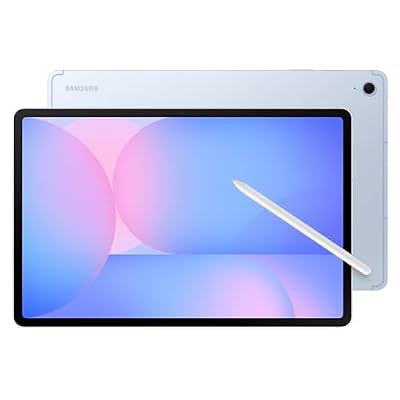
According to the listing, the Penstar 10.3 measures 9.2 inches in length and 7.8 inches in width. It stands 0.2 inches tall and weighs 15 ounces. This compact form factor makes it easy to hold in one hand or carry in a bag. The blue finish adds a distinct look, while the slim profile ensures it remains portable for daily commutes or travel. You can place it on small desks without taking up too much space.
The device includes a magnetic folio cover, which likely helps protect the screen when not in use. The bundle also provides a digital stylus with 8192 levels of pressure sensitivity. This pen requires no charging, offering immediate readiness whenever you need to jot down notes. The stylus tip is replaceable, with extra nibs included in the box. This design choice supports long-term use without needing to purchase new accessories frequently.
Physical controls are present on the device, including five customizable buttons. These allow quick access to common functions without navigating the software interface. The layout prioritizes efficiency for note-takers. You can mark up documents or write naturally, mimicking the feel of paper. The build focuses on practicality, ensuring that every component serves a clear purpose for productivity and reading.
Setup and Everyday Use Guide
You receive the Penstar eNote Pro Color with a stylus, spare nibs, a magnetic folio, and a charging cable. The bundle is designed for immediate use. You do not need to charge the pen, which simplifies the initial setup. The device runs Android 14, giving you access to a familiar interface and third-party applications. This operating system supports over thirty-five file formats, including PDF, EPUB, and DOCX. You can organize files using folders and tags. The tablet includes an octa-core CPU and 4GB of RAM. This hardware configuration supports split-screen multitasking, allowing you to read a document while taking notes in a separate window. The 128GB storage capacity provides ample space for extensive libraries and large files. Daily use centers on writing and reading. The stylus offers 8192 levels of pressure sensitivity. This specification ensures that line weight changes naturally as you apply more or less force. The screen reflects ambient light, which reduces eye strain during long sessions. The device features a built-in microphone array and speaker. These components enable voice-to-text transcription and AI meeting summaries. You can mark up PDFs with the pen, mimicking the experience of writing on paper. The screen is not optimized for fast scrolling or video playback. It is designed for focused reading and note-taking. The 10.3-inch display provides a large canvas for your notes. The 6500mAh battery is rated for up to three weeks of use. This longevity supports extended work sessions without frequent recharging. The magnetic folio cover protects the screen when you are not using the device. You can customize five buttons for quick access to your most used tools.
Before You Buy This Tablet
You should verify that your primary reading apps support Android 14 before purchasing. The device allows third-party apps, but compatibility varies. Check if your preferred cloud services sync smoothly with the Android operating system. You will need a compatible Wi-Fi network for downloading books and syncing notes. The stylus does not require charging, which simplifies maintenance. However, you must keep the nibs clean and replace them when worn. The magnetic folio offers basic protection, but a hard case may be safer for travel. This tablet fits best alongside other E Ink devices if you need color. It suits users who prioritize note-taking and focused reading over video or fast scrolling. It is not ideal for heavy multimedia consumption. Consider your daily workflow. If you rely on specific proprietary ecosystems, this open Android system may require adjustment. The 128GB storage handles most documents, but large media files may fill it quickly.
Check before you buy
- Confirm your essential apps run on Android 14
- Check if your cloud services sync with Android
- Ensure you have a reliable Wi-Fi connection
- Verify the magnetic folio fits your travel needs

Penstar 10.3" Color E-Ink Tablet
Best for: color document annotation and AI note-taking
- Screen Size
- 10.3"
- Internal Storage
- 128GB
- Processor
- Octa-core
- RAM
- 4GB
- Display Type
- Kaleido 3 E-Ink
- Battery Life
- Up to 3 weeks
The Penstar eNote Pro C features a 10.3-inch Kaleido 3 color E Ink display with 300 ppi black and white resolution. It runs Android 14 with 4GB RAM and 128GB storage. The device includes an 8192-level pressure stylus, an 8-mic array, and a 6500mAh battery. It supports over 35 file formats and offers AI voice-to-text tools. This tablet suits users who need color note-taking and document annotation.
- 10.3-inch Kaleido 3 color E Ink screen
- 8192 levels of stylus pressure sensitivity
- 6500mAh battery for up to 3 weeks of use
- Android 14 OS with 4GB RAM and 128GB storage
- Built-in 8-mic array for voice-to-text features
- Color resolution is limited to 150 ppi
- Weight is 15 ounces
- Thickness is 0.2 inches
- You need a color display for reading or note-taking
- You want AI voice-to-text and meeting summary tools
- You require a large 10.3-inch screen for document annotation
- You prioritize high-speed video playback or fast scrolling
- You need maximum color resolution above 150 ppi
- You prefer a lighter device under 15 ounces
Verdict: Penstar eNote Pro C 10.3" Color E-Ink Tablet fits professionals who need color document annotation and AI writing tools. It suits users who value long battery life and large screens over high-resolution color graphics.
Specifications side by side
| Spec | Penstar 10.3" Color E-Ink Tablet |
|---|---|
| Screen Size | 10.3" |
| Internal Storage | 128GB |
| Processor | Octa-core |
| RAM | 4GB |
| Display Type | Kaleido 3 E-Ink |
| Battery Life | Up to 3 weeks |
| Storage | 128GB |
| Use | Note-Taking |
| Features | Stylus, Stylus Pen |
| Display | E Ink |
| Color | Blue |
| Pen Pressure | 8192 Levels |
| Dimensions | 9.2 × 7.8 × 0.2 inches |
| Weight | 15 ounces |
| Size | eNote Pro Color |
| Model | eNote Pro Color |
Frequently asked questions
Does the Penstar 10.3 support color note-taking?
Yes, this tablet supports color note-taking. It features a 10.3-inch Kaleido 3 display with 150ppi color resolution. You can annotate documents and take notes in distinct hues. The stylus offers 8192 levels of pressure for precise input. This makes it suitable for users who need color visuals in their workflows.
How much storage does the Penstar eNote Pro Color have?
The device includes 128GB of internal storage. This space allows you to save numerous documents, apps, and notes locally. It runs on Android 14 with 4GB of RAM for smooth multitasking. You do not need external cards for standard note-taking and document annotation tasks.
Is the Penstar 10.3 good for long reading sessions?
Yes, it is designed for comfortable reading. The E Ink display reflects ambient light rather than emitting it. This reduces eye strain during extended use. The 10.3-inch screen size provides ample space for text and images. It is ideal for professionals who read and annotate large documents daily.
What operating system runs on the Penstar tablet?
The tablet runs Android 14. This version allows you to install third-party apps from the Play Store. It provides access to a wide range of productivity tools. You should verify that your preferred reading and note-taking apps are compatible with this OS version before purchasing.
Does the stylus require charging?
No, the included stylus does not require charging. It is designed for immediate use out of the box. The bundle also includes spare nibs and a magnetic folio. This simplifies your initial setup process. You can start annotating documents without waiting for the pen to power on.
How heavy is the Penstar 10.3 tablet?
The device weighs 15 ounces. It measures 9.2 inches in length and 7.8 inches in width. The thickness is 0.2 inches. This compact form factor makes it easy to hold in one hand. It is portable enough for travel while still offering a large 10.3-inch screen for detailed work.