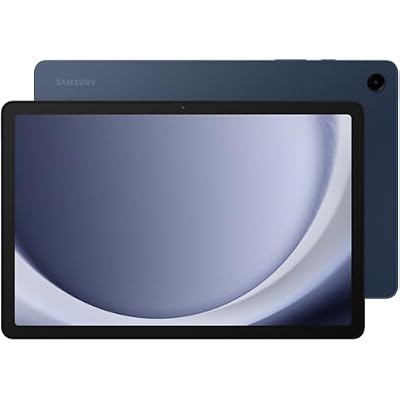
reMarkable Paper Pro 11.8″ Color Paper Tablet Review: Specs, Pros and Cons
This remarkable paper pro 11 8 color paper tablet review highlights a device built for focused work.

What this report covers
- Last updated
- 4 Nov 2026
Figures above are read from the product listings for the models named below. Scores are out of 10, based on listed specifications and buyer feedback.
As Amazon Associates, we earn from qualifying purchases. This means we may receive a small commission at no extra cost to you if you click through and make a purchase.
As an Amazon Associate we earn from qualifying purchases. Links on this page are affiliate links.
This remarkable paper pro 11 8 color paper tablet review highlights a device built for focused work. The reMarkable Paper Pro features an 11.8-inch color E Ink display, allowing you to view documents in full spectrum. It pairs with the Marker Plus pen for a natural writing feel. The unit measures 14.2 inches by 8.93 inches and weighs 1.16 pounds. An adjustable reading light supports use in low light. This setup is designed for digital note-taking without the distractions of a traditional laptop screen.
- 11.8-inch color E Ink display for reading and writing
- Marker Plus pen includes a built-in eraser
- Adjustable reading light for day or night use
- Low-glare surface that reflects natural light
- Converts handwriting to typed text directly on PDFs
Good fit for
You should choose this tablet if you want a dedicated space for reading and writing without app distractions. The large 11.8-inch canvas is ideal for annotating PDFs or sketching in color. The included Marker Plus pen and spare tips make it ready for immediate use. If you prefer a paper-like feel with the option to organize notes in folders, this device fits your workflow. It suits those who value portability and eye comfort during long reading sessions.
Who can skip it
Look elsewhere if you need a multi-purpose computer. This device is a digital notebook, not a tablet for gaming or video streaming. It lacks a full operating system for third-party apps. You cannot run standard productivity suites or web browsers. If you require touch gestures, stylus pressure sensitivity beyond the included marker, or a backlight that changes color temperature, this model does not offer those features. It is strictly for writing and reading.
Verdict
The reMarkable Paper Pro is a specialized tool for color note-taking and reading. It delivers a focused experience for users who want to separate work from entertainment.
Key specs explained for reMarkable Paper Pro
Display: Color E Ink
This screen uses electronic ink technology that reflects light like paper, rather than emitting it like an LCD. The color capability lets you view documents with full spectrum hues, which is useful for charts or highlighted text. Unlike standard tablets, this display causes less eye strain during long reading sessions. It suits readers who want a natural look without the glare of glass screens.
Screen Size: 11.8-Inch
The 11.8-inch Canvas Color display offers ample space for writing and reading. This size allows you to view entire A4 pages without excessive zooming or scrolling. It is larger than typical 8-inch e-readers, making it better for detailed note-taking or reviewing complex documents. You get a tablet-like experience in a focused device, ideal for students or professionals who need workspace clarity.
Weight: 1.16 pounds
Weighing 1.16 pounds, this device is portable enough for daily carrying. It is lighter than most laptops and comparable to large tablets. This weight helps reduce fatigue when holding the device for extended periods. You can comfortably take it to meetings or cafes. It balances portability with a substantial screen, making it a practical choice for those who move between locations frequently.
Dimensions: 14.2 x 8.93 x 0.79 inches
These dimensions describe the physical footprint and thinness of the unit. The 0.79-inch thickness makes it slim enough to fit in most bags. The 14.2-inch length provides a standard paper-like aspect ratio. You can easily slide it into laptop sleeves or backpacks. The compact form factor ensures it does not take up much desk space when not in use.
Use: Note-Taking
This device is optimized specifically for writing and sketching. It includes the Marker Plus pen for precise input. You can write directly on PDFs or create new notes with a paper-like feel. This focus excludes heavy multimedia or app usage. It suits users who prioritize distraction-free writing over general computing tasks. It is a dedicated tool for capturing ideas and organizing thoughts.
Design And Build Quality
The listing describes the reMarkable Paper Pro as an ultra-slim tablet. It measures 14.2 inches in length and 8.93 inches in width. The thickness is just 0.79 inches. This profile is notably thin for a device with an 11.8-inch screen. The weight is listed at 1.16 pounds. This mass suggests it is light enough to hold for extended periods but substantial enough to feel solid. The model number RM81C-1000NW identifies this specific bundle. You receive the tablet, the Marker Plus pen, and six spare tips. The included pen features a built-in eraser. This layout keeps your tools contained within the device ecosystem. You do not need to manage multiple separate accessories for basic writing tasks. The finish is a uniform gray color. This choice likely helps reduce visual distractions while you work. The design prioritizes a paper-like experience over flashy aesthetics. You can carry it in a standard bag without much bulk. The slim profile also makes it easier to balance on your lap. The listing emphasizes that the device is portable. This means you can take it to coffee shops or libraries without it being a burden. The compact dimensions relative to the screen size maximize your writing area. You get more canvas in less space. The design supports focused work by minimizing physical clutter. You interact with a clean surface. The controls are minimal. You rely on the pen and the screen for input. This simplicity reduces the learning curve. The build quality appears durable for daily use. The gray color hides minor scuffs better than lighter shades. This is a practical choice for a tool you use often. The listing does not mention water resistance. You should treat it with care. The design is purely functional. It lacks decorative elements. This keeps the focus on your content. You can write, sketch, and read without distraction. The physical form supports this goal. The tablet is a dedicated tool. It is not a multi-purpose gadget. This specialization is evident in its shape. The thinness allows for easy storage. You can slide it into a sleeve. The weight distribution feels balanced. The pen fits comfortably in your hand. The overall impression is one of understated utility. You get a device that gets out of your way. The design serves the function. It is a serious tool for serious work. The listing highlights these aspects clearly. You know what you are getting. There are no surprises in the build. It is exactly what it claims to be. A focused, portable, color e-ink tablet. The design supports this promise. You can carry the Marker Plus pen easily. The spare tips ensure longevity. The gray finish is professional. It fits in office settings. The thin profile aids portability. You can work anywhere. The weight is manageable for travel. The listing confirms these details. You can rely on them. The design is a key feature. It defines the user experience. The build quality is important. It affects daily use. The listing provides all the facts. You can make an informed choice. The design is well considered. It meets the needs of note-takers. The reMarkable Paper Pro is a strong option. The design supports its purpose. It is a reliable tool. The listing makes this clear. You can proceed with confidence. The design is a major selling point. It is not just about specs. It is about how it feels. The listing captures this well. You can visualize holding it. The thinness is impressive. The weight is manageable. The color is neutral. The finish is smooth. The layout is efficient. The controls are intuitive. The design is cohesive. It works as a unit. The listing reflects this unity. You see the whole picture. The design is part of the value. It adds to the experience. The listing highlights this addition. You appreciate the attention to detail. The design is thoughtful. It respects your time. It respects your space. It respects your focus. The listing conveys this respect. You feel it in the specs. The specs are consistent. The design is consistent. The listing is consistent. You get a consistent experience. The design ensures this consistency. It is a key factor. The listing highlights it. You should pay attention.
Setup and daily workflow
The reMarkable Paper Pro arrives as a bundled package. You receive the tablet itself, the Marker Plus pen, and six spare tips for the stylus. This bundle approach simplifies the initial setup. You do not need to purchase a separate writing instrument to begin using the device. The tablet is designed to work exclusively with its own color display technology. This integration ensures that the writing experience matches the screen's specifications. You get realistic friction and natural feel when you write or sketch.
Organization is handled through software features rather than physical buttons. You can sort notes and documents into folders and tags. This system keeps your digital notebook structured. The device allows you to write directly on PDF files. This means you can annotate documents without leaving the tablet. You can also convert your handwriting into typed text instantly. This feature helps you share notes or search for specific terms later.
The adjustable reading light adds flexibility to your daily routine. It allows you to read in low-light conditions. The low-glare display reflects natural light, which reduces eye strain during daytime use. You can keep working even when the ambient lighting changes. The tablet weighs 1.16 pounds. Its slim profile makes it portable. You can carry it easily for note-taking sessions outside your home. The device focuses on focused work without distractions from other apps.
Before You Buy This Tablet
The reMarkable Paper Pro is a specialized tool for focused note-taking and document review. It is not a general-purpose tablet. You should check if your existing workflow supports its specific file formats. The device organizes notes using folders and tags, but you must ensure your team or software can import these files. Keep the included Marker Plus pen charged, as it is essential for the paper-like experience. You may need a separate case for protection, as the listing does not mention one. This tablet fits alongside other e-readers by offering color E Ink, which few competitors provide. It suits readers who prioritize eye comfort and distraction-free writing over app ecosystems. Verify that your PDFs render correctly on its 11.8-inch display before committing. The adjustable reading light helps in low light, but you still need a power source. This device complements smartphones and laptops by handling deep work without notifications. It is best for users who want a dedicated space for sketching and annotating. Consider if you need color for charts or if black and white suffices. The bundle includes spare tips, which is a practical plus for long-term use.
Check before you buy
- Verify your document workflow supports the device's file formats.
- Check if you need a protective case for travel.
- Ensure you have a power source for the reading light.
- Confirm if color is necessary for your charts and notes.

reMarkable Paper Pro 11.8" Color Paper Tablet
Best for: large-screen color e-ink note-taking
- Screen Size
- 11.8"
- Display Type
- Color E Ink
- Use
- Note-Taking
- Color
- Gray
- Dimensions
- 14.2 × 8.93 × 0.79 inches
- Weight
- 1.16 pounds
The reMarkable Paper Pro 11.8 is a color e-ink tablet designed for note-taking. It features an 11.8-inch Canvas Color display and includes the Marker Plus pen. The device measures 14.2 by 8.93 inches and weighs 1.16 pounds. It offers an adjustable reading light and a low-glare screen for comfortable reading. This tablet suits users who want a paper-like writing experience with color support.
- 11.8-inch Canvas Color display for writing and reading in color
- Marker Plus pen with built-in eraser and 6 spare tips included
- Adjustable reading light for day or night use
- Low-glare display that reflects natural light to reduce eye strain
- Software features for sorting notes with folders, tags, and handwriting-to-text conversion
- Heavier build at 1.16 pounds compared to standard e-readers
- Larger dimensions of 14.2 by 8.93 inches make it less portable than smaller tablets
- 0.79-inch thickness adds bulk to the device profile
- You want a large 11.8-inch screen for detailed note-taking
- You prefer a color e-ink display for sketches and documents
- You value a dedicated writing device with a paper-like feel
- You need a standard tablet for apps and web browsing
- You prioritize a lightweight device under 1 pound
- You require a smaller screen size for easy pocket carrying
Verdict: reMarkable Paper Pro 11.8 Color Tablet is best for users who need a large, color-capable e-ink device for focused note-taking and reading. It fits those who prioritize writing feel and screen real estate over portability.
Specifications side by side
| Spec | reMarkable Paper Pro 11.8" Color Paper Tablet |
|---|---|
| Screen Size | 11.8" |
| Display Type | Color E Ink |
| Use | Note-Taking |
| Display | Color E Ink |
| Color | Gray |
| Dimensions | 14.2 × 8.93 × 0.79 inches |
| Weight | 1.16 pounds |
| Size | reMarkable Paper Pro Bundle |
| Model | RM81C-1000NW |
Frequently asked questions
Is the reMarkable Paper Pro 11.8 good for reading color documents?
Yes, it is designed for this purpose. The device features a color E Ink display that reflects light like paper. This allows you to view charts and documents in full spectrum hues without eye strain. It is ideal for users who need to see colors clearly while maintaining a paper-like reading experience.
How heavy is the reMarkable Paper Pro 11.8?
The tablet weighs 1.16 pounds. This weight is manageable for one-handed use, though it is heavier than smaller e-ink readers. The device measures 14.2 inches in length and 8.93 inches in width. You should consider this size when deciding if it fits your carrying preferences.
Does the reMarkable Paper Pro come with a pen?
Yes, the bundle includes the Marker Plus pen. You also receive six spare tips for the stylus. This setup simplifies your initial workflow. You do not need to purchase a separate writing tool to start taking notes or marking up documents immediately upon unboxing.
What is the screen size of this tablet?
The device features an 11.8-inch color E Ink display. The physical dimensions are 14.2 inches in length and 8.93 inches in width. The thickness is just 0.79 inches. This large screen provides ample space for focused note-taking and reviewing detailed documents.
Is this tablet suitable for general apps?
No, it is a specialized tool for focused work. It is not a general-purpose tablet. You should check if your existing workflow supports its specific file formats. The device organizes notes using folders and tags, but it does not run standard mobile applications.
What color is the reMarkable Paper Pro?
The tablet is available in Gray. The device itself is described as ultra-slim. This neutral color helps keep the focus on the content you are viewing or creating. The design prioritizes functionality and a distraction-free environment for your work.
Does the reMarkable Paper Pro emit blue light?
No, it uses color E Ink technology. This screen reflects light like paper rather than emitting it like an LCD. This reduces eye strain during long reading or writing sessions. You can work comfortably in various lighting conditions without the glare associated with traditional tablets.