Looking Beyond the Wacom Intuos Small Bluetooth Graphics Drawing Tablet? 6 Alternatives Worth a Look
You might be looking for wacom intuos small bluetooth graphics drawing tablet alternatives if the compact size or specific wireless features do not fit your workflow.

What this report covers
- Last updated
- 4 Nov 2026
Figures above are read from the product listings for the models named below. Scores are out of 10, based on listed specifications and buyer feedback.
As Amazon Associates, we earn from qualifying purchases. This means we may receive a small commission at no extra cost to you if you click through and make a purchase.
As an Amazon Associate we earn from qualifying purchases. Links on this page are affiliate links.
You might be looking for wacom intuos small bluetooth graphics drawing tablet alternatives if the compact size or specific wireless features do not fit your workflow. The original Wacom Intuos Small Bluetooth offers a lightweight, portable design with Bluetooth connectivity and shortcut keys. It uses EMR technology for a natural pen-on-paper feel and includes software access. These specs make it ideal for students or teachers who need a space-saving tool.
However, you may want more drawing area, a built-in display, or different brand options. Some creators need a larger active area for complex projects, while others prefer a pen display for direct screen interaction. The alternatives in this list were chosen because their specifications overlap with the original. They share key traits like wireless connectivity, pen pressure sensitivity, and compatibility with standard creative software. This selection helps you compare distinct form factors and feature sets against the small Bluetooth model.
How these models differ from the original
Wacom Intuos Medium Bluetooth Pen Tablet
The Wacom Intuos Medium Bluetooth expands your active drawing area to 7.8 by 10.4 inches, compared to the 6.3 by 7.87 inches on the small model. This larger surface allows for broader strokes and more natural hand movements. It retains the wireless Bluetooth connectivity and shortcut keys found in the original. However, it weighs 14.5 ounces, making it noticeably heavier than the 8.8-ounce small version. If you find the small workspace too restrictive for complex projects, this medium size offers a balanced upgrade while keeping the portable, wireless convenience you likely value.
Wacom Intuos Medium Wireless Drawing Tablet
This medium wireless tablet provides the same 7.8 by 10.4 inch active area as the Bluetooth medium model but comes in black. It includes a battery-free pen and Bluetooth support for wireless use. The dimensions are slightly thicker at 0.4 inches compared to the 0.35 inches of the original small tablet. It weighs 14.5 ounces, so it is less portable than the lightweight small version. This option suits users who need extra drawing space and do not mind the added bulk. It is a solid choice for those who prioritize a larger canvas over the compact footprint of the original small tablet.
Wacom One Medium Bluetooth Tablet
The Wacom One Medium Bluetooth features a 7.1 by 9.9 inch active area, which is larger than the small original but slightly narrower in width. It weighs 12.2 ounces, sitting between the light small model and the heavier medium options. This tablet supports Bluetooth connectivity and includes a battery-free pen with tilt recognition. It is designed for beginners and students who want broad device compatibility. While it offers more space than the small tablet, it lacks the specific shortcut keys of the Intuos line. Choose this if you prioritize pressure sensitivity and ease of use over the compact portability of the original.
Wacom Intuos Pro Small Bluetooth Pen Tablet
The Wacom Intuos Pro Small maintains a similar small footprint with a 6.42 by 8.46 inch active area, closely matching the width of the original but slightly longer. It weighs 8.48 ounces, which is comparable to the 8.8-ounce small tablet. This model is built for professional animators who need high precision and extensive customization. It includes Bluetooth connectivity and shortcut keys. The design is more durable and focused on workflow efficiency. If you require professional-grade accuracy and do not need a screen, this compact pro model offers superior pen performance while keeping the portable size you might prefer from the original small tablet.
XPPen Artist 13.3 Pro V2
The XP-Pen Artist 13.3 Pro V2 is a pen display, not a tablet without a screen. It features a 13.3-inch full-laminated display, offering significantly more visual feedback than the original small tablet. It weighs 4.41 pounds, making it a desktop-only device rather than a portable tool. This model includes shortcut keys and supports 16K pressure levels. It is ideal for artists who need a large, color-accurate screen for their workflow. If you prioritize screen real estate and direct drawing visibility over portability and wireless convenience, this display is a substantial upgrade from the original small pen tablet.
GAOMON PD1161 11.6" Pen Display
The GAOMON PD1161 is an 11.6-inch pen display with an anti-glare screen. It weighs 1.91 pounds, which is heavier than the original tablet but lighter than larger displays. This model supports 8192 pressure levels and tilt recognition. It includes shortcut keys and a battery-free pen. The active area is larger than the small tablet, providing more room for detailed work. It is suitable for beginners and students who need a portable monitor for sketching or online teaching. If you want a screen for direct drawing without the bulk of a 13-inch display, this compact pen display offers a practical middle ground between the original tablet and larger screens.
| # | Product | Best for | Price |
|---|---|---|---|
| 1 | Wacom Intuos Small Bluetooth Best overall | Students and teachers needing a portable pen tablet | |
| 2 | Wacom Intuos Medium Bluetooth Pen Tablet Best premium | users needing a larger wireless drawing area | |
| 3 | Wacom Intuos Medium Wireless Drawing Tablet Best budget | Users needing extra drawing space | |
| 4 | Wacom One Medium Bluetooth Tablet Also great | Beginners seeking a reliable pen tablet with broad compatibility | |
| 5 | Wacom Intuos Pro Small Bluetooth Pen Tablet Also great | professional animators needing precision | |
| 6 | XPPen Artist 13.3 Pro V2 Best 13.3-inch | desktop artists needing a large, color-accurate pen display | |
| 7 | GAOMON PD1161 11.6" Pen Display Best 11.6-inch | beginners needing a portable pen display |

Wacom Intuos Small Bluetooth
Best for: Students and teachers needing a portable pen tablet
- Shortcut Controls
- 4 Customizable ExpressKeys
- Operating System
- Android
- Features
- Bluetooth, Shortcut Keys
- Tablet Type
- Pen Tablet
- Audience
- Students
- Dimensions
- 7.87 × 6.3 × 0.35 inches
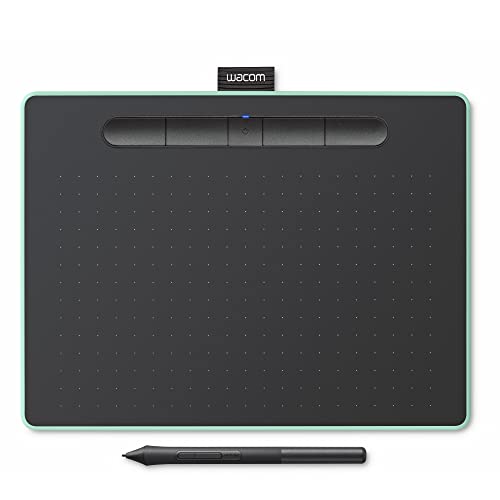
The Wacom Intuos Small is a portable pen tablet measuring 6.3 by 7.87 inches with a slim 0.35-inch profile. It weighs 8.8 ounces and connects via Bluetooth or USB-A. This device uses EMR technology for battery-free precision. It includes creative software and online training. You will find it ideal for students or teachers who need a compact, wireless drawing surface for digital art and document markup.
- Compact 6.3 by 7.87 inch active area
- Lightweight 8.8-ounce portable design
- Wireless Bluetooth connectivity
- Battery-free EMR pen technology
- Includes creative software and training
- Small active area limits workspace compared to medium or large alternatives
- Non-display tablet requires you to look away from the drawing surface
- Slim 0.35-inch build offers less physical depth than display models
- You need a compact tablet that fits easily into a backpack
- You want wireless Bluetooth connectivity for a clutter-free desk
- You are a student looking for included software and training
- You require a built-in screen for direct drawing
- You need a large active area for detailed professional work
- You prefer a heavier, more substantial build for stability
Verdict: Wacom Intuos Small Bluetooth Pen Tablet is a lightweight, portable option for students and teachers who prioritize space-saving design and wireless convenience over a large workspace or integrated display.
Wacom Intuos Medium Bluetooth Pen Tablet
Best for: users needing a larger wireless drawing area
- Shortcut Controls
- 4 Customizable ExpressKeys
- Operating System
- Android
- Features
- Bluetooth, Shortcut Keys
- Tablet Type
- Pen Tablet
- Audience
- Students
- Dimensions
- 10.4 × 7.8 × 0.35 inches
The Wacom Intuos Medium is a wireless pen tablet designed for digital creativity. It measures 10.4 by 7.8 inches with a slim 0.35-inch profile. The device weighs 14.5 ounces and connects via Bluetooth or USB-A. It supports Android and includes shortcut keys for workflow efficiency. This medium-sized slate suits students and creators who need a larger drawing area than small tablets provide while maintaining portability.
- Medium 10.4 by 7.8-inch active area
- Wireless Bluetooth and USB-A connectivity
- Includes shortcut keys for faster input
- Supports Android operating systems
- Lightweight 14.5-ounce portable design
- Medium size is larger than the Wacom Intuos Small Bluetooth
- Heavier at 14.5 ounces compared to smaller slate options
- Thicker 0.35-inch profile versus some thinner competitors
- You need a larger drawing area for detailed work
- You prefer wireless connectivity for a cleaner desk setup
- You are a student or teacher using Android devices
- You require a built-in screen for direct drawing
- You need the most compact tablet for maximum portability
- You prefer a heavier, more substantial build quality
Verdict: Wacom Intuos Medium Bluetooth Pen Tablet offers a balanced medium workspace for creators who prioritize wireless freedom and software compatibility over compactness. It is the ideal choice for users who find the small size too restrictive for complex projects.

Wacom Intuos Medium Wireless Drawing Tablet
Best for: Users needing extra drawing space
- Shortcut Controls
- 4 ExpressKeys
- Operating System
- Windows
- Features
- Stylus, Stylus Pen, Bluetooth, Battery-Free Pen, Shortcut Keys
- Color
- Black
- Tablet Type
- Pen Tablet
- Audience
- Students
The Wacom Intuos Medium offers a 10.4 by 7.8 inch active area for detailed work. It uses Bluetooth or USB-A for connection and includes a battery-free pen. The device weighs 14.5 ounces and measures 0.4 inches thick. You get four express keys and included software. This medium-sized tablet suits students and creators who need extra space without the bulk of a large display.
- Medium 10.4 x 7.8 inch working area
- Battery-free EMR pen technology
- Wireless Bluetooth or wired USB-A connectivity
- Includes four express keys for shortcuts
- Comes with creative software and training access
- Heavier at 14.5 ounces compared to smaller models
- Thicker profile at 0.4 inches
- Requires separate power for the pen tip wear over time
- You need more drawing space than the small version provides
- You prefer wireless freedom for desk or sofa use
- You want included software to start creating immediately
- You want a built-in screen for direct drawing
- You need the most portable option available
- You require pressure sensitivity beyond standard pen input
Verdict: Wacom Intuos Medium Wireless is a solid choice for students and hobbyists who need a larger canvas than the small model offers. It fits users who value wireless convenience and included software over portability.

Wacom One Medium Bluetooth Tablet
Best for: Beginners seeking a reliable pen tablet with broad compatibility
- Pen Pressure
- 4096 levels
- Operating System
- Windows
- Features
- Stylus, Stylus Pen, Bluetooth, Battery-Free Pen
- Tablet Type
- Pen Tablet
- Audience
- Students, Beginners
- Dimensions
- 9.9 × 7.1 × 0.3 inches
The Wacom One Medium is a pen tablet with a 9.9 x 7.1 inch footprint and an 8.5 x 5.3 inch active area. It features a battery-free pen with 4096 pressure levels and tilt recognition. This device connects via USB-C to Windows, Mac, and Android. It suits beginners who want a reliable entry point into digital drawing without the complexity of a screen.
- Includes a battery-free pen with 4096 pressure levels
- Supports tilt recognition for natural shading
- Connects to Windows, Mac, Chromebook, and Android
- Two customizable shortcut switches on the pen
- Smaller active area than the Wacom Intuos Medium listed
- Heavier at 12.2 ounces compared to the Intuos Small
- Lacks a built-in display for direct drawing
- You are a beginner looking for an entry-level drawing tablet
- You prefer a pen-on-paper feel without a screen
- You need compatibility with both Windows and Mac computers
- You require a larger active area than the Medium size offers
- You want a tablet with an integrated display for direct drawing
- You need a device lighter than 12.2 ounces for portability
Verdict: The Wacom One Medium Bluetooth Tablet is a practical choice for beginners who want a reliable pen tablet with a moderate active area and broad device compatibility. It fits users who prioritize pressure sensitivity and tilt recognition over having a built-in screen.
Wacom Intuos Pro Small Bluetooth Pen Tablet
Best for: professional animators needing precision
- Pen Pressure
- 8192
- Features
- Stylus, Stylus Pen, Bluetooth, Shortcut Keys
- Tablet Type
- Pen Tablet
- Audience
- Animation
- Length
- 8.46 inches
- Width
- 6.42 inches
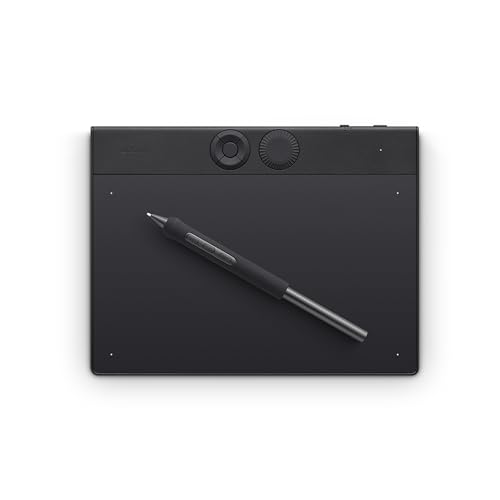
The Wacom Intuos Pro Small is a professional pen tablet designed for animation and digital art. It features the Pro Pen 3 with 8192 pressure levels and tilt support. The device includes a mechanical dial and five customizable ExpressKeys for workflow efficiency. It connects via Bluetooth or USB and weighs 8.48 ounces. The small footprint measures 8.4 by 6.4 inches, offering a large active area for precise control.
- Pro Pen 3 provides 8192 pressure levels and tilt support
- Mechanical dial and five customizable ExpressKeys enhance productivity
- Bluetooth and USB connectivity options for wireless freedom
- Magnesium build offers durability at just 4mm thickness
- Small active area limits canvas space compared to medium options
- Heavier at 8.48 ounces than typical small tablets
- Requires software setup for full feature access
- You need professional precision with 8192 pressure levels
- You prefer a compact footprint for desk setups
- You want customizable shortcut keys and a mechanical dial
- You require a built-in screen for direct drawing
- You need a larger active area for wide compositions
- You prefer a lighter device under 8 ounces
Verdict: Wacom Intuos Pro Small delivers professional-grade precision for animators and artists who value a compact, durable design with extensive customization options. It suits users who prioritize pen accuracy and workflow efficiency over screen integration.
XPPen Artist 13.3 Pro V2
Best for: desktop artists needing a large, color-accurate pen display
- Tablet Type
- Tethered pen display
- Screen Size
- 13.3"
- Display Resolution
- FHD
- Pen Pressure
- 16384
- Color Gamut
- 88% NTSC, >=91% AdobeRGB, >=123% sRGB
- Display Finish
- Fully-laminated, anti-glare
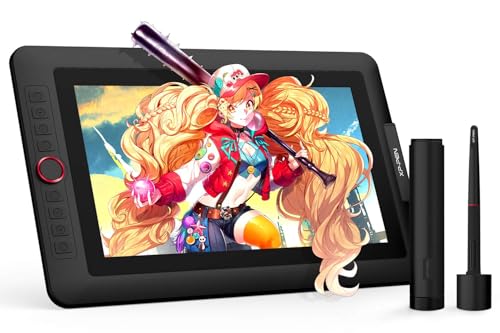
The XP-Pen Artist 13.3 Pro V2 is a 13.3-inch pen display with a full-laminated screen and 123% sRGB color gamut. It supports 16K pressure levels and 60-degree tilt for natural shading. The device includes eight shortcut keys and a red dial for workflow control. It requires a computer connection via the included 3-in-1 cable. This tablet suits beginners and animators seeking vivid colors and precise input.
- 13.3-inch full-laminated FHD display with 123% sRGB coverage
- 16,384 pressure levels and 60-degree tilt support
- Eight customizable shortcut keys and a red dial for adjustments
- Battery-free stylus with 220 RPS reporting speed
- Heavier at 4.41 pounds compared to portable drawing pads
- Requires a computer connection rather than operating as a standalone device
- Limited to Windows, Mac, Chrome OS, and Linux compatibility
- You need a large 13.3-inch screen for detailed work
- You want a full-laminated display with wide color gamut
- You prefer physical shortcut keys and a dial for control
- You need a standalone tablet without a computer
- You prefer a lighter, more portable device under 3 pounds
- You require Android operating system support
Verdict: The XP-Pen Artist 13.3 Pro V2 fits beginners and animators who need a large, color-accurate screen and physical controls for their workflow. It is a solid choice for desktop setups where screen real estate matters more than portability.

GAOMON PD1161 11.6" Pen Display
Best for: beginners needing a portable pen display
- Tablet Type
- Tethered pen display
- Screen Size
- 11.6"
- Display Resolution
- 1920×1080 Full HD
- Pen Pressure
- 8192
- Display Finish
- Anti-glare film
- Shortcut Controls
- 8 shortcut keys
The GAOMON PD1161 is an 11.6-inch pen display with an IPS Full HD screen. It features 8192 levels of pressure sensitivity and tilt support. The device includes a battery-free pen and eight customizable shortcut keys. Weighing 1.9 pounds, it connects to Windows, Mac, or Chromebook systems. This setup suits students and beginners who need a portable drawing monitor for digital art and online teaching.
- 11.6-inch IPS Full HD screen
- 8192 levels of pen pressure
- Tilt support for natural strokes
- Eight customizable shortcut keys
- Battery-free pen included
- 11.6-inch screen is smaller than the 13.3-inch and medium options in this list
- 1.9-pound weight is heavier than the Wacom Intuos Small Bluetooth tablet
- Requires connection to a computer rather than operating as a standalone device
- You need a dedicated screen for drawing directly on the display
- You want a portable option under 12 inches for travel
- You use Windows, Mac, or Chromebook for digital art
- You prefer a screen larger than 12 inches
- You need a standalone tablet without a computer
- You require a lighter device than 1.9 pounds
Verdict: GAOMON PD1161 11.6-Inch Pen Display offers a compact screen with high pressure sensitivity for digital artists. It fits beginners who need a portable monitor for sketching and online teaching.
Specifications side by side
| Spec | Wacom Intuos Small Bluetooth | Wacom Intuos Medium Bluetooth Pen Tablet | Wacom Intuos Medium Wireless Drawing Tablet | Wacom One Medium Bluetooth Tablet | Wacom Intuos Pro Small Bluetooth Pen Tablet | XPPen Artist 13.3 Pro V2 | GAOMON PD1161 11.6" Pen Display |
|---|---|---|---|---|---|---|---|
| Tablet Type | – | – | – | – | – | Tethered pen display | Tethered pen display |
| Screen Size | – | – | – | – | – | 13.3" | 11.6" |
| Display Resolution | – | – | – | – | – | FHD | 1920×1080 Full HD |
| Pen Pressure | – | – | – | 4096 levels | 8192 | 16384 | 8192 |
| Color Gamut | – | – | – | – | – | 88% NTSC, >=91% AdobeRGB, >=123% sRGB | – |
| Display Finish | – | – | – | – | – | Fully-laminated, anti-glare | Anti-glare film |
| Shortcut Controls | 4 Customizable ExpressKeys | 4 Customizable ExpressKeys | 4 ExpressKeys | – | – | 8 shortcut keys, Red Dial | 8 shortcut keys |
| Operating System | Android | Android | Windows | Windows | – | Android | – |
| Features | Bluetooth, Shortcut Keys | Bluetooth, Shortcut Keys | Stylus, Stylus Pen, Bluetooth, Battery-Free Pen, Shortcut Keys | Stylus, Stylus Pen, Bluetooth, Battery-Free Pen | Stylus, Stylus Pen, Bluetooth, Shortcut Keys | Shortcut Keys | Battery-Free Pen, Shortcut Keys, Tilt Support |
| Display | – | – | – | – | – | Full-Laminated | Anti-Glare |
| Color | Pistachio | Pistachio | Black | White | – | Black / White | Black |
| Audience | Students | Students | Students | Students, Beginners | Animation | Animation, Beginners | Students, Animation, Beginners |
| Dimensions | 7.87 × 6.3 × 0.35 inches | 10.4 × 7.8 × 0.35 inches | 10.4 × 7.8 × 0.4 inches | 9.9 × 7.1 × 0.3 inches | – | – | – |
| Weight | 8.8 ounces | 14.5 ounces | 14.5 ounces | 12.2 ounces | 8.48 ounces | 4.41 pounds | 1.91 pounds |
| Length | – | – | – | – | 8.46 inches | 9.84 inches | 14.2 inches |
| Width | – | – | – | – | 6.42 inches | 15.4 inches | 7.87 inches |
| Size | Small, Wireless | Medium, Wireless | Medium, Wireless (Pack of 1) | Medium | Small | 13.3 Inch | 11.6 Inch |
| Model | CTL4100WLE0 | CTL6100WLE0 | CTL6100WLK0 | CTC6110WLW0A | PTK470K0A | Artist 13.3Pro | A2.PD1161-0-EN0000-1-US |
Frequently asked questions
Is the Wacom Intuos Pro Small better for professional work?
Yes, the Wacom Intuos Pro Small targets professional animators and artists. It delivers professional-grade precision and features a compact, durable design. The tablet offers extensive customization options for your workflow. It prioritizes pen accuracy over screen integration. This makes it suitable for users who need high-end performance in a small form factor.
Does the Wacom One Medium support tilt recognition?
Yes, the Wacom One Medium Bluetooth Tablet supports tilt recognition. It is designed for beginners who want reliable performance. The tablet includes a battery-free pen for natural drawing. It offers broad device compatibility across different operating systems. This feature helps you create more dynamic strokes without needing extra power for your stylus.
Which tablet is best for desktop artists needing a screen?
The XP-Pen Artist 13.3 Pro V2 is ideal for desktop artists. It features a 13.3-inch full-laminated display for color accuracy. The tablet includes physical shortcut keys for efficient workflow. It weighs 4.41 pounds, so it is not portable. This model fits users who prioritize screen real estate over the compact nature of pen tablets.
Can the GAOMON PD1161 be used for online teaching?
Yes, the GAOMON PD1161 11.6-Inch Pen Display fits beginners needing a portable monitor for online teaching. It offers an anti-glare screen for clear visibility. The tablet supports 8192 levels of pen pressure for detailed work. It includes a battery-free pen and tilt support. This setup allows for comfortable sketching and instruction in a compact package.
How much larger is the Wacom Intuos Medium Bluetooth workspace?
The Wacom Intuos Medium Bluetooth provides a 7.8 by 10.4 inch active area. This is larger than the 6.3 by 7.87 inch surface of the small model. The expanded space allows for broader strokes and more natural hand movements. It suits users who find the small size too restrictive for complex projects. The medium model maintains wireless convenience with shortcut keys.
Is the Wacom Intuos Medium Wireless compatible with Windows?
Yes, the Wacom Intuos Medium Wireless Drawing Tablet is compatible with Windows. It offers a solid choice for students and hobbyists needing extra drawing space. The tablet includes a battery-free pen and Bluetooth connectivity. It fits users who value wireless convenience and included software. This model provides a larger canvas than the small version without requiring a built-in screen.


