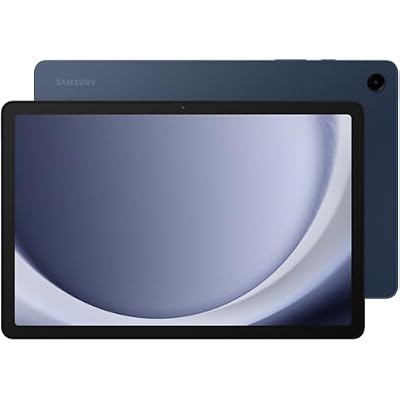
XP-Pen 10.95-Inch Paper-Like Android Tablet Review: Who It Fits and Who Should Skip It
This xp pen 10 95 inch paper like android tablet review examines a device that blends standard Android functionality with a specialized display.

What this report covers
- Last updated
- 4 Nov 2026
Figures above are read from the product listings for the models named below. Scores are out of 10, based on listed specifications and buyer feedback.
As Amazon Associates, we earn from qualifying purchases. This means we may receive a small commission at no extra cost to you if you click through and make a purchase.
As an Amazon Associate we earn from qualifying purchases. Links on this page are affiliate links.
This xp pen 10 95 inch paper like android tablet review examines a device that blends standard Android functionality with a specialized display. It features a 10.95-inch LCD screen with AG nano-etched glass and supports 16,384 pressure levels for its stylus. Unlike e-ink readers, this tablet uses a color display with a 90Hz refresh rate. It runs Android 14 and includes 128GB of storage. The design targets users who want a versatile note-taking tool that also handles everyday apps. We break down how these specs affect your daily workflow and whether the hardware matches your needs for study or office tasks.
- 10.95-inch LCD with AG nano-etched glass for a paper-like texture
- 16,384 pressure levels with the included X3 Pro stylus
- 90Hz refresh rate for smooth scrolling and writing
- Android 14 OS with 128GB of internal storage
- 8000mAh battery with 20W fast charging support
Good fit for
You should consider this tablet if you need a versatile device for note-taking that also handles general Android apps. The 128GB storage and Android 14 system allow you to download Google Play applications for education or office work. The 16K pressure sensitivity benefits students who annotate PDFs or sketch diagrams. The paper-like display reduces glare, making it suitable for reading in bright environments. If you want a single device for both creative annotation and general productivity, this hardware setup fits your requirements well.
Who can skip it
You should skip this option if you strictly want an e-ink display for battery-efficient reading. This device uses an LCD screen, so it does not offer the same passive power consumption as dedicated e-readers. It also lacks a physical keyboard attachment, which limits its utility for heavy typists. If you require a tablet solely for long-form reading without backlight, another product is better. The 90Hz refresh rate and color display consume more power than e-ink alternatives, requiring regular charging via the 20W charger.
Verdict
This tablet offers a capable Android note-taking experience with a high-sensitivity stylus and a glare-reducing display. It suits users who want versatility over the specific constraints of e-ink technology.
Key specs explained for this tablet
10.95-inch AG nano-etched LCD
This screen uses anti-glare glass to reduce light interference, creating a paper-like texture for writing. It differs from e-ink displays by showing full color and motion. You get a clear view in bright rooms without the slow refresh of traditional e-readers. The coating minimizes reflections, making it easier to read notes or documents outdoors or under harsh indoor lighting compared to standard glossy tablets.
16,384 pressure levels
The stylus detects subtle changes in how hard you press the screen. This allows for varied line thickness and color depth, mimicking real ink on paper. You can create detailed sketches or emphasize handwritten notes with thick, bold strokes. This level of sensitivity is essential for artists and students who need precise control over their digital pen marks compared to basic touch inputs.
90Hz refresh rate
The display updates 90 times per second, ensuring smooth writing and navigation. You will see less ghosting or lag when turning pages or drawing quickly. This speed makes the tablet feel more responsive than standard 60Hz screens found in many e-readers. It provides a fluid experience for both note-taking and general Android tasks, reducing eye strain during long sessions.
Android 14 with 128GB storage
Running the latest Android OS gives you access to the Google Play Store and familiar apps. The 128GB capacity holds thousands of notes, PDFs, and documents without needing external drives. You can install productivity tools, e-book readers, and cloud sync services. This open ecosystem offers more versatility than closed e-ink systems, allowing you to customize your workflow with various software options.
8000mAh battery
This large battery capacity supports extended use for note-taking and reading sessions. You can work for hours without frequent recharging, making it suitable for long lectures or travel. The included 20W charger helps restore power quickly when needed. This endurance is comparable to many mid-range tablets, ensuring the device remains a reliable tool for daily productivity tasks without constant power anxiety.
Design and Build Details
The tablet measures 10 inches in length, 7 inches in width, and 0.2 inches in thickness. It weighs 10.6 ounces. These dimensions suggest a form factor that fits comfortably in one hand or on a lap. The slim profile allows for easy portability, making it suitable for travel or use in tight spaces like airplane trays or crowded cafes. You can carry it without significant bulk.
According to the listing, the device features an AG nano-etched LCD screen. This glass treatment provides a paper-like texture for writing. It reduces ambient light interference, which helps in bright environments. The finish is designed to mimic the friction of paper on paper. This choice supports natural handwriting and drawing. It differs from glossy screens by offering less glare and a more tactile experience for note-taking.
The build includes a magnetic suction area for the stylus. This keeps the pen attached to the device when not in use. A customized shortcut key is also present on the tablet. This X-key allows you to switch between display modes quickly. The physical layout prioritizes quick access to essential functions. You do not need to navigate deep menus to change settings. The design focuses on immediate usability for students and professionals who need to capture ideas quickly.
Setup And Everyday Use
The device runs Android 14, giving you access to the Google Play store. You can install third-party applications for education, office work, or entertainment. The system includes 128GB of internal storage. This capacity holds your notes, PDFs, and downloaded apps. You should avoid running multiple software programs at the same time. The manufacturer advises this to maintain a better user experience. The tablet comes with the XPPen Notes app pre-installed. This app offers permanent membership and supports handwriting-to-text conversion. You can record sound while writing and import PDF files. The app saves notes automatically. You may upload them to OneDrive or Google Drive. If you update the system to version 1PAE, you gain access to MyScript Notes and MyScript Math. These tools convert handwriting into typed text and recognize handwritten equations. They also support AI features like summarizing PDFs and creating flashcards. The X3 Pro Pencil 2 connects via magnetic suction. It features a customized shortcut key for quick access. The stylus has 16,384 pressure levels. This sensitivity allows for varied stroke thickness and color depth based on how hard you press. The pen nib is soft, which aids in natural writing. The tablet includes an X-key for switching between Monochrome LCD, Light Color, and Nature Color modes. You can change these modes with a single press. The 8000mAh battery requires the included 20W charger for power. This setup ensures you can recharge the device quickly. The Android ecosystem allows for extensive customization through downloaded apps, while the native software handles core note-taking tasks efficiently.
What You Need Before Buying
You need a stable surface for this 10.95-inch device. Its weight and size make it less ideal for long-term handheld use. You should check if your Android apps sync well with OneDrive or Google Drive. The tablet supports these uploads for note storage. You must also verify that your preferred drawing or note-taking apps run smoothly on Android 14. The system allows multiple app installations, but running too many programs at once may slow performance. You should keep the 8000mAh battery charged using the included 20W charger. This tablet sits between standard Android tablets and e-ink readers. It offers color and speed but lacks the paper-like feel of e-ink. You will need a case for protection. The AG glass is durable but can scratch. You should handle it with care. This device suits those who want Android flexibility with a writing-focused screen. It is not for pure readers who prefer black and white displays.
Check before you buy
- Confirm your note-taking apps support Android 14.
- Ensure you have a stable desk for use.
- Check if you need cloud sync features.
- Verify you prefer color over e-ink screens.

XP-Pen 10.95-Inch Paper-Like Android Tablet
Best for: Color LCD note-taking with paper-like texture
- Screen Size
- 10.95"
- Internal Storage
- 128GB
- Display Type
- LCD
- Use
- Note-Taking
- Pen Pressure
- 16K Levels
- Dimensions
- 10 × 7 × 0.2 inches
This is a 10.95-inch Android tablet with an AG nano-etched LCD screen. It features a 90Hz refresh rate and 400 nits of brightness. The included X3 Pro Pencil supports 16K pressure levels for detailed note-taking. It runs Android 14 with 128GB of storage and an 8000mAh battery. This device suits users who want a paper-like writing feel on a color display without using e-ink technology.
- 10.95-inch AG nano-etched LCD with 90Hz refresh rate
- X3 Pro Pencil with 16K pressure sensitivity
- 128GB storage and Android 14 operating system
- 8000mAh battery with 20W fast charging
- TÜV SÜD Low Blue Light Certification
- 10.6 ounces weight may feel heavy for long handheld sessions
- 0.2 inches thickness adds bulk compared to slim e-ink readers
- LCD screen differs visually from traditional e-ink displays
- You need a color display for drawing or media alongside note-taking
- You prefer the tactile feel of paper-like glass for writing
- You want to run standard Android apps from Google Play
- You require a black-and-white e-ink screen for maximum battery life
- You prioritize a lightweight device for one-handed reading
- You need a display that mimics paper without any LCD backlight
Verdict: XP-Pen 10.95-Inch Paper-Like Android Tablet fits users who want a color LCD with a paper-like texture for note-taking. It is best for those who need Android app compatibility and a high-refresh-rate display for smooth writing.
Specifications side by side
| Spec | XP-Pen 10.95-Inch Paper-Like Android Tablet |
|---|---|
| Screen Size | 10.95" |
| Internal Storage | 128GB |
| Display Type | LCD |
| Storage | 128GB |
| Use | Note-Taking |
| Pen Pressure | 16K Levels |
| Dimensions | 10 × 7 × 0.2 inches |
| Weight | 10.6 ounces |
| Size | 10.95 |
| Model | B0dx234nwp |
Frequently asked questions
Is the XP-Pen 10.95-inch tablet good for digital art?
Yes, it supports 16,384 pressure levels for your stylus. This high sensitivity allows for nuanced line weight changes in drawing applications. The color LCD display also provides accurate color representation for your artwork. You can use various creative apps available on the Android platform to design illustrations or edit photos with precision.
Does this tablet have enough storage for notes and apps?
It includes 128GB of internal storage for your files. This capacity is sufficient for storing numerous notes, PDFs, and installed applications. You can keep your digital library organized without needing external drives. The system runs Android 14, which manages these resources efficiently for daily note-taking and productivity tasks.
How heavy is the XP-Pen 10.95-inch tablet?
The device weighs 10.6 ounces, making it relatively lightweight. Its dimensions are 10 inches in length and 7 inches in width. This size allows for comfortable handling during short sessions. However, the slim profile and weight suggest it is better suited for desk use than prolonged handheld reading or writing.
Can I use Google Play Store apps on this device?
Yes, the tablet runs Android 14 and supports the Google Play Store. You can download third-party applications for education, office work, or entertainment. This access allows you to install specific note-taking or drawing tools. The system ensures compatibility with a wide range of Android apps for your daily workflow.
Is the screen suitable for writing in bright environments?
The screen features AG nano-etched glass to reduce light interference. This anti-glare coating creates a paper-like texture that minimizes reflections. You get a clear view even in bright rooms. The color LCD display ensures that text and images remain visible and sharp without the harsh glare often found on standard glossy screens.
What kind of stylus pressure does this tablet support?
It supports 16,384 levels of pen pressure for the stylus. This high resolution allows for precise control over line thickness and opacity. You can achieve natural-looking strokes in drawing or handwriting applications. The pressure sensitivity enhances the writing experience by responding to your touch intensity for more realistic digital ink.