Looking Beyond the XP-Pen XPPen Deco Pro LW? 6 Alternatives Worth a Look
Looking Beyond the XP-Pen XPPen Deco Pro LW?

What this report covers
- Last updated
- 4 Nov 2026
Figures above are read from the product listings for the models named below. Scores are out of 10, based on listed specifications and buyer feedback.
As Amazon Associates, we earn from qualifying purchases. This means we may receive a small commission at no extra cost to you if you click through and make a purchase.
As an Amazon Associate we earn from qualifying purchases. Links on this page are affiliate links.
Looking Beyond the XP-Pen XPPen Deco Pro LW? 6 Alternatives Worth a Look. The XPPen Deco Pro LW is a wireless tablet designed for artists who need a large 11-inch surface and Bluetooth connectivity. It offers 16K pressure sensitivity and a dedicated shortcut remote for efficient workflow. However, you might prefer a different screen size, a built-in display, or a different brand for your specific needs. This list explores 6 alternatives that match its core capabilities while offering distinct advantages. These options were chosen because their specs overlap with the original, ensuring they remain viable substitutes. Whether you need a pen display for direct drawing or a more compact tablet, these models provide relevant features. Each alternative addresses specific gaps, such as the lack of an integrated screen in the Deco Pro or the desire for a larger active area. You will find options tailored for portability, color accuracy, or professional-grade precision. This guide focuses strictly on technical specifications to help you compare value and functionality. By examining the data, you can determine which device best fits your artistic style and setup requirements. The following selections represent the strongest competitors in terms of performance and utility.
How these alternatives compare
XP-Pen Artist 13.3 Pro V2
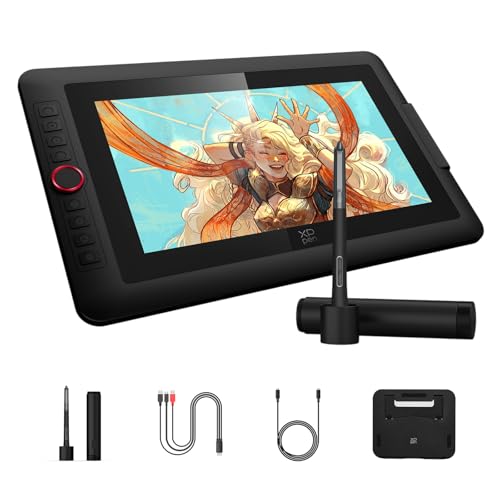
The XP-Pen Artist 13.3 Pro V2 replaces the Deco Pro LW’s separate-surface workflow with an integrated 13.3-inch pen display. You get a larger active area and full-lamination for reduced parallax, which improves precision. However, you give up wireless Bluetooth connectivity and the dedicated ACK05 remote. This model relies on a wired connection, making it less portable. It suits illustrators who prioritize color accuracy and a direct screen interface over the freedom of untethered drawing. If you need a stable desktop setup for professional-grade work, this display offers a more focused experience than the tablet.
XP-Pen Artist 12 11.9" Drawing Tablet
The XP-Pen Artist 12 11.9" Drawing Tablet shifts from a tablet to a pen display with an 11.9-inch anti-glare screen. It retains the dial control you likely appreciate from the Deco Pro LW but integrates it directly into the device. You lose the wireless Bluetooth capability and the external shortcut remote, opting instead for a compact, portable design that weighs 2.48 pounds. The full-laminated display reduces glare and improves visual clarity. This alternative fits artists who want the tactile feedback of a dial and a paper-like screen in a smaller form factor, sacrificing wireless convenience for a more integrated drawing experience.
Wacom Intuos Medium Wireless Drawing Tablet
The Wacom Intuos Medium Wireless Drawing Tablet offers a smaller active area than the 11-inch Deco Pro LW, measuring 7.8 by 10.4 inches. It maintains Bluetooth wireless connectivity but removes the external shortcut remote, relying on built-in shortcut keys and a battery-free pen. You gain access to Wacom’s pen technology, which is often preferred by students for its reliability. However, you lose the large workspace and the dedicated dial. This tablet is ideal for users who prioritize wireless convenience and trusted pen input over a large drawing surface. It is a compact solution for drawing on external monitors without the bulk of a larger device.
XPPen Artist Pro 14 Gen2 14-Inch Pen Display
The XP-Pen Artist Pro 14 Gen2 14-Inch Pen Display provides a significantly larger 14-inch full-laminated screen compared to the Deco Pro LW’s tablet surface. It includes tilt support and a dedicated dial, enhancing precision for color work. You give up wireless Bluetooth connectivity and the external remote, as this is a wired pen display. The model is designed for compact precision, fitting into smaller desk spaces while offering a larger canvas. It suits artists who want a dedicated screen for detailed work and value tilt functionality. If you need a larger, color-accurate display with physical controls, this model offers a more immersive drawing experience than the wireless tablet.
UGEE UE12 Plus 11.9-Inch Pen Display
The UGEE UE12 Plus 11.9-Inch Pen Display offers a full-laminated screen with an 11.9-inch active area, replacing the Deco Pro LW’s separate tablet surface. It provides shortcut keys but lacks the external ACK05 remote and wireless Bluetooth connectivity. You gain a color-accurate display suitable for Windows or Mac setups, ideal for desktop drawing. The device weighs 3.92 pounds, making it less portable than the wireless tablet. It is a solid choice for users who prioritize color accuracy and a laminated screen over wireless convenience. If you prefer a dedicated pen display for stable, high-quality work on compatible computers, this alternative offers a focused, wired experience.
Wacom Intuos Pro Large Bluetooth Tablet
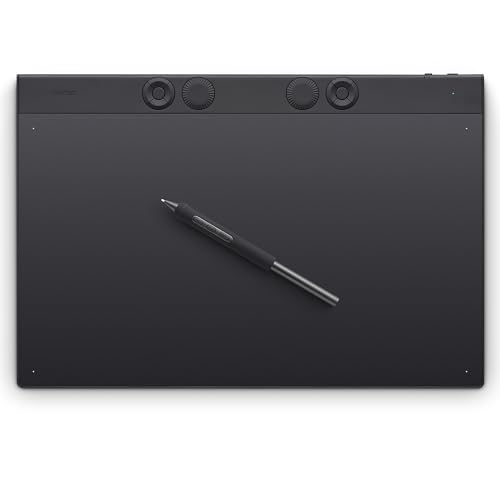
The Wacom Intuos Pro Large Bluetooth Tablet provides a large wireless drawing surface with Bluetooth connectivity, similar to the Deco Pro LW. However, it lacks an integrated screen and the dedicated external remote, relying on built-in shortcut keys. The active area is spacious, fitting professional illustrators who need a large canvas. You gain Wacom’s pen technology and a compact, lightweight design at 1.46 pounds. This tablet is ideal for users who prioritize a large wireless drawing space and precise pen control over a built-in display. If you draw on external monitors and value a trusted brand with wireless freedom, this large tablet offers a robust, professional-grade solution.
| # | Product | Best for | Price |
|---|---|---|---|
| 1 | XPPen Deco Pro LW 11-Inch Wireless Tablet Best overall | Wireless desktop drawing on a separate monitor | |
| 2 | XP-Pen Artist 13.3 Pro V2 Best 13.3-inch | artists needing a 13.3-inch color-accurate pen display | |
| 3 | XP-Pen Artist 12 11.9" Drawing Tablet Best premium | portable artists needing dial controls | |
| 4 | Wacom Intuos Medium Wireless Drawing Tablet Best budget | wireless pen input without a screen | |
| 5 | XPPen Artist Pro 14 Gen2 14-Inch Pen Display Best tilt support | precise color work in a compact size | |
| 6 | UGEE UE12 Plus 11.9-Inch Pen Display Also great | color-accurate drawing on Windows or Mac | |
| 7 | Wacom Intuos Pro Large Bluetooth Tablet Also great | Professional illustrators needing large wireless drawing space |

XPPen Deco Pro LW 11-Inch Wireless Tablet
Best for: Wireless desktop drawing on a separate monitor
- Pen Pressure
- 16384 levels
- Shortcut Controls
- Keypad with physical scroll wheel
- Screen Size
- 11-Inch
- Operating System
- Android
- Features
- Stylus, Stylus Pen, Bluetooth, Dial
- Color
- Black
This wireless drawing tablet offers an 11-inch active area with 16,384 pressure levels. It connects via Bluetooth 5.0 for cable-free use or USB for wired stability. The included ACK05 remote adds a scroll wheel for shortcuts. You get over 10 hours of battery life and a textured surface for natural friction. It supports Windows, macOS, Android, and select iOS apps.
- 16,384 pressure sensitivity levels
- 11×7 inch active workspace
- Over 10 hours wireless battery life
- Includes ACK05 wireless shortcut remote
- Simulated paper-like textured surface
- 11-inch screen is smaller than the 13.3-inch and 14-inch displays on this list
- No built-in display requires a separate monitor
- iOS support limited to specific third-party apps
- You want a wireless pen tablet for couch or travel sketching
- You need a large 11-inch workspace without a built-in screen
- You use Windows, macOS, or Android for digital art
- You require a built-in display for direct drawing
- You need full native iOS app compatibility
- You prefer a larger 14-inch or 13.3-inch active area
Verdict: XP-Pen Deco Pro LW 11" Wireless Tablet fits artists who want a large, wireless canvas for desktop or mobile setups. It suits those who value a separate monitor workflow and a dedicated shortcut remote.
XP-Pen Artist 13.3 Pro V2
Best for: artists needing a 13.3-inch color-accurate pen display
- Screen Size
- 13.3"
- Display Resolution
- Full HD
- Pen Pressure
- 16K
- Color Gamut
- 125% sRGB, 107% Adobe RGB, 95% P3
- Display Finish
- Full-Laminated AG Glass
- Shortcut Controls
- Red Dial, 8 customizable keys
The XP-Pen Artist 13.3 Pro V2 is a pen display with a 13.3-inch full-laminated screen. It offers 16K pressure levels and a 99% sRGB color gamut for accurate color reproduction. The device includes a red dial and eight shortcut keys for workflow control. It supports Windows, macOS, and Android. This tablet suits artists who need a dedicated screen and precise color fidelity for their creative projects.
- 13.3-inch full-laminated IPS display with AG film
- 16K pen pressure levels with 90ms response rate
- 99% sRGB and 107% Adobe RGB color gamut
- Red Dial and 8 customizable shortcut keys
- 250 cd/m² brightness and 1000:1 contrast ratio
- 13.3-inch screen is smaller than the 14-inch option on the list
- 99% sRGB is lower than the 125% sRGB specification of this model
- 2.5 pounds weight is heavier than the 11-inch alternatives
- You want a dedicated pen display rather than a screenless tablet
- You need a 13.3-inch viewing area for detailed work
- You require a red dial for quick brush size adjustments
- You prefer a wireless drawing tablet without a screen
- You need a screen larger than 13.3 inches
- You want a tablet that connects directly to Android without a computer
Verdict: The XP-Pen Artist 13.3 Pro V2 fits illustrators who prioritize color accuracy and a dedicated 13.3-inch screen with physical controls. It is a solid choice for those who need a stable, wired connection for professional-grade color work.

XP-Pen Artist 12 11.9" Drawing Tablet
Best for: portable artists needing dial controls
- Tablet Type
- Tethered pen display
- Screen Size
- 11.9 inch
- Display Resolution
- 1920×1080 Full HD
- Pen Pressure
- 16,384 levels
- Color Gamut
- 99% sRGB
- Display Finish
- Full lamination, AG etched glass
The XP-Pen Artist 12 3rd is an 11.9-inch pen display with a Full HD screen and 99% sRGB color coverage. It features dual X-Dial wheels for quick adjustments and an anti-glare etched glass surface. The included X4 pen offers 16K pressure levels. This device suits digital artists and students who need a portable, accurate drawing tablet with ergonomic controls.
- 11.9-inch Full HD display with 99% sRGB color accuracy
- Dual X-Dial wheels for instant brush and zoom control
- X4 pen with 16K pressure levels and 60-degree tilt support
- Anti-glare etched glass reduces glare by 85%
- Lightweight design at 2.48 pounds for portability
- 11.9-inch screen is smaller than the 13.3-inch and 14-inch options on this list
- Full HD resolution is lower than the higher-end displays in this category
- Weight of 2.48 pounds is heavier than the 1.58-pound Deco Pro LW
- You want a portable pen display with dual dial controls
- You need accurate color representation for design work
- You prefer an anti-glare screen for comfortable long sessions
- You require a screen larger than 11.9 inches
- You need 4K resolution for maximum detail
- You prioritize the lightest possible tablet under 2 pounds
Verdict: XP-Pen Artist 12 3rd 11.9" Pen Display offers a balanced mix of portability and color accuracy. It fits artists who value dial controls and a paper-like screen in a compact form factor.

Wacom Intuos Medium Wireless Drawing Tablet
Best for: wireless pen input without a screen
- Shortcut Controls
- 4 ExpressKeys
- Operating System
- Windows
- Features
- Stylus, Stylus Pen, Bluetooth, Battery-Free Pen, Shortcut Keys
- Color
- Black
- Tablet Type
- Pen Tablet
- Audience
- Students
The Wacom Intuos Medium is a wireless pen tablet designed for digital creativity. It features a 10.4 by 7.8 inch active area and connects via Bluetooth or USB. The battery-free pen offers precise control. This device includes shortcut keys and comes with creative software. It suits students and artists who need reliable input without a screen.
- Bluetooth wireless connectivity
- Battery-free EMR pen
- 10.4 x 7.8 inch active area
- Includes creative software
- No built-in display screen
- Heavier at 14.5 ounces
- Fewer shortcut keys than competitors
- You want wireless freedom
- You use a separate monitor
- You need reliable pen control
- You need a pen display
- You prefer a smaller device
- You want more shortcut keys
Verdict: Wacom Intuos Medium Bluetooth fits users who prioritize wireless convenience and trusted pen technology over an integrated screen. It is ideal for those drawing on external monitors.

XPPen Artist Pro 14 Gen2 14-Inch Pen Display
Best for: precise color work in a compact size
- Tablet Type
- Tethered pen display
- Screen Size
- 14"
- Pen Pressure
- 16384 levels
- Color Gamut
- 99% sRGB, 123% sRGB
- Display Finish
- Full laminated, anti-glare etched glass
- Shortcut Controls
- Wireless Shortcut Remote
The XP-Pen Artist Pro 14 Gen2 is a 14-inch pen display featuring a full-laminated anti-glare screen and 16K pressure sensitivity. It includes tilt support and a wireless shortcut remote with a dial. The device requires a computer connection. It offers 99% sRGB coverage and TÜV SÜD eye comfort certification. This tablet suits artists seeking precise color accuracy and ergonomic controls for digital creation.
- 16K pressure sensitivity levels
- Full-laminated anti-glare screen
- Tilt support and dial remote
- 99% sRGB color gamut
- Foldable stand included
- 14-inch screen is smaller than 16-inch options
- Requires constant computer connection
- 14-inch size is less spacious than 16-inch
- You need precise color accuracy for detailed work
- You prefer a compact 14-inch workspace
- You want a built-in dial for shortcuts
- You need a standalone tablet without a computer
- You require a screen larger than 14 inches
- You prefer a larger 16-inch display area
Verdict: The XP-Pen Artist Pro 14 Gen2 14-inch Pen Display fits users who value compact precision and color accuracy. It is ideal for artists who want a dedicated dial and tilt support in a smaller form factor.

UGEE UE12 Plus 11.9-Inch Pen Display
Best for: color-accurate drawing on Windows or Mac
- Tablet Type
- Pen display
- Screen Size
- 11.9 inches
- Display Resolution
- 1920×1080 FHD
- Color Gamut
- 147% sRGB
- Display Finish
- Fully laminated, anti-glare
- Shortcut Controls
- Scroll wheel, 8 shortcut keys
The UGEE UE12 Plus is an 11.9-inch pen display with a full-laminated FHD screen. It offers a 147% sRGB color gamut and supports three color spaces. The battery-free stylus features two shortcut keys. It connects via USB-C to Windows, Mac, and Android devices. This display suits creators needing vivid color accuracy and a parallax-free drawing surface for digital art.
- 11.9-inch full-laminated FHD screen reduces parallax
- 147% sRGB color gamut with sRGB, Adobe RGB, and DCI-P3 support
- Battery-free electromagnetic stylus with two programmable shortcut keys
- Compatible with Windows, macOS, and Android 10.1 or higher
- Heavier at 3.92 pounds compared to wireless tablet peers
- Smaller 11.9-inch display size versus 13.3 and 14-inch competitors
- You need a full-laminated screen for accurate pen-to-cursor alignment
- You require broad color coverage with 147% sRGB support
- You use Windows, Mac, or Android devices for drawing
- You prefer a wireless connection without cables
- You need a larger screen size than 11.9 inches
- You want a display with built-in battery-free wireless functionality
Verdict: UGEE UE12 Plus 11.9-Inch Pen Display fits artists who prioritize color accuracy and a laminated screen over wireless convenience. It is a solid choice for desktop setups on compatible computers.
Wacom Intuos Pro Large Bluetooth Tablet
Best for: Professional illustrators needing large wireless drawing space
- Pen Pressure
- 8192
- Shortcut Controls
- 10 ExpressKeys, 2 mechanical dials
- Features
- Stylus, Stylus Pen, Bluetooth, Shortcut Keys
- Color
- Black
- Tablet Type
- Pen Tablet
- Audience
- Animation
The Wacom Intuos Pro Large is a premium pen tablet designed for professional workflows. It features the Pro Pen 3 with 8192 pressure levels and tilt support for precise control. The large active area measures 14.8 x 9.9 inches, offering ample space for detailed work. It connects via Bluetooth or USB and includes two mechanical dials and ten express keys for efficiency. This magnesium-built device suits animators and designers needing a large, wireless drawing surface.
- Pro Pen 3 with 8192 pressure levels and tilt support
- Large active area of 14.8 x 9.9 inches
- Two mechanical dials and ten customizable express keys
- Wireless Bluetooth connectivity or USB connection
- Lightweight magnesium build at 1.46 pounds
- No built-in display screen for direct drawing
- Heavier and larger footprint than medium-sized competitors
- You need a large active area for detailed illustration work
- You prefer wireless freedom with Bluetooth connectivity
- You want customizable dials and keys for workflow efficiency
- You require a pen display with a built-in screen
- You need a compact tablet for small desks
- You prefer a lighter device under one pound
Verdict: Wacom Intuos Pro Large Pen Tablet is ideal for professionals who need a spacious, wireless drawing surface with precise pen control. It fits users who prioritize a large active area and hardware shortcuts over a built-in display.
Specifications side by side
| Spec | XPPen Deco Pro LW 11-Inch Wireless Tablet | XP-Pen Artist 13.3 Pro V2 | XP-Pen Artist 12 11.9" Drawing Tablet | Wacom Intuos Medium Wireless Drawing Tablet | XPPen Artist Pro 14 Gen2 14-Inch Pen Display | UGEE UE12 Plus 11.9-Inch Pen Display | Wacom Intuos Pro Large Bluetooth Tablet |
|---|---|---|---|---|---|---|---|
| Tablet Type | – | – | Tethered pen display | – | Tethered pen display | Pen display | – |
| Screen Size | – | 13.3" | 11.9 inch | – | 14" | 11.9 inches | – |
| Display Resolution | – | Full HD | 1920×1080 Full HD | – | – | 1920×1080 FHD | – |
| Pen Pressure | 16384 levels | 16K | 16,384 levels | – | 16384 levels | – | 8192 |
| Color Gamut | – | 125% sRGB, 107% Adobe RGB, 95% P3 | 99% sRGB | – | 99% sRGB, 123% sRGB | 147% sRGB | – |
| Display Finish | – | Full-Laminated AG Glass | Full lamination, AG etched glass | – | Full laminated, anti-glare etched glass | Fully laminated, anti-glare | – |
| Shortcut Controls | Keypad with physical scroll wheel | Red Dial, 8 customizable keys | Dual X-Dial wheels, 8 keys | 4 ExpressKeys | Wireless Shortcut Remote | Scroll wheel, 8 shortcut keys | 10 ExpressKeys, 2 mechanical dials |
| Operating System | Android | Android | Android | Windows | – | Android | – |
| Features | Stylus, Stylus Pen, Bluetooth, Dial | Stylus, Stylus Pen, Shortcut Keys, Dial | Stylus, Stylus Pen, Shortcut Keys, Dial | Stylus, Stylus Pen, Bluetooth, Battery-Free Pen, Shortcut Keys | Stylus, Stylus Pen, Battery-Free Pen, Tilt Support, Dial | Stylus, Stylus Pen, Shortcut Keys | Stylus, Stylus Pen, Bluetooth, Shortcut Keys |
| Display | – | Full-Laminated | Anti-Glare | – | Full-Laminated | Full-Laminated | – |
| Color | Black | Black | Black | Black | Black | Black | Black |
| Audience | Animation | Animation, Beginners | Animation, Beginners | Students | – | – | Animation |
| Length | 13.1 inches | 17 inches | 14.4 inches | – | 5.02 inches | 11.9 inches | 14.8 inches |
| Width | 10.2 inches | 11 inches | 9.17 inches | – | 14 inches | 11.9 inches | 9.96 inches |
| Weight | – | 2.5 pounds | 2.48 pounds | 14.5 ounces | – | 3.92 pounds | 1.46 pounds |
| Dimensions | – | – | – | 10.4 × 7.8 × 0.4 inches | – | – | – |
| Size | 11 Inch | 13.3 INCH | 11.9 inch | Medium, Wireless (Pack of 1) | 14 inch | UE12PLUS | Large |
| Model | Deco Pro LW (Gen 2)+ACK05 | Artist 13.3 Pro V2 | Artist 12 3rd | CTL6100WLK0 | MD140FH | UE12P | PTK870K0A |
Frequently asked questions
Which tablet is best for wireless desktop drawing?
The XPPen Deco Pro LW is the top choice for wireless desktop setups. It features an 11-inch active area and Bluetooth connectivity, allowing you to draw without cables. The device includes a dedicated dial and shortcut keys for efficient workflow. It runs on Android and supports 16K pressure levels, making it ideal for artists who prefer a separate monitor.
Is there a larger pen display option available?
Yes, the XP-Pen Artist 13.3 Pro V2 offers a 13.3-inch full-laminated screen. This model provides a stable, wired connection for professional-grade color work. It includes physical shortcut keys and a dial for precise control. The display is designed for illustrators who prioritize color accuracy and a larger canvas over wireless convenience.
What is a good portable drawing tablet with dial controls?
The XP-Pen Artist 12 11.9-inch Pen Display is a strong portable option. It features an anti-glare screen and dial controls for balanced portability. The device supports 16K pressure levels and includes shortcut keys. It is suitable for beginners and animation artists who need a compact form factor with a paper-like drawing surface.
Can I use a tablet without a built-in screen?
The Wacom Intuos Medium Wireless Drawing Tablet allows you to draw on an external monitor. It uses Bluetooth for wireless connectivity and includes a battery-free pen. The device features shortcut keys and a medium-sized active area. It is ideal for users who want trusted pen technology and wireless convenience without the cost of an integrated display.
Which tablet supports tilt for precise color work?
The XP-Pen Artist Pro 14 Gen2 14-inch Pen Display supports tilt for precise control. It features a full-laminated screen and a dedicated dial for color work. The device is compact and designed for users who value precision. It includes shortcut keys and works with a battery-free pen, making it suitable for professional illustrators.
Is there a color-accurate option for Windows or Mac?
The UGEE UE12 Plus 11.9-inch Pen Display is suitable for Windows and Mac users. It features a full-laminated screen for color accuracy and reduced parallax. The device includes shortcut keys and a stylus pen. It is a solid choice for desktop setups where you prioritize display quality and color precision over wireless capabilities.
What is the best large wireless tablet for professionals?
The Wacom Intuos Pro Large Bluetooth Tablet is designed for professional illustrators. It offers a large wireless drawing surface with precise pen control. The device includes shortcut keys and a stylus pen. It is ideal for users who need a spacious active area and hardware shortcuts without an integrated display, ensuring a distraction-free workflow.


