15 Best Drawing Tablets for Animation, Compared
Finding the best drawing tablets for animation requires matching your workflow to specific hardware capabilities.

What this report covers
- Last updated
- 31 Oct 2026
Figures above are read from the product listings for the models named below. Scores are out of 10, based on listed specifications and buyer feedback.
As Amazon Associates, we earn from qualifying purchases. This means we may receive a small commission at no extra cost to you if you click through and make a purchase.
As an Amazon Associate we earn from qualifying purchases. Links on this page are affiliate links.
Finding the best drawing tablets for animation requires matching your workflow to specific hardware capabilities. We compared 15 models based strictly on published specifications. The Wacom Cintiq Pro 24 4K Touch leads because its 24-inch 4K display offers the color fidelity and screen real estate that complex animation projects demand. These picks are derived from the technical data listed on each product page. This guide helps you decide which size, resolution, and input method fit your studio setup.
Match screen size to your desk space
Screen size is the primary differentiator among these 15 drawing tablets. You must choose between compact 11-inch models like the GAOMON PD1161 and large 24-inch workstations like the Wacom Cintiq Pro 24. Your physical desk dimensions and whether you need portability will dictate the correct size. Larger screens provide more canvas for animation timelines but require a stationary setup.
| # | Product | Best for | Price |
|---|---|---|---|
| 1 | Wacom Cintiq Pro 24 4K Touch Best overall | animators needing large 4K color-accurate displays | |
| 2 | Wacom Cintiq 16 15.4" Pen Display Also great | Animators needing precise pen input on a Full HD screen | |
| 3 | Wacom Cintiq 22 22-Inch Non-Touch Pen Display Also great | students and hobbyists needing a large canvas | |
| 4 | XPPen Artist 13.3 Pro V2 Also great | Compact animation work with accurate colors | |
| 5 | GAOMON PD1161 11.6" Pen Display Best budget | Portable animation and digital art | |
| 6 | GAOMON PD1561 15.6-Inch Drawing Tablet Best 15.6-inch | animators needing a large 15.6-inch screen | |
| 7 | Wacom Cintiq Pro 16 4K Touchscreen Also great | Compact 4K animation workstations | |
| 8 | Wacom Cintiq Pro 27 27-inch Best premium | Studios needing large 4K 120Hz canvas | |
| 9 | XPPen Deco Pro LW 11-Inch Wireless Tablet Best 11-inch | Wireless sketching with shortcut dial control | |
| 10 | Wacom Intuos Pro Small Bluetooth Pen Tablet Best pen tablet | Animators needing a compact pen tablet | |
| 11 | XP-Pen Artist 13.3 Pro V2 Also great | Beginners needing a compact, color-accurate pen display | |
| 12 | Wacom One 14 Pen Display Best windows | beginners needing a compact 14-inch pen display | |
| 13 | XP-Pen Artist 12 11.9" Drawing Tablet Also great | portable animation work and sketching | |
| 14 | HUION Kamvas 22 Gen 3 21.5-inch Drawing Tablet Best 21.5-inch | Large screen animation and detailed digital painting | |
| 15 | XP-Pen Artist24 FHD 23.8-Inch Pen Display Best 23.8-inch | animators needing a large 23.8-inch workspace |
The best fit for you
- You need a large 4K color-accurate display – Wacom Cintiq Pro 24 4K Touch – The 24-inch 4K touchscreen offers the largest screen real estate and color fidelity for stationary work.
- You want a compact 4K animation workstation – Wacom Cintiq Pro 16 4K Touchscreen – This 16-inch model delivers professional-grade color and precision in a portable package with touch controls.
- You prefer a wireless sketching setup with dial control – XPPen Deco Pro LW 11-Inch Wireless Tablet – The 11-inch wireless tablet features Bluetooth connectivity and a shortcut dial for efficient control without a screen.
- You need a portable tablet for animation – XP-Pen Artist 12 11.9" Drawing Tablet – The 11.9-inch model includes dual dials and 16K pressure levels in a lightweight, anti-glare design.

Wacom Cintiq Pro 24 4K Touch
Best for: animators needing large 4K color-accurate displays
- Audience
- Animation
- Screen Size
- 24"
- Display Resolution
- 4K (3840 x 2160)
- Pen Pressure
- 8,192 levels
- Color Gamut
- 99% Adobe RGB
- Display Finish
- etched glass
The Wacom Cintiq Pro 24 is a 24-inch drawing tablet with a 4K touchscreen. It features 8,192 pressure levels and 99% Adobe RGB color accuracy. The etched glass screen mimics paper. It includes 17 programmable keys. This device suits animation professionals needing large, color-accurate displays. The included Express Key Remote adds control. It is a heavy, stationary workstation for detailed digital art.
- 24-inch 4K (3840 x 2160) touchscreen display
- 99% Adobe RGB color accuracy
- 8,192 levels of pressure sensitivity
- 17 programmable Express Keys on remote
- Etched glass screen reduces glare
- Heavy 15.9-pound build limits portability
- Large 26.7-inch length requires significant desk space
- 24-inch size is smaller than the 27-inch Pro model on this list
- You need a large 4K canvas for detailed animation work
- You want precise color accuracy for professional output
- You prefer physical shortcut keys for faster workflow
- You require a portable device for drawing on the go
- You have limited desk space for a 24-inch monitor
- You prefer a lighter tablet under 10 pounds
Verdict: Wacom Cintiq Pro 24 24-inch 4K is a high-resolution workstation for animators who prioritize color fidelity and screen real estate. It fits artists who need a large, stationary display for complex projects.
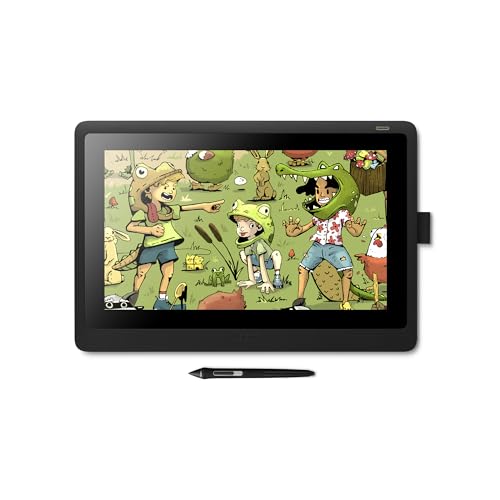
Wacom Cintiq 16 15.4" Pen Display
Best for: Animators needing precise pen input on a Full HD screen
- Audience
- Animation
- Screen Size
- 15.4"
- Display Resolution
- Full HD
- Pen Pressure
- 8192 levels
- Features
- Stylus, Stylus Pen, Full HD Display, Tilt Support
- Color
- Black
The Wacom Cintiq 16 is a 15.4-inch pen display designed for animation and digital art. It features a Full HD LCD screen with true-to-life color quality and uniform brightness. The included Pro Pen 2 offers 8,192 pressure levels and tilt recognition for precise tracking. This tablet suits hobbyists, students, and enthusiasts working in studios or at home. It provides a relaxed parallax experience for natural drawing.
- 15.4-inch Full HD LCD display with high resolution
- Pro Pen 2 with 8,192 levels of pressure sensitivity
- Tilt recognition for natural drawing angles
- 2 customizable switches on the pen for shortcuts
- 15.4-inch screen is smaller than the 24-inch and 27-inch models on this list
- Full HD resolution is lower than the 4K and 2.5K displays found on other options
- 4.19-pound weight is heavier than the portable wireless and small tablet alternatives
- You need a dedicated pen display with a Full HD screen for studio work
- You require Pro Pen 2 tilt recognition and high pressure sensitivity for animation
- You prefer a trusted brand with optimized display technology for creative work
- You need a 4K resolution display for maximum detail
- You require a wireless or portable tablet for on-the-go sketching
- You want a larger screen size for expansive canvas space
Verdict: Wacom Cintiq 16 15.4" Pen Display is a solid choice for animators who prioritize pen precision and color accuracy over screen size. It fits users who want a reliable, wired display for stationary creative work.

Wacom Cintiq 22 22-Inch Non-Touch Pen Display
Best for: students and hobbyists needing a large canvas
- Audience
- Animation
- Tablet Type
- Tethered pen display
- Screen Size
- 22"
- Display Resolution
- Full HD
- Pen Pressure
- 8192
- Features
- Stylus, Stylus Pen, Full HD Display
The Wacom Cintiq 22 offers a 22-inch Full HD display for a spacious creative workspace. It includes the Pro Pen 2 with 8192 pressure levels and tilt recognition. The unit weighs 4.19 pounds and measures 16.6 by 11.2 inches. This non-touch screen is ideal for animation students or hobbyists who prefer a stable, large canvas for detailed work at home or in the studio.
- 22-inch Full HD LCD display provides a large, vibrant workspace.
- Pro Pen 2 includes 8192 levels of pressure sensitivity.
- Pen supports tilt recognition for natural drawing angles.
- Includes two customizable switches for shortcut access.
- 22-inch screen size is smaller than the 24-inch and 27-inch Cintiq Pro models on this list.
- Weighs 4.19 pounds, making it heavier than the 16-inch Cintiq variants.
- You need a large 22-inch canvas for detailed animation work.
- You want the reliable pressure sensitivity of the Pro Pen 2.
- You prefer a non-touch screen for distraction-free drawing.
- You require a 4K resolution display for maximum clarity.
- You need a lightweight tablet for frequent travel.
- You want a touchscreen interface for direct manipulation.
Verdict: The Wacom Cintiq 22 22-inch Drawing Tablet suits animation students who need a large, stable workspace without the bulk of a 4K Pro model. It delivers precise pen tracking for detailed illustration tasks.
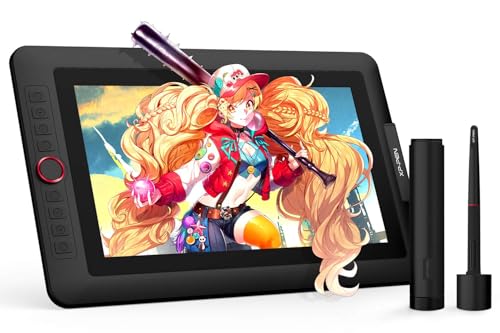
XPPen Artist 13.3 Pro V2
Best for: Compact animation work with accurate colors
- Audience
- Animation, Beginners
- Tablet Type
- Tethered pen display
- Screen Size
- 13.3"
- Display Resolution
- FHD
- Pen Pressure
- 16384
- Color Gamut
- 88% NTSC, >=91% AdobeRGB, >=123% sRGB
The XPPen Artist 13.3 Pro V2 is a 13.3-inch pen display designed for animation workflows. It features a fully-laminated FHD screen with 123% sRGB color coverage and 178-degree viewing angles. The battery-free stylus offers 16K pressure levels and 60-degree tilt support. You get a red dial and eight shortcut keys for workflow control. This compact unit weighs 4.41 pounds, making it a manageable size for your desk setup.
- 13.3-inch fully-laminated FHD display with 123% sRGB
- 16K pressure levels and 60-degree tilt support
- Red dial and eight customizable shortcut keys
- Battery-free stylus with low initial activation force
- 13.3-inch screen is smaller than many 15.6-inch or 22-inch competitors
- 4.41-pound weight is heavier than some portable 11.6-inch models
- Requires connection to a computer; not a standalone device
- You need a compact drawing area for detailed animation work
- You want precise color accuracy with 123% sRGB coverage
- You prefer physical controls like a red dial for adjustments
- You require a screen larger than 13.3 inches
- You need a wireless tablet that works without a computer
- You prefer a lighter device under 4 pounds
Verdict: The XPPen Artist 13.3 Pro V2 fits animators who value color accuracy and compact size over large screen real estate. It is a solid choice for users who want physical controls and a laminated display in a manageable footprint.

GAOMON PD1161 11.6" Pen Display
Best for: Portable animation and digital art
- Audience
- Students, Animation, Beginners
- Tablet Type
- Tethered pen display
- Screen Size
- 11.6"
- Display Resolution
- 1920×1080 Full HD
- Pen Pressure
- 8192
- Display Finish
- Anti-glare film
The GAOMON PD1161 is an 11.6-inch pen display designed for animation and digital art. It features an IPS Full HD screen with 1920×1080 resolution. The included battery-free pen offers 8192 pressure levels and tilt support. Weighing just 1.9 pounds, it is lightweight and portable. This tablet connects to Windows, Mac, or Chromebook computers for use in drawing programs.
- 11.6-inch IPS Full HD display with 1920×1080 resolution
- Battery-free pen with 8192 pressure levels and tilt support
- Eight customizable shortcut keys on the left side
- Lightweight 1.9-pound build for portability
- 11.6-inch screen is smaller than the 15.6-inch and larger options in this list
- Full HD resolution is lower than the 2.5K and 4K displays on other products
- Requires connection to a computer rather than operating as a standalone device
- You need a portable tablet for animation work on the go
- You prefer a smaller screen size for a compact workspace
- You want a budget-friendly option with tilt support
- You require a standalone device without a computer connection
- You need a screen larger than 11.6 inches for detailed work
- You prioritize 4K resolution over portability and price
Verdict: The GAOMON PD1161 11.6" Drawing Tablet fits students and beginners who need a lightweight, portable screen for animation. It is a practical choice for those who prioritize portability over high resolution.

GAOMON PD1561 15.6-Inch Drawing Tablet
Best for: animators needing a large 15.6-inch screen
- Audience
- Animation
- Tablet Type
- Tethered pen display
- Screen Size
- 15.6"
- Display Resolution
- 1920×1080 Full HD
- Pen Pressure
- 8192
- Display Finish
- Anti-glare, pre-applied film
The GAOMON PD1561 is a 15.6-inch pen display designed for animation and digital art. It features a Full HD IPS screen with a 178-degree viewing angle. The included battery-free pen supports 8192 pressure levels and tilt recognition. You get ten customizable shortcut keys and an adjustable stand. This setup connects to Windows or Mac computers to support your creative workflow.
- 15.6-inch Full HD IPS display
- 8192 levels of pen pressure
- Tilt support for natural shading
- Ten customizable shortcut keys
- Battery-free pen design
- 1080p resolution is lower than 4K competitors
- 3.48-pound weight is heavier than portable models
- Requires HDMI connection to a computer
- You need a large 15.6-inch canvas for detailed animation work
- You want ten shortcut keys for faster workflow
- You prefer an adjustable stand for ergonomic drawing
- You require 4K resolution for professional color grading
- You need a standalone tablet without a computer
- You prioritize a lightweight device under two pounds
Verdict: GAOMON PD1561 15.6-Inch Pen Display offers a spacious drawing area and robust pen specs for animators. It fits users who value screen size and shortcut customization over portability or ultra-high resolution.
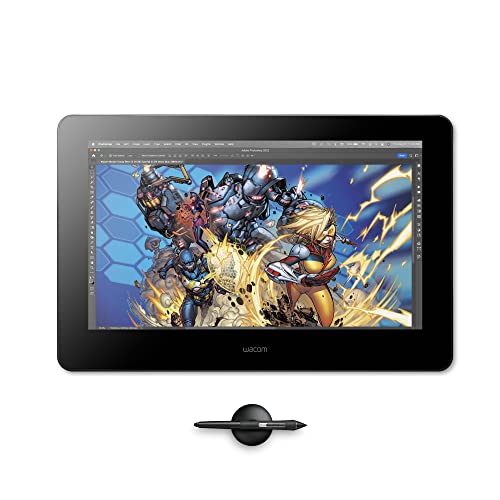
Wacom Cintiq Pro 16 4K Touchscreen
Best for: Compact 4K animation workstations
- Audience
- Animation
- Screen Size
- 16"
- Display Resolution
- 4K (3840 x 2160)
- Pen Pressure
- 8,192 levels
- Color Gamut
- 98% Adobe RGB
- Display Finish
- Etched glass
The Wacom Cintiq Pro 16 offers a 16-inch 4K touchscreen with 98% Adobe RGB color accuracy. It features 8,192 pressure levels and multi-touch gestures. The etched glass screen mimics paper texture. This tablet suits animation professionals needing precise color and responsive input in a compact form.
- 4K resolution (3840 x 2160 pixels)
- 98% Adobe RGB color accuracy
- 8,192 levels of pressure sensitivity
- Multi-touch gestures support
- Smaller 16-inch display compared to 22-inch and 24-inch competitors
- Heavier at 4.19 pounds versus lighter portable options
- Lower brightness at 300 cd/m2 compared to higher-end models
- You need high color accuracy for professional animation work
- You prefer a compact 16-inch workspace
- You want multi-touch gesture support
- You require a larger 24-inch or 27-inch screen
- You prioritize maximum brightness for bright environments
- You need a lightweight portable device under 3 pounds
Verdict: Wacom Cintiq Pro 16 4K Touchscreen delivers professional-grade color and precision in a compact 16-inch package. It fits animators who value portability and touch controls over larger screen real estate.

Wacom Cintiq Pro 27 27-inch
Best for: Studios needing large 4K 120Hz canvas
- Audience
- Animation
- Screen Size
- 27"
- Display Resolution
- 4K UHD (3840X2160)
- Pen Pressure
- 8,192 levels
- Color Gamut
- 99% Adobe RGB, 98% DCI-P3
- Refresh Rate
- 120 Hz
The Wacom Cintiq Pro 27 is a 27-inch drawing tablet with a 4K UHD touchscreen and 120 Hz refresh rate. It features the Pro Pen 3 with 8,192 pressure levels and 99% Adobe RGB color accuracy. This large display suits animation professionals who need high resolution and smooth motion. The unit weighs 15.9 pounds and includes customizable ExpressKeys.
- 27-inch 4K UHD display with 120 Hz refresh rate
- Pro Pen 3 with 8,192 pressure levels
- 99% Adobe RGB and 98% DCI-P3 color coverage
- 8 customizable ExpressKeys and multi-touch support
- Four standard 1/4 inch mount options
- 15.9 pound weight makes it less portable than smaller models
- 27-inch size requires more desk space than 16-inch or 22-inch alternatives
- You need a large 27-inch 4K canvas for detailed animation work
- You want a high 120 Hz refresh rate for smooth drawing
- You require precise color accuracy with 99% Adobe RGB coverage
- You need a portable tablet that fits in a small bag
- You prefer a lighter device under 10 pounds
- You have limited desk space for a 25-inch wide unit
Verdict: Wacom Cintiq Pro 27 27-inch is a heavy, large-format display for studios that prioritize screen real estate and color fidelity over portability. It fits animators who stay at a fixed workstation.

XPPen Deco Pro LW 11-Inch Wireless Tablet
Best for: Wireless sketching with shortcut dial control
- Audience
- Animation
- Pen Pressure
- 16384 levels
- Shortcut Controls
- Keypad with physical scroll wheel
- Screen Size
- 11-Inch
- Operating System
- Android
- Features
- Stylus, Stylus Pen, Bluetooth, Dial
This 11-inch wireless drawing tablet offers an 11×7 inch active area with 16,384 pressure levels. It connects via Bluetooth 5.0 or USB, supporting Windows, macOS, Android, and select iOS apps. The included ACK05 remote features a scroll wheel for shortcuts. It provides over 10 hours of battery life and includes a wrist rest. This setup suits animators who need a portable, cable-free workflow for sketching and refining digital art.
- 11×7 inch spacious active workspace
- 16,384 levels of pen pressure sensitivity
- Over 10 hours of wireless battery life
- Includes programmable ACK05 wireless shortcut remote with dial
- Smaller 11-inch size compared to 15.6-inch or larger tablets on this list
- No built-in display; requires connection to an external monitor
- iOS compatibility limited to specific third-party apps rather than full system support
- You want a portable, wireless setup for sketching away from a desk
- You prefer using a physical shortcut dial for software controls
- You need a large enough active area for detailed linework
- You require a display tablet with a built-in screen
- You need full, unrestricted compatibility with all iOS drawing applications
- You prefer a traditional wired connection over Bluetooth wireless
Verdict: XP-Pen Deco Pro LW 11-Inch Wireless Tablet fits animators who prioritize portability and shortcut efficiency over having a built-in screen. It is ideal for those who already have a monitor and want a clean, wireless desk setup.
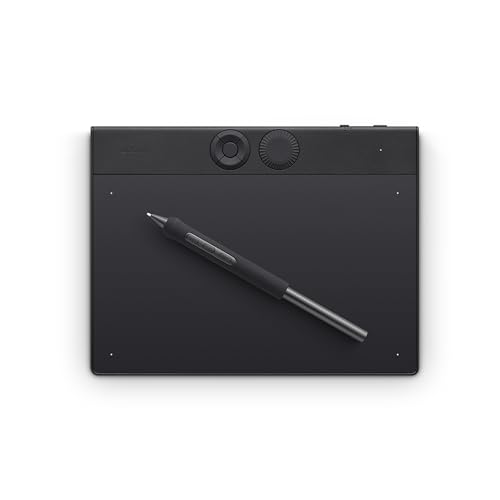
Wacom Intuos Pro Small Bluetooth Pen Tablet
Best for: Animators needing a compact pen tablet
- Audience
- Animation
- Pen Pressure
- 8192
- Features
- Stylus, Stylus Pen, Bluetooth, Shortcut Keys
- Tablet Type
- Pen Tablet
- Length
- 8.46 inches
- Width
- 6.42 inches
The Wacom Intuos Pro Small is a pen tablet designed for animation workflows. It features the Pro Pen 3 with 8192 pressure levels and tilt support for precise strokes. The device includes a mechanical dial and five customizable ExpressKeys to streamline your process. It connects via USB or Bluetooth, offering wireless freedom. Its compact 8.4 by 6.4 inch active area fits well on desks with multiple monitors.
- Pro Pen 3 provides 8192 pressure levels and tilt support
- Mechanical dial and five customizable ExpressKeys for productivity
- Wireless Bluetooth connectivity or USB connection
- Durable magnesium build with a slim 4mm profile
- Small size limits the active drawing area compared to larger tablets
- 8.48 ounce weight is heavier than many portable options
- You need a dedicated pen tablet without a built-in screen
- You want wireless connectivity for a cleaner desk setup
- You prefer a compact footprint for multi-monitor arrangements
- You require a display tablet with a built-in screen
- You need a large active area for detailed work
- You prefer a lightweight device for frequent travel
Verdict: The Wacom Intuos Pro Small Pen Tablet suits animators who want professional precision without a screen. Its compact size and wireless options make it ideal for secondary monitor setups.
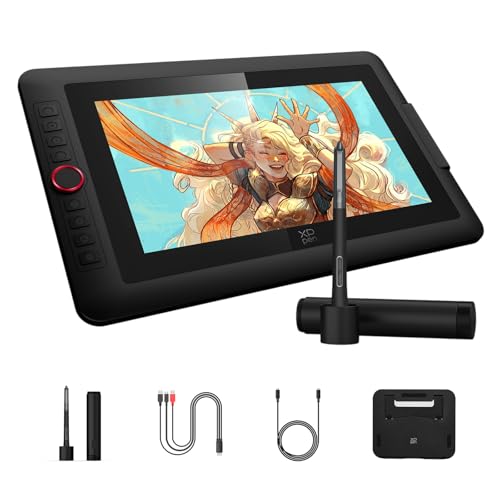
XP-Pen Artist 13.3 Pro V2
Best for: Beginners needing a compact, color-accurate pen display
- Audience
- Animation, Beginners
- Screen Size
- 13.3"
- Display Resolution
- Full HD
- Pen Pressure
- 16K
- Color Gamut
- 125% sRGB, 107% Adobe RGB, 95% P3
- Display Finish
- Full-Laminated AG Glass
This 13.3-inch pen display features a full-laminated screen with AG glass for reduced parallax. It offers 16K pressure levels and 125% sRGB color gamut. The device includes a red dial and eight shortcut keys. It weighs 2.5 pounds and connects via USB-C. This model suits animation beginners who need a compact, color-accurate workspace with intuitive controls.
- 16K pressure sensitivity levels for precise line work
- 125% sRGB color gamut with 8-bit depth
- Full-laminated screen with AG film reduces glare
- Red Dial and 8 shortcut keys for quick control
- Compatible with Android, Windows, macOS, and Linux
- 13.3-inch screen is smaller than the 16-inch and larger models on this list
- Full HD resolution is lower than the 2.5K or 4K displays found on other options
- 2.5-pound weight is heavier than the portable pen tablets included in the guide
- You need a compact screen for a small desk
- You want a red dial for intuitive brush control
- You prioritize color accuracy over maximum screen size
- You require a 4K or 2.5K display resolution
- You prefer a wireless tablet without a computer connection
- You need a screen larger than 13.3 inches
Verdict: XPPen Artist 13.3 Pro V2 fits animation beginners who want a compact, color-accurate screen with a red dial. It is a solid choice for small workspaces where portability and precision matter more than a large canvas.
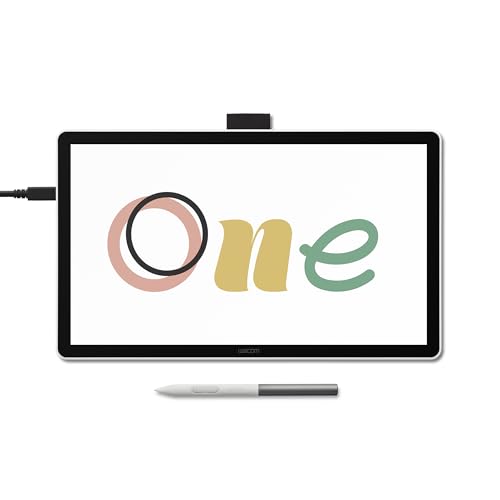
Wacom One 14 Pen Display
Best for: beginners needing a compact 14-inch pen display
- Audience
- Students, Animation, Beginners
- Tablet Type
- Pen display
- Screen Size
- 14"
- Display Resolution
- Full HD
- Color Gamut
- 98% sRGB
- Display Finish
- Laminated, paper-like texture
The Wacom One 14 is a 14-inch pen display designed for animation and student workflows. It features an IPS Full HD laminated screen with 98% sRGB color accuracy. The included battery-free stylus provides responsive pressure sensitivity for precise line work. You connect via a single USB-C cable to Windows or Mac systems. This device offers a reliable entry point for beginners seeking a dedicated drawing surface with standard creative software trials.
- 14-inch IPS Full HD laminated display
- 98% sRGB color accuracy
- Battery-free stylus with pressure sensitivity
- Single USB-C connectivity
- 14-inch screen is smaller than many competitors like the 22-inch or 24-inch options
- 1.65-pound weight adds bulk compared to smaller portable tablets
- Full HD resolution is lower than the 2.5K or 4K screens found on other list items
- You need a dedicated pen display for Windows or Mac
- You prefer a smaller 14-inch canvas for focused work
- You are a student or beginner starting with animation software
- You require a 4K or 2.5K display resolution
- You need a screen larger than 14 inches
- You want a wireless tablet without a display
Verdict: The Wacom One 14 Pen Display suits beginners and students who need a reliable, entry-level drawing surface with a 14-inch Full HD screen. It is a practical choice for those prioritizing brand reliability and a compact form factor over high-resolution visuals.

XP-Pen Artist 12 11.9" Drawing Tablet
Best for: portable animation work and sketching
- Audience
- Animation, Beginners
- Tablet Type
- Tethered pen display
- Screen Size
- 11.9 inch
- Display Resolution
- 1920×1080 Full HD
- Pen Pressure
- 16,384 levels
- Color Gamut
- 99% sRGB
The XP-Pen Artist 12 is an 11.9-inch pen display built for animation and beginner artists. It features a 1920×1080 Full HD screen with 99% sRGB color coverage and an anti-glare etched glass finish. The included X4 pen offers 16K pressure levels and tilt support for precise strokes. Dual X-Dial wheels help you adjust brush size and zoom quickly. It connects via a single USB-C cable and includes a foldable stand.
- 11.9-inch Full HD display with 99% sRGB and Delta E<1.5 accuracy
- X4 pen with 16,384 pressure levels and 60-degree tilt support
- Dual X-Dial wheels for instant brush and zoom adjustments
- Anti-glare etched glass reduces 85% glare and resists fingerprints
- Lightweight 2.48-pound portable design with included foldable stand
- 11.9-inch screen is smaller than the 15.6-inch and 22-inch options on this list
- Full HD resolution is lower than the 2.5K and 4K displays available from competitors
- 2.48-pound weight is heavier than the 1.58-pound portable variant of the same model
- You need a compact, portable screen for drawing on the go
- You want a paper-like texture to reduce eye strain during long sessions
- You prefer physical dials for quick control over brush size and zoom
- You require a 4K resolution for maximum detail in animation work
- You need a larger canvas than 11.9 inches for complex layouts
- You want a touchscreen interface for direct navigation without a pen
Verdict: The XP-Pen Artist 12 11.9" Drawing Tablet fits animators who prioritize portability and tactile controls over screen size. Its compact form and dual dials make it ideal for sketching in cafes or small workspaces.
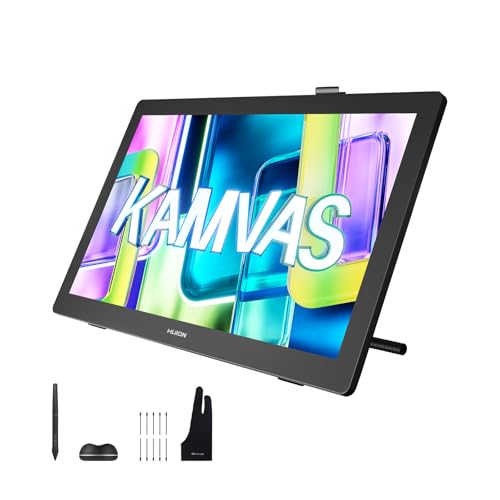
HUION Kamvas 22 Gen 3 21.5-inch Drawing Tablet
Best for: Large screen animation and detailed digital painting
- Audience
- Animation
- Tablet Type
- Tethered pen display
- Screen Size
- 21.5"
- Display Resolution
- 2.5K (2560×1440)
- Pen Pressure
- 16,384 levels
- Color Gamut
- 99% sRGB, 90% Adobe RGB, 94% P3
The HUION Kamvas 22 (Gen 3) is a 21.5-inch pen display designed for animation and digital art. It features a 2.5K resolution screen with a 90Hz refresh rate for smooth, responsive strokes. The device includes PenTech 4.0 stylus support with 16,384 pressure levels and tilt recognition. You get factory-calibrated color accuracy with a Delta E under 1.2, ensuring precise hues across five professional color spaces. This laminated display offers a natural drawing feel with anti-glare glass.
- 21.5-inch 2.5K (2560×1440) screen with 90Hz refresh rate
- PenTech 4.0 stylus with 16,384 pressure levels and ±60° tilt
- Factory-calibrated Delta E<1.2 color accuracy across five color spaces
- Fully laminated screen with nano-etched anti-glare glass
- Built-in ambient lighting customizable via driver software
- Heavier at 7.94 pounds compared to smaller portable models
- Screen resolution is lower than 4K options on this list
- Ambient light customization not supported on Mac Mini, Mac Pro, or iMac
- You need a large 21.5-inch canvas for detailed animation work
- You prefer a high refresh rate for smoother line display
- You want accurate color reproduction for professional projects
- You require a standalone device without a computer connection
- You need 4K resolution for maximum pixel density
- You use a Mac Mini, Mac Pro, or iMac and want ambient light features
Verdict: HUION Kamvas 22 Gen 3 21.5-inch Drawing Tablet suits animators who prioritize screen size and smooth motion over portability. It delivers high clarity and precise color for detailed digital painting on a substantial display.

XP-Pen Artist24 FHD 23.8-Inch Pen Display
Best for: animators needing a large 23.8-inch workspace
- Audience
- Animation
- Tablet Type
- Tethered pen display
- Screen Size
- 23.8"
- Display Resolution
- 1920×1080 FHD
- Pen Pressure
- 8192 levels
- Color Gamut
- 132% sRGB
The XP-Pen Artist 24 is a 23.8-inch pen display designed for animation workflows. It features a full-laminated screen with 1920×1080 resolution and a 132% sRGB color gamut. The battery-free P05R stylus offers 8192 pressure levels and 60° tilt recognition. You get an adjustable stand from 16° to 90° and VESA mount compatibility. It connects via USB-C to Windows, macOS, Chrome OS, and Linux systems.
- 23.8-inch full-laminated display for expansive workspace
- 132% sRGB color gamut for accurate color reproduction
- Battery-free P05R stylus with 8192 pressure levels
- 60° tilt recognition for natural drawing angles
- Adjustable stand allows 16° to 90° positioning
- 1920×1080 resolution is lower than the 4K panels on the Wacom Cintiq Pro 24 and Pro 27
- 90 Hz refresh rate is slower than the 120 Hz panel on the Wacom Cintiq Pro 27
- 18.4-inch width makes it bulkier than the 15.4-inch Wacom Cintiq 16
- You need a large 23.8-inch canvas for detailed animation work
- You prefer a full-laminated screen for a paper-like feel
- You want VESA mount compatibility for flexible desk setups
- You require 4K resolution for pixel-perfect precision
- You need a 120 Hz refresh rate for ultra-smooth tracking
- You prefer a compact 13.3-inch or 15.4-inch portable size
Verdict: The XP-Pen Artist 24 23.8-Inch Pen Display fits animators who prioritize screen real estate and color accuracy over maximum resolution. It is a solid choice for those who need a large, stable workspace with tilt support.
Specifications side by side
| Spec | Wacom Cintiq Pro 24 4K Touch | Wacom Cintiq 16 15.4" Pen Display | Wacom Cintiq 22 22-Inch Non-Touch Pen Display | XPPen Artist 13.3 Pro V2 | GAOMON PD1161 11.6" Pen Display | GAOMON PD1561 15.6-Inch Drawing Tablet | Wacom Cintiq Pro 16 4K Touchscreen | Wacom Cintiq Pro 27 27-inch | XPPen Deco Pro LW 11-Inch Wireless Tablet | Wacom Intuos Pro Small Bluetooth Pen Tablet | XP-Pen Artist 13.3 Pro V2 | Wacom One 14 Pen Display | XP-Pen Artist 12 11.9" Drawing Tablet | HUION Kamvas 22 Gen 3 21.5-inch Drawing Tablet | XP-Pen Artist24 FHD 23.8-Inch Pen Display |
|---|---|---|---|---|---|---|---|---|---|---|---|---|---|---|---|
| Tablet Type | – | – | Tethered pen display | Tethered pen display | Tethered pen display | Tethered pen display | – | – | – | – | – | Pen display | Tethered pen display | Tethered pen display | Tethered pen display |
| Screen Size | 24" | 15.4" | 22" | 13.3" | 11.6" | 15.6" | 16" | 27" | – | – | 13.3" | 14" | 11.9 inch | 21.5" | 23.8" |
| Display Resolution | 4K (3840 x 2160) | Full HD | Full HD | FHD | 1920×1080 Full HD | 1920×1080 Full HD | 4K (3840 x 2160) | 4K UHD (3840X2160) | – | – | Full HD | Full HD | 1920×1080 Full HD | 2.5K (2560×1440) | 1920×1080 FHD |
| Pen Pressure | 8,192 levels | 8192 levels | 8192 | 16384 | 8192 | 8192 | 8,192 levels | 8,192 levels | 16384 levels | 8192 | 16K | – | 16,384 levels | 16,384 levels | 8192 levels |
| Color Gamut | 99% Adobe RGB | – | – | 88% NTSC, >=91% AdobeRGB, >=123% sRGB | – | – | 98% Adobe RGB | 99% Adobe RGB, 98% DCI-P3 | – | – | 125% sRGB, 107% Adobe RGB, 95% P3 | 98% sRGB | 99% sRGB | 99% sRGB, 90% Adobe RGB, 94% P3 | 132% sRGB |
| Refresh Rate | – | – | – | – | – | – | – | 120 Hz | – | – | – | – | – | 90Hz | – |
| Display Finish | etched glass | – | – | Fully-laminated, anti-glare | Anti-glare film | Anti-glare, pre-applied film | Etched glass | – | – | – | Full-Laminated AG Glass | Laminated, paper-like texture | Full lamination, AG etched glass | Fully laminated, etched AG glass | Fully laminated, anti-glare matte |
| Shortcut Controls | ExpressKey Remote (17 buttons) | – | – | 8 shortcut keys, Red Dial | 8 shortcut keys | 10 shortcut keys | 8 ExpressKeys | 8 ExpressKeys | Keypad with physical scroll wheel | – | Red Dial, 8 customizable keys | – | Dual X-Dial wheels, 8 keys | – | – |
| Operating System | – | – | – | Android | – | – | – | – | Android | – | Android | Windows | Android | – | – |
| Features | – | Stylus, Stylus Pen, Full HD Display, Tilt Support | Stylus, Stylus Pen, Full HD Display | Shortcut Keys | Battery-Free Pen, Shortcut Keys, Tilt Support | Battery-Free Pen, Shortcut Keys, Tilt Support | – | – | Stylus, Stylus Pen, Bluetooth, Dial | Stylus, Stylus Pen, Bluetooth, Shortcut Keys | Stylus, Stylus Pen, Shortcut Keys, Dial | Stylus, Stylus Pen, Full HD Display | Stylus, Stylus Pen, Shortcut Keys, Dial | – | Stylus, Stylus Pen, Battery-Free Pen |
| Display | Touchscreen | – | Touchscreen | Full-Laminated | Anti-Glare | Anti-Glare | Touchscreen | Touchscreen | – | – | Full-Laminated | – | Anti-Glare | – | Full-Laminated |
| Color | Black | Black | Black | Black / White | Black | Black | Black | Black | Black | – | Black | White | Black | Black | 23 inch |
| Audience | Animation | Animation | Animation | Animation, Beginners | Students, Animation, Beginners | Animation | Animation | Animation | Animation | Animation | Animation, Beginners | Students, Animation, Beginners | Animation, Beginners | Animation | Animation |
| Dimensions | 26.7 × 15.5 × 1.9 inches | 16.6 × 11.2 × 1 inches | 16.6 × 11.2 × 1 inches | – | – | 17.8 × 9.92 × 0.77 inches | 16.1 × 10.5 × 0.9 inches | 14.9 × 25.1 × 1.2 inches | – | – | – | – | – | – | 26 × 18.4 × 5.9 inches |
| Weight | 15.9 pounds | 4.19 pounds | 4.19 pounds | 4.41 pounds | 1.91 pounds | 3.48 pounds | 4.19 pounds | 15.9 pounds | – | 8.48 ounces | 2.5 pounds | 1.65 pounds | 2.48 pounds | 7.94 pounds | – |
| Length | – | – | – | 9.84 inches | 14.2 inches | – | – | – | 13.1 inches | 8.46 inches | 17 inches | 13.2 inches | 14.4 inches | 20.8 inches | – |
| Width | – | – | – | 15.4 inches | 7.87 inches | – | – | – | 10.2 inches | 6.42 inches | 11 inches | 7.91 inches | 9.17 inches | 12.8 inches | – |
| Size | Wacom Cintiq Pro 24 – 24 inch | 16" | 22" non-touch | 13.3 Inch | 11.6 Inch | 15.6 inch | Wacom Cintiq Pro 16 – 16 inch | Wacom Cintiq Pro 27 – 27 inch | 11 Inch | Small | 13.3 INCH | 14" Display | 11.9 inch | 21.5 Inch | 23.7 Inch |
| Model | DTK2420K0 | DTK1660K0A | DTK2260K0A | Artist 13.3Pro | A2.PD1161-0-EN0000-1-US | GAOMON PD1561 Pen Display | DTH167K0A | DTH271K0A | Deco Pro LW (Gen 2)+ACK05 | PTK470K0A | Artist 13.3 Pro V2 | DTC141W0 | Artist 12 3rd | Kamvas 22 (Gen 3) | Artist24 FHD |
If you also need hardware for conference calls, the best tablets for meetings prioritize microphone clarity and front camera resolution.
Key Specs for Animation Tablets
Check Pen Pressure Levels
Pen pressure sensitivity determines how naturally your strokes vary in thickness. Models like the XPPen Artist 13.3 Pro V2 offer 16K levels, while the GAOMON PD1161 provides 8192 levels. Higher numbers allow for finer gradations in line weight. This detail is critical for animators who need to draw delicate hair strands or smooth curves. You should compare these values when selecting a tablet. A higher count generally means more control over your digital brush dynamics during complex animation sequences.
Verify Display Lamination
A full-laminated display removes the gap between the glass and the pixel layer. The XPPen Artist 13.3 Pro V2 features this technology, which improves parallax accuracy. This means your pen tip appears exactly where you touch the screen. This is vital for frame-by-frame animation where precision is key. Non-laminated screens can feel disconnected. You should look for this spec to ensure your hand-eye coordination remains tight. It reduces the visual lag between your stroke and the on-screen line.
Assess Screen Real Estate
Screen size dictates how much of your timeline and tools you can see. The Wacom Cintiq Pro 27 offers a massive 27-inch canvas for studio work. In contrast, the GAOMON PD1161 provides an 11.6-inch portable area. Larger screens help you view multiple layers without constant zooming. Smaller screens are easier to store and transport. You must measure your desk space before buying. Choose a size that balances your need for detail with your physical workspace constraints.
Look for Shortcut Keys
Physical shortcut keys speed up your workflow by reducing mouse clicks. The GAOMON PD1161 and XPPen Artist 13.3 Pro V2 include dedicated buttons. These keys can be mapped to common actions like undo, redo, or brush size changes. Having them within reach keeps your hands on the drawing area. You should check if the tablet includes these controls. They are especially useful during tight animation deadlines when every second counts.
Consider Tilt Support
Tilt support allows the software to detect the angle of your pen. The GAOMON PD1161 and Wacom Cintiq 16 both offer this feature. It mimics the natural shading effect of a real pencil or brush. This adds depth to your animation sketches without extra effort. You should verify this spec if you plan to do detailed shading. It enhances the realism of your digital artwork by responding to how you hold the pen.
Frequently asked questions
Which drawing tablet has the largest screen for animation?
The Wacom Cintiq Pro 27 offers the largest 27-inch display in this lineup. It is designed for studios that prioritize screen real estate and color fidelity over portability. This heavy, large-format display suits animators who stay at a fixed workstation. It provides a substantial canvas for complex projects without the need for external monitors.
Do I need a touchscreen for animation work?
Touchscreens are not required but offer direct interaction with your canvas. Models like the Wacom Cintiq Pro 24 4K Touch and the Wacom Cintiq Pro 16 4K Touchscreen include this feature. Touch controls allow you to zoom and pan without using keyboard shortcuts. If you prefer a traditional drawing feel, non-touch options like the Wacom Cintiq 22 are also available.
What is the difference between a pen display and a pen tablet?
A pen display has a built-in screen where you draw directly on the image. Examples include the Wacom Cintiq 16 and the GAOMON PD1161. A pen tablet, like the Wacom Intuos Pro Small, lacks a screen. You draw on the tablet surface while looking at your computer monitor. Pen tablets are often more portable and cost-effective for secondary setups.
Which tablet is best for animators with small desks?
The GAOMON PD1161 is an excellent choice for small spaces. It features an 11.6-inch screen and weighs only 1.91 pounds. Its compact footprint fits easily on limited desk space. The Wacom One 14 Pen Display is another compact option at 14 inches. Both models prioritize portability and a manageable size for tight workspaces.
How does pen pressure sensitivity affect animation?
Pen pressure sensitivity determines how naturally your strokes vary in thickness. The XPPen Artist 13.3 Pro V2 offers 16K pressure levels for fine gradations. The GAOMON PD1161 provides 8192 levels, which is sufficient for most tasks. Higher levels allow for more nuanced control over line weight, which is critical for detailed character animation and digital painting.
Are shortcut keys important for animation workflows?
Shortcut keys significantly speed up your workflow by reducing hand movement. The XPPen Artist 13.3 Pro V2 includes physical shortcut keys and a dial for quick access to tools. The Wacom Intuos Pro Small also features customizable shortcut keys. These controls help you navigate software menus and apply effects without breaking your creative flow.
Which tablet supports tilt recognition for shading?
Several models support tilt support for natural shading and brush effects. The Wacom Cintiq 16 and the GAOMON PD1161 both include tilt support. This feature allows the pen to detect its angle, mimicking the behavior of real pencils or brushes. It adds depth and texture to your animation frames and digital illustrations.
Is wireless connectivity available on these drawing tablets?
Wireless options are available for specific models. The XP-Pen Deco Pro LW 11-Inch Wireless Tablet connects via Bluetooth for a clean desk setup. The Wacom Intuos Pro Small also supports Bluetooth connectivity. These wireless tablets allow you to draw without cables, though they require pairing with a computer or mobile device.


