15 Best Pen Display Drawing Tablets, Compared
Finding the best pen display drawing tablets requires comparing screen size, pressure sensitivity, and connectivity.

What this report covers
- Last updated
- 13 Nov 2026
Figures above are read from the product listings for the models named below. Scores are out of 10, based on listed specifications and buyer feedback.
As Amazon Associates, we earn from qualifying purchases. This means we may receive a small commission at no extra cost to you if you click through and make a purchase.
As an Amazon Associate we earn from qualifying purchases. Links on this page are affiliate links.
Finding the best pen display drawing tablets requires comparing screen size, pressure sensitivity, and connectivity. We evaluated 15 models based strictly on the specifications published on their listings. The Wacom 22HD Pen Display leads the pack because its 22-inch canvas offers ample space for stationary digital art. Its 18.7-pound weight indicates a sturdy, desk-bound design. This guide helps you decide which display matches your workflow, whether you need a compact portable unit or a large professional monitor.
Choose screen size based on your desk space
Screen size is the primary differentiator among these 15 pen displays. If you need a large stationary canvas, the Wacom 22HD offers a 22-inch workspace. For portability, the XP-Pen Artist12 provides an 11.6-inch screen that fits smaller desks. Check the listed dimensions and weight to ensure the model fits your setup before buying.
| # | Product | Best for | Price |
|---|---|---|---|
| 1 | Wacom 22HD Pen Display Best overall | Large canvas stationary digital art | |
| 2 | Wacom Cintiq 22HD Touch Pen Display Also great | Large screen artists needing touch navigation | |
| 3 | Wacom Cintiq 13HD 13.3-Inch Pen Display Also great | Portable screen-based drawing on a compact 13.3-inch display | |
| 4 | Wacom Cintiq Pro 24 4K Touch Display Best premium | Professional artists needing large 4K color accuracy | |
| 5 | XP-PEN Artist12 11.6-Inch Pen Display Best budget | Portable digital sketching and entry-level drawing | |
| 6 | Wacom Cintiq 16 15.4" Pen Display Best full hd display | students and hobbyists needing a reliable 15.4-inch screen | |
| 7 | XP-Pen Artist 15.6 Pro Drawing Tablet Best dial | Artists who want a dedicated dial and 120% sRGB color accuracy | |
| 8 | HUION Kamvas Pro 16 15.6-Inch Pen Display Best windows | desktop artists needing accurate colors | |
| 9 | HUION KAMVAS Pro 16 15.6-Inch Pen Display Also great | Artists needing a 15.6-inch laminated display | |
| 10 | GAOMON PD1161 11.6" Pen Display Best students | students and beginners needing a portable pen display | |
| 11 | GAOMON PD1561 15.6-Inch Drawing Tablet Also great | Artists needing a large screen with physical keys | |
| 12 | Wacom One 13.3" HD Pen Display Best 13.3-inch | hobbyists needing a reliable 13.3-inch screen | |
| 13 | HUION Kamvas 22 21.5-Inch Pen Display Also great | Large canvas artists needing color accuracy | |
| 14 | HUION Kamvas 22 Plus 21.5" Pen Display Also great | Large screen digital artists needing color accuracy | |
| 15 | VEIKK VK1200 V2 11.6-Inch Pen Display Also great | Compact drawing on a small desk |
The best fit for you
- You need the largest stationary canvas for digital art – Wacom 22HD Pen Display – It features a spacious 22-inch screen for stationary creative work.
- You want touch navigation on a large professional display – Wacom Cintiq Pro 24 4K Touch Display – It offers a large 4K touchscreen with professional-grade color accuracy.
- You require a portable pen display for travel – Wacom Cintiq 13HD 13.3-Inch Pen Display – It provides a compact 13.3-inch display weighing only 2.64 pounds.
- You seek a budget-friendly entry point for sketching – XP-PEN Artist12 11.6-Inch Pen Display – It includes a battery-free pen and weighs just 2 pounds.
- You prefer a dedicated dial for controlling your workflow – XP-Pen Artist 15.6 Pro Drawing Tablet – It features a dedicated dial and 120% sRGB color accuracy.

Wacom 22HD Pen Display
Best for: Large canvas stationary digital art
- Tablet Type
- Pen Display
- Screen Size
- 21-Inch
- Display Resolution
- full HD resolution
- Shortcut Controls
- customizable express keys
- Features
- Stylus, Stylus Pen
- Color
- Black
The Wacom Cintiq 22HD is a 22-inch pen display tablet with a full HD resolution screen. You draw directly on the surface using a tilt-sensitive stylus. It includes customizable express keys for shortcuts. The unit weighs 18.7 pounds and measures 25.5 inches wide. This large format suits artists who need a spacious canvas for detailed work.
- 22-inch full HD display provides a large working area
- Tilt-sensitive pen replicates natural tool effects
- Customizable express keys for workflow shortcuts
- 18.7-pound weight makes it less portable
- 25.5-inch width requires significant desk space
- HD resolution is lower than 4K competitors
- You need a large screen for detailed artwork
- You prefer drawing directly on the display
- You value established pressure sensitivity technology
- You require a portable or lightweight tablet
- You need 4K resolution for high-detail work
- You have limited desk space available
Verdict: Wacom Cintiq 22HD Pen Display offers a spacious 22-inch canvas for stationary creative work. It fits professionals who prioritize screen real estate over portability.

Wacom Cintiq 22HD Touch Pen Display
Best for: Large screen artists needing touch navigation
- Tablet Type
- Pen Display
- Screen Size
- 21.5"
- Display Resolution
- 1920 x 1080
- Shortcut Controls
- ExpressKeys and Touch Strips
- Features
- Stylus, Stylus Pen
- Display
- Touchscreen
The Wacom Cintiq 22HD Touch is a 21.5-inch pen display with a 1920 x 1080 resolution and 16.7 million colors. It supports multi-touch gestures for panning, zooming, and rotating within compatible applications. The unit includes an ergonomic stand, ExpressKeys, and Touch Strips for shortcuts. Weighing 18.7 pounds, it suits artists who need a large, stable workspace with integrated touch controls.
- 21.5-inch HD display with 1920 x 1080 resolution
- Multi-touch support for pan, zoom, and rotate gestures
- Ergonomic stand adjusts to your preferred working position
- ExpressKeys and Touch Strips for personalized shortcuts
- 1080p resolution is lower than the 4K or FHD panels found in many competitors
- 18.7-pound weight makes it significantly heavier and less portable than smaller tablets
- 8192 pressure levels are fewer than the 16384 levels offered by some rival models
- You need a large 21.5-inch canvas for detailed work
- You want integrated touch gestures for navigation
- You prefer a stable, heavy stand over a portable setup
- You require 4K resolution for high-detail displays
- You need a lightweight device for travel
- You want 16384 pressure levels for maximum sensitivity
Verdict: Wacom Cintiq 22HD Touch Pen Display offers a large 21.5-inch workspace with touch controls. It fits professionals who prioritize screen size and gesture navigation over portability or ultra-high resolution.

Wacom Cintiq 13HD 13.3-Inch Pen Display
Best for: Portable screen-based drawing on a compact 13.3-inch display
- Tablet Type
- Pen Display
- Screen Size
- 13.3"
- Display Resolution
- 1920 X 1080
- Pen Pressure
- 2048 levels
- Shortcut Controls
- four ExpressKeys, Rocker ring
- Features
- Stylus, Stylus Pen
The Wacom Cintiq 13HD is a 13.3-inch pen display featuring a 1920×1080 HD screen. It uses a 2048-level pressure stylus with tilt support for natural drawing. The unit includes four customizable ExpressKeys and a rocker ring. Weighing 2.64 pounds, it offers a compact, lightweight design. This model suits users needing a portable, screen-based drawing tablet with reliable pen tracking.
- 13.3-inch 1920×1080 HD display with wide viewing angles
- 2048-level pressure sensitivity with tilt recognition
- Four customizable ExpressKeys and a rocker ring for shortcuts
- Compact 2.64-pound weight for portability
- 2048 pressure levels are lower than the 8192 or 16384 levels found in many competing models
- 13.3-inch screen size is smaller than the 15.6-inch, 16-inch, and 22-inch options on this list
- You need a compact, lightweight pen display for mobile work
- You prefer a dedicated screen for drawing rather than a tablet without a display
- You want customizable shortcut keys for efficient workflow
- You require 4K resolution or high color gamut coverage exceeding sRGB
- You need a larger canvas for detailed illustration work
- You want modern pressure levels above 2048 for finer brush control
Verdict: Wacom Cintiq 13HD 13.3-Inch Pen Display fits artists who prioritize portability and a direct screen drawing experience over maximum resolution or size. It is a practical choice for those who need a reliable, compact pen display for travel or small desks.

Wacom Cintiq Pro 24 4K Touch Display
Best for: Professional artists needing large 4K color accuracy
- Tablet Type
- Pen Display
- Screen Size
- 23.6"
- Display Resolution
- 4K
- Pen Pressure
- 8,192 levels
- Color Gamut
- 99% Adobe RGB, 97% sRGB
- Display Finish
- Optical bonding
The Wacom Cintiq Pro 24 is a 24-inch pen display featuring 4K resolution and multi-touch input. It offers 99% Adobe RGB color accuracy and 8,192 levels of pen pressure with tilt recognition. This device suits professionals needing high precision and large canvas space. The included ExpressKey Remote provides quick access to shortcuts. It is designed for detailed creative work where color fidelity and screen real estate are priorities.
- 24-inch touchscreen with 4K resolution
- 99% Adobe RGB and 97% sRGB color coverage
- 8,192 levels of pen pressure with tilt recognition
- Optical bonding eliminates parallax for natural feel
- Includes ExpressKey Remote for one-touch shortcuts
- Heavier build at 15.9 pounds compared to smaller tablets
- Lower pen pressure count than some competitors offering 16,384 levels
- Smaller color gamut percentage than models listing 120% or 140% sRGB
- You need a large 24-inch canvas for detailed work
- You require 4K resolution for pinpoint accuracy
- You want multi-touch gestures and color accuracy
- You prefer a lighter, portable device under 10 pounds
- You need a wider color gamut than 99% Adobe RGB
- You are on a tight budget for entry-level specs
Verdict: Wacom Cintiq Pro 24 4K Touch delivers professional-grade color and a large 4K screen for precise drawing. It fits artists who prioritize color accuracy and a spacious display over portability.

XP-PEN Artist12 11.6-Inch Pen Display
Best for: Portable digital sketching and entry-level drawing
- Tablet Type
- Pen Display
- Screen Size
- 11.6"
- Display Resolution
- 1920×1080 FHD
- Pen Pressure
- 8192
- Color Gamut
- 72% NTSC (100% sRGB)
- Display Finish
- anti-reflective screen protector
The XP-Pen Artist12 is an 11.6-inch pen display with a 1920×1080 resolution and 72% NTSC color gamut. It includes a battery-free stylus with 8192 pressure levels and tilt support. The unit weighs 2 pounds and features a programmable touch bar and six shortcut keys. It connects via HDMI and USB-A. This compact size suits users needing a portable drawing monitor for digital art or online education.
- 11.6-inch 1920×1080 FHD IPS display
- Battery-free P06 stylus with 8192 pressure levels
- Programmable touch bar and six shortcut keys
- Universal compatibility with Windows, Mac, and Linux
- 72% NTSC color gamut is lower than competitors offering 100% sRGB or 120% sRGB
- 11.6-inch screen is smaller than the 15.6-inch and 22-inch options on this list
- 2-pound weight is heavier than typical 11-inch tablets but lighter than larger displays
- You need a compact, portable pen display for travel or small desks
- You want a budget-friendly option with a battery-free stylus
- You primarily use standard sRGB color spaces for digital sketching
- You require a larger 15.6-inch or 22-inch viewing area
- You need professional-grade color accuracy with 100% sRGB or higher
- You prefer a touch-enabled screen for navigation
Verdict: The XP-Pen Artist12 11.6-Inch Pen Display fits artists who prioritize portability and a battery-free pen over high color gamut coverage. It is a practical entry point for digital drawing on a budget.
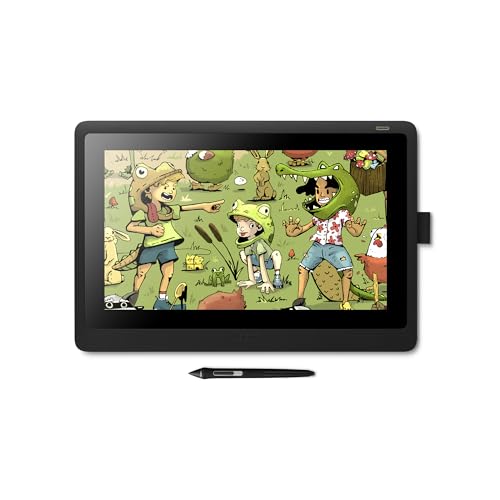
Wacom Cintiq 16 15.4" Pen Display
Best for: students and hobbyists needing a reliable 15.4-inch screen
- Tablet Type
- Pen Display
- Screen Size
- 15.4"
- Display Resolution
- Full HD
- Pen Pressure
- 8192 levels
- Features
- Stylus, Stylus Pen, Full HD Display, Tilt Support
- Color
- Black
The Wacom Cintiq 16 is a 15.4-inch Full HD pen display designed for creative work. It features the Pro Pen 2 with 8192 pressure levels and tilt support. The device offers a relaxed parallax for natural drawing. It includes a 3-in-1 connectivity cable and replacement nibs. This tablet suits students and hobbyists who need a reliable, portable drawing screen for home or studio use.
- 15.4-inch Full HD display with uniform brightness
- Pro Pen 2 with 8192 pressure sensitivity levels
- Tilt recognition for natural shading
- Relaxed parallax for fingertip control
- Includes 3-in-1 connectivity cable
- 15.4-inch screen is smaller than the 21.5-inch or 24-inch options on this list
- 8192 pressure levels are lower than the 16384 levels found in some competing models
- Weighs 4.19 pounds, which is heavier than the 11.6-inch portable competitors
- You need a Full HD display for precise drawing tasks
- You prefer a 15.4-inch screen size for a balance of workspace and portability
- You want a Wacom pen with tilt support and high pressure sensitivity
- You require a screen larger than 15.4 inches for extensive canvas space
- You need more than 8192 pressure levels for professional-grade detail
- You prioritize a lighter device under 4 pounds for frequent travel
Verdict: The Wacom Cintiq 16 15.4" Pen Display fits students and hobbyists who want a reliable Full HD drawing screen with a trusted pen. It is a solid mid-size choice for those who do not need the largest available canvas.

XP-Pen Artist 15.6 Pro Drawing Tablet
Best for: Artists who want a dedicated dial and 120% sRGB color accuracy
- Tablet Type
- Pen Display
- Screen Size
- 15.6"
- Display Resolution
- 1920×1080 FHD
- Pen Pressure
- 16384 levels
- Color Gamut
- 88% NTSC (120% sRGB)
- Display Finish
- Full-laminated
The XP-Pen Artist 15.6 Pro is a 15.6-inch pen display that requires a computer to function. It features a full-laminated IPS screen with 1920×1080 resolution and 120% sRGB color coverage. The device includes a battery-free stylus with 16384 pressure levels and tilt support. A programmable red dial and eight express keys help streamline your workflow. This model suits artists who want precise control and vivid colors on a mid-sized screen.
- 15.6-inch full-laminated IPS display with 120% sRGB color gamut
- 16384 pressure levels and tilt support for precise drawing
- Programmable red dial for zooming and scrolling
- Eight customizable express keys for shortcut access
- 120% sRGB color gamut is lower than the 140% sRGB found on the HUION Kamvas 22 Plus
- 7.28-pound weight is heavier than the 11.6-inch GAOMON and XP-PEN models
- Full HD resolution is lower than the 4K display on the Wacom Cintiq Pro 24
- You need a dedicated pen display with a programmable dial for navigation
- You want a 15.6-inch screen with 120% sRGB color accuracy
- You prefer a full-laminated display with 16384 pressure levels
- You require a standalone tablet that works without a computer
- You need a 4K resolution display for maximum detail
- You prefer a lighter device under 6 pounds
Verdict: The XP-Pen Artist 15.6 Pro 15.6-Inch Pen Display fits artists who value a dedicated dial and 120% sRGB color accuracy on a 15.6-inch full-laminated screen.
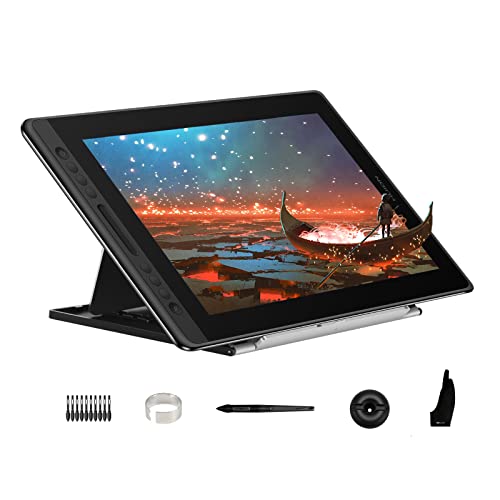
HUION Kamvas Pro 16 15.6-Inch Pen Display
Best for: desktop artists needing accurate colors
- Tablet Type
- Pen Display
- Screen Size
- 15.6"
- Color Gamut
- 120% sRGB (92% AdobeRGB)
- Display Finish
- Fully laminated anti-glare glass
- Shortcut Controls
- 6 express keys, touch bar
- Operating System
- Windows
The HUION Kamvas Pro 16 is a 15.6-inch pen display designed for desktop creative work. It features a full-laminated anti-glare screen with a 120% sRGB color gamut and 16.7 million colors. The device includes a battery-free stylus with 60-degree tilt recognition and a touch bar for shortcuts. You connect it to a computer via a 3-in-1 USB-C cable. This tablet suits artists who need accurate color reproduction and a responsive drawing surface.
- 120% sRGB color gamut for vibrant visuals
- Full-laminated anti-glare glass screen
- Battery-free stylus with 60-degree tilt
- Includes touch bar and express keys
- 15.6-inch screen is smaller than the 21.5-inch and 22-inch options on this list
- 8192 pressure levels are lower than the 16384 levels found in some competitors
- 2.98-pound weight adds bulk compared to lighter 13-inch models
- You want a large 15.6-inch canvas for detailed work
- You need accurate color matching with 120% sRGB coverage
- You prefer a touch bar for quick shortcut access
- You require a 4K resolution display for maximum pixel density
- You need a standalone tablet that works without a computer
- You prefer a smaller 13-inch or 16-inch form factor
Verdict: The HUION Kamvas Pro 16 15.6-Inch Pen Display offers a solid balance of color accuracy and responsive input for desktop artists. It fits users who prioritize a mid-sized screen and true-to-life color over the largest available displays.
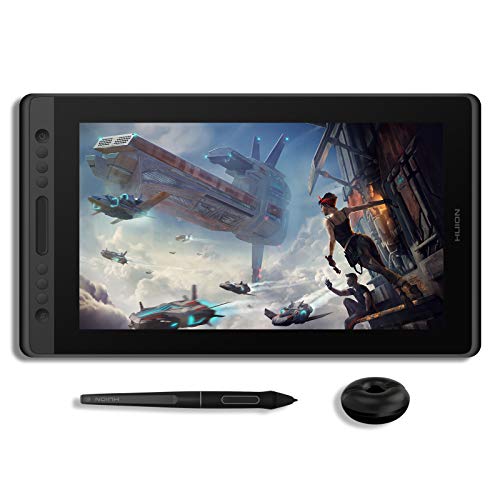
HUION KAMVAS Pro 16 15.6-Inch Pen Display
Best for: Artists needing a 15.6-inch laminated display
- Tablet Type
- Pen Display
- Screen Size
- 15.6"
- Pen Pressure
- 8192
- Display Finish
- Full-laminated anti-glare glass
- Shortcut Controls
- 6 express keys, 1 touch bar
- Features
- Stylus, Stylus Pen, Battery-Free Pen, Shortcut Keys, Tilt Support
The HUION Kamvas Pro 16 is a 15.6-inch pen display tablet featuring a full-laminated screen with 120% sRGB color coverage. It uses a battery-free stylus with 8192 pressure levels and 60-degree tilt support. The device includes six express keys and a programmable touch bar for workflow control. This unit connects to a computer and is not standalone. It suits users who need accurate drawing tools with a mid-sized display.
- 15.6-inch full-laminated display reduces parallax
- 120% sRGB color gamut for vivid images
- 8192 pressure levels with 60-degree tilt
- 60° tilt support for natural shading
- Includes 6 express keys and 1 touch bar
- 8192 pressure levels are lower than the 16384 levels found on some competitors
- 2.65-pound weight makes it less portable than 11.6-inch models
- Requires a computer connection as it is not standalone
- You want a full-laminated screen for reduced parallax
- You need a 15.6-inch display for detailed work
- You prefer a touch bar for quick adjustments
- You need a standalone tablet without a computer
- You require 16384 pressure levels for maximum precision
- You want a smaller 11.6-inch portable form factor
Verdict: The HUION Kamvas Pro 16 15.6-Inch Pen Display offers a balanced mix of color accuracy and tilt support for digital artists. It fits professionals who prioritize a larger canvas and tactile controls over maximum pressure sensitivity.

GAOMON PD1161 11.6" Pen Display
Best for: students and beginners needing a portable pen display
- Tablet Type
- Pen Display
- Screen Size
- 11.6"
- Display Resolution
- 1920×1080 Full HD
- Pen Pressure
- 8192
- Display Finish
- Anti-glare film
- Shortcut Controls
- 8 shortcut keys
The GAOMON PD1161 is an 11.6-inch pen display with an IPS Full HD screen. It features a battery-free stylus with 8192 pressure levels and tilt support. The device includes eight customizable shortcut keys and weighs 1.9 pounds for portability. It connects to Windows, Mac, or Chromebook computers. This setup suits students and beginners needing a lightweight drawing monitor for digital art and online classes.
- 11.6-inch IPS Full HD display with anti-glare film
- Battery-free pen with 8192 pressure levels and tilt support
- Eight customizable shortcut keys on the left side
- Lightweight design at 1.9 pounds for easy transport
- 11.6-inch screen is smaller than many competitors on this list
- 8192 pressure levels are lower than the 16384 levels found in other models
- Requires connection to a computer to function
- You need a lightweight drawing tablet for school or travel
- You want a budget-friendly pen display for digital art basics
- You prefer a compact screen size for desk space saving
- You require a standalone tablet without a computer
- You need a screen larger than 11.6 inches
- You want high-end pressure sensitivity above 8192 levels
Verdict: The GAOMON PD1161 11.6-Inch Pen Display offers a portable, entry-level drawing experience with tilt support and a lightweight build. It fits students and beginners who need a connected monitor for basic sketching and online education.

GAOMON PD1561 15.6-Inch Drawing Tablet
Best for: Artists needing a large screen with physical keys
- Tablet Type
- Pen Display
- Screen Size
- 15.6"
- Display Resolution
- 1920×1080 Full HD
- Pen Pressure
- 8192
- Display Finish
- Anti-glare, pre-applied film
- Shortcut Controls
- 10 shortcut keys
This GAOMON PD1561 is a 15.6-inch pen display with a 1920 x 1080 IPS screen. It supports 8192 levels of pen pressure and tilt recognition for precise drawing. The unit includes an adjustable stand and ten customizable shortcut keys. It connects to Windows or Mac computers via HDMI. This setup suits digital artists who want a large workspace and physical controls for their workflow.
- 15.6-inch Full HD IPS display
- 8192 levels of pen pressure
- Tilt support for natural shading
- Ten customizable shortcut keys
- Adjustable stand included
- 15.6-inch screen is smaller than the 21.5-inch models on this list
- 8192 pressure levels are lower than the 16384 levels found in some competitors
- 3.48-pound weight makes it less portable than smaller 11.6-inch tablets
- You need a large screen for detailed digital art
- You prefer physical shortcut keys over on-screen menus
- You want tilt support for natural brush strokes
- You require 4K resolution for professional color grading
- You need a standalone tablet that works without a computer
- You prioritize the highest possible pen pressure sensitivity
Verdict: GAOMON PD1561 15.6-Inch Pen Display offers a solid balance of screen size and pressure sensitivity for artists who value tactile controls. It fits users who need a dedicated drawing monitor for desktop setups.

Wacom One 13.3" HD Pen Display
Best for: hobbyists needing a reliable 13.3-inch screen
- Tablet Type
- Pen Display
- Screen Size
- 13.3 inch
- Features
- Stylus, Stylus Pen
- Dimensions
- 15.7 × 10.2 × 3.1 inches
- Weight
- 4.5 pounds
The Wacom One 13.3" Pen Display offers a dedicated screen for digital drawing. It features a 13.3-inch high-definition display and a stylus with customizable shortcut buttons. This pen display connects to Mac and PC systems. It suits hobbyists and visual thinkers who need a larger canvas. The 4.5-pound build provides a stable workspace for editing photos or creating designs.
- 13.3-inch high-definition display for clear visuals
- Customizable pen button for workflow shortcuts
- Compatible with Mac and PC software
- Wacom pen technology for precise input
- 13.3-inch screen is smaller than many 15.6-inch and 21.5-inch competitors
- 4.5-pound weight is heavier than many portable 11.6-inch tablets
- Standard HD resolution is lower than 4K or QLED options on the list
- You want a trusted brand for digital art
- You need a dedicated second screen for drawing
- You prefer a 13.3-inch display size
- You require 4K resolution for detailed work
- You need a larger 21.5-inch or 24-inch canvas
- You prioritize a lightweight portable design under 3 pounds
Verdict: Wacom One 13.3" Pen Display is a solid entry-level option for hobbyists who value brand reliability and a dedicated screen over maximum resolution or portability. It fits users who want a stable, medium-sized canvas for Mac or PC workflows.
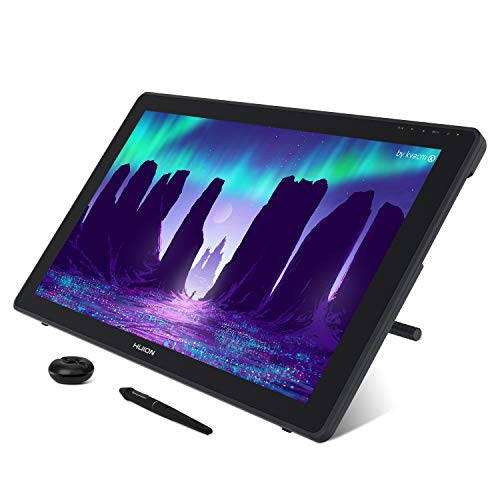
HUION Kamvas 22 21.5-Inch Pen Display
Best for: Large canvas artists needing color accuracy
- Tablet Type
- Pen Display
- Screen Size
- 21.5 inch
- Display Resolution
- 1920 x 1080
- Pen Pressure
- 8192 levels
- Color Gamut
- 120% sRGB
- Display Finish
- Full-laminated, anti-glare matte film
The HUION KAMVAS 22 is a 21.5-inch pen display with a 1920 x 1080 resolution and 120% sRGB color gamut. It features a full-laminated screen and a battery-free stylus with 8192 pressure levels. The unit includes an adjustable stand for ergonomic angles. It connects via USB-C to computers or Android devices. This large canvas suits artists needing vivid colors and a spacious drawing area.
- 21.5-inch full-laminated screen with 120% sRGB color gamut
- Battery-free stylus with 8192 pressure levels and tilt support
- Adjustable metallic stand allows angles from 20 to 80 degrees
- Anti-glare matte film mimics paper feel and reduces reflections
- Heavier at 8.6 pounds compared to smaller pen displays
- 1080p resolution is lower than 4K models on this list
- Requires a computer connection and is not a standalone device
- You need a large 21.5-inch canvas for detailed artwork
- You want accurate color representation with 120% sRGB coverage
- You prefer an ergonomic setup with an adjustable stand
- You require a portable tablet under 15 inches
- You need a 4K display for maximum sharpness
- You want a standalone device without a host computer
Verdict: HUION KAMVAS 22 21.5-Inch Pen Display offers a large, color-accurate workspace for artists who prioritize screen real estate and ergonomic comfort over portability.
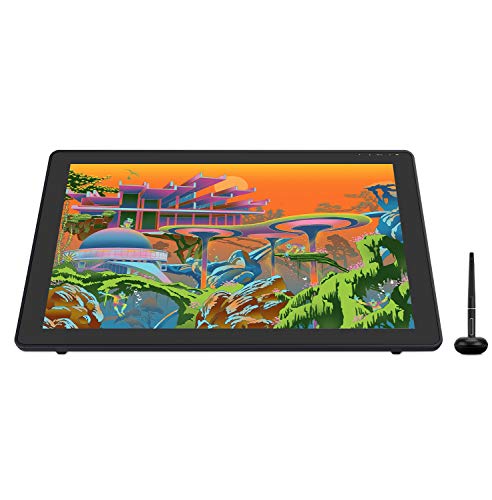
HUION Kamvas 22 Plus 21.5" Pen Display
Best for: Large screen digital artists needing color accuracy
- Tablet Type
- Pen Display
- Screen Size
- 21.5 inch
- Display Resolution
- 1920 x 1080 FHD
- Pen Pressure
- 8192 levels
- Color Gamut
- 140% sRGB
- Display Finish
- Full-laminated, etched anti-glare glass
The HUION Kamvas 22 Plus is a 21.5-inch pen display with full lamination and a 140% sRGB color gamut. It uses a battery-free stylus with 8192 pressure levels and tilt support. The anti-glare glass reduces reflections for clearer work. You can connect it to PCs or Android devices via USB-C. This large screen offers ample space for detailed digital art and illustration tasks.
- 21.5-inch FHD display with 140% sRGB coverage
- Full-lamination technology reduces parallax for precise cursor alignment
- Battery-free PW517 stylus with 8192 pressure levels and tilt support
- Anti-glare etched glass minimizes reflections in bright environments
- Weighs 7.5 pounds, making it heavier than smaller 11- or 13-inch models
- Requires a computer or Android device to function as a standalone unit
- 21.5-inch size is bulkier than the 13- or 16-inch options available
- You need a large 21.5-inch screen for detailed artwork
- You want accurate colors with 140% sRGB coverage
- You prefer a battery-free pen that is always ready to use
- You need a portable tablet that fits in a small bag
- You want a standalone device without a computer connection
- You prefer a lighter display under 5 pounds
Verdict: HUION Kamvas 22 Plus 21.5-Inch Pen Display suits artists who prioritize screen real estate and color accuracy for stationary work. It delivers precise input through its laminated screen and battery-free stylus.

VEIKK VK1200 V2 11.6-Inch Pen Display
Best for: Compact drawing on a small desk
- Tablet Type
- Pen Display
- Screen Size
- 11.6"
- Display Resolution
- 1920 x 1080
- Pen Pressure
- 8192 levels
- Display Finish
- Full-laminated, anti-glare glass
- Color
- Black
The VEIKK VK1200 V2 is an 11.6-inch pen display designed for artists who need a compact drawing surface. It features a full-laminated IPS screen with 1920×1080 resolution and 72% NTSC color coverage. The device includes a battery-free stylus with 8192 pressure levels and 60-degree tilt support. Six customizable shortcut keys help streamline your workflow. This unit connects via USB-C or HDMI and weighs 1.78 pounds.
- Full-laminated screen minimizes parallax for accurate cursor placement
- Battery-free pen supports 8192 pressure levels and 60-degree tilt
- Six programmable shortcut keys for efficient software control
- Compact all-metal body weighs only 1.78 pounds
- Single USB-C cable handles data, power, and display signals
- 72% NTSC color gamut is narrower than the 120% to 140% sRGB found on other models in this list
- 11.6-inch active area is smaller than the 13.3-inch, 15.4-inch, 15.6-inch, and 21.5-inch options available
- 1.78-pound weight is heavier than typical 11.6-inch portable pen displays
- You want a full-laminated screen with minimal parallax on a budget
- You need a compact 11.6-inch display that fits small desks
- You prefer a battery-free stylus with tilt recognition
- You require a wide color gamut exceeding 72% NTSC
- You need a screen larger than 11.6 inches for detailed work
- You want a lightweight portable display under 1.5 pounds
Verdict: The VEIKK VK1200 V2 11.6-Inch Pen Display offers a compact, laminated drawing surface with reliable pen tracking. It fits users who prioritize portability and a small footprint over wide color coverage.
Specifications side by side
| Spec | Wacom 22HD Pen Display | Wacom Cintiq 22HD Touch Pen Display | Wacom Cintiq 13HD 13.3-Inch Pen Display | Wacom Cintiq Pro 24 4K Touch Display | XP-PEN Artist12 11.6-Inch Pen Display | Wacom Cintiq 16 15.4" Pen Display | XP-Pen Artist 15.6 Pro Drawing Tablet | HUION Kamvas Pro 16 15.6-Inch Pen Display | HUION KAMVAS Pro 16 15.6-Inch Pen Display | GAOMON PD1161 11.6" Pen Display | GAOMON PD1561 15.6-Inch Drawing Tablet | Wacom One 13.3" HD Pen Display | HUION Kamvas 22 21.5-Inch Pen Display | HUION Kamvas 22 Plus 21.5" Pen Display | VEIKK VK1200 V2 11.6-Inch Pen Display |
|---|---|---|---|---|---|---|---|---|---|---|---|---|---|---|---|
| Tablet Type | – | – | – | – | – | – | – | Tethered pen display | Tethered pen display | Tethered pen display | Tethered pen display | Tethered pen display | Tethered pen display | Tethered pen display | Tethered pen display |
| Screen Size | 21-Inch | 21.5" | 13.3" | 23.6" | 11.6" | 15.4" | 15.6" | 15.6" | 15.6" | 11.6" | 15.6" | 13.3 inch | 21.5 inch | 21.5 inch | 11.6" |
| Display Resolution | full HD resolution | 1920 x 1080 | 1920 X 1080 | 4K | 1920×1080 FHD | Full HD | 1920×1080 FHD | – | – | 1920×1080 Full HD | 1920×1080 Full HD | – | 1920 x 1080 | 1920 x 1080 FHD | 1920 x 1080 |
| Pen Pressure | – | – | 2048 levels | 8,192 levels | 8192 | 8192 levels | 16384 levels | – | 8192 | 8192 | 8192 | – | 8192 levels | 8192 levels | 8192 levels |
| Color Gamut | – | – | – | 99% Adobe RGB, 97% sRGB | 72% NTSC (100% sRGB) | – | 88% NTSC (120% sRGB) | 120% sRGB (92% AdobeRGB) | – | – | – | – | 120% sRGB | 140% sRGB | – |
| Display Finish | – | – | – | Optical bonding | anti-reflective screen protector | – | Full-laminated | Fully laminated anti-glare glass | Full-laminated anti-glare glass | Anti-glare film | Anti-glare, pre-applied film | – | Full-laminated, anti-glare matte film | Full-laminated, etched anti-glare glass | Full-laminated, anti-glare glass |
| Shortcut Controls | customizable express keys | ExpressKeys and Touch Strips | four ExpressKeys, Rocker ring | ExpressKey Remote | 6 shortcut keys, slim touch bar | – | 8 shortcut keys, Red Dial | 6 express keys, touch bar | 6 express keys, 1 touch bar | 8 shortcut keys | 10 shortcut keys | – | – | – | – |
| Operating System | – | – | – | – | – | – | – | Windows | – | – | – | – | Android | Android | – |
| Features | Stylus, Stylus Pen | Stylus, Stylus Pen | Stylus, Stylus Pen | Stylus, Stylus Pen | Stylus, Stylus Pen, Battery-Free Pen | Stylus, Stylus Pen, Full HD Display, Tilt Support | Stylus, Stylus Pen, Shortcut Keys, Tilt Support, Dial | Shortcut Keys | Stylus, Stylus Pen, Battery-Free Pen, Shortcut Keys, Tilt Support | Battery-Free Pen, Shortcut Keys, Tilt Support | Battery-Free Pen, Shortcut Keys, Tilt Support | Stylus, Stylus Pen | Stylus, Stylus Pen, Battery-Free Pen, Tilt Support | Stylus, Stylus Pen, Battery-Free Pen, Tilt Support | – |
| Display | – | Touchscreen | – | Touchscreen | – | – | Full-Laminated | Full-Laminated | Full-Laminated | Anti-Glare | Anti-Glare | – | Full-Laminated | Full-Laminated | – |
| Color | Black | Black | Black | Black | Black | Black | Red | Black | Black | Black | Black | black and white | Dark Gray | Black | Black |
| Audience | – | – | – | – | – | Animation | – | – | – | Students, Animation, Beginners | Animation | – | – | – | – |
| Dimensions | 25.5 × 2.2 × 15.7 inches | 25.6 × 2.7 × 15.7 inches | 14.8 × 0.53 × 9.76 inches | 26.7 × 15.5 × 0.1 inches | 14.3 × 8.58 × 0.31 inches | 16.6 × 11.2 × 1 inches | 17.4 × 11 × 0.51 inches | 17.2 × 9.88 × 0.47 inches | – | – | 17.8 × 9.92 × 0.77 inches | 15.7 × 10.2 × 3.1 inches | 21.5 × 12.7 × 0.75 inches | 21.5 × 12.7 × 0.75 inches | 12.5 × 7.4 × 0.51 inches |
| Weight | 18.7 pounds | 18.7 pounds | 2.64 pounds | 15.9 pounds | 2 pounds | 4.19 pounds | 7.28 pounds | 2.98 pounds | 2.65 pounds | 1.91 pounds | 3.48 pounds | 4.5 pounds | 8.6 pounds | 7.5 pounds | 1.78 pounds |
| Length | – | – | – | – | – | – | – | – | 17.3 inches | 14.2 inches | – | – | – | – | – |
| Width | – | – | – | – | – | – | – | – | 9.84 inches | 7.87 inches | – | – | – | – | – |
| Size | 22HD | 22HD Touch | 13" | 24 inch touch | 11.6 inch | 16" | 15.6 Inch | 15.6 Inch | 15.6 Inch | 11.6 Inch | 15.6 inch | 13" | 21.5-inch | 21.5 Inch | 11.6 inch V2 |
| Model | DTK2200 | DTH2200 | DTK1300 | DTH2420K0 | Artist 12_SML | DTK1660K0A | Artist 15.6 Pro | Kamvas Pro 16 | Huion KAMVAS Pro 16 | A2.PD1161-0-EN0000-1-US | GAOMON PD1561 Pen Display | DTC133W0C | GS2201 | GS2202-US | Vk1200v3 |
How to choose a pen display
Match screen size to space
Your desk dimensions determine the ideal screen size. Large formats like the 22-inch Wacom 22HD require significant stationary space. Smaller screens, such as the 11.6-inch XP-Pen Artist12, fit compact desks or travel setups. Measure your available area before comparing models. A larger display offers more canvas real estate but reduces portability. Choose a size that fits your workflow without crowding your workspace. Verify the physical dimensions listed in the specs to ensure a proper fit.
Check pressure sensitivity levels
Pressure sensitivity dictates how precisely the pen tracks your hand movements. Higher levels allow for finer line weight variations. Most models here offer 8192 levels of pressure. The XP-Pen Artist 15.6 Pro provides 16K levels for even more detail. This spec matters most for professional illustration and shading. If you need subtle gradients, look for the highest number available. Standard 8192 levels are sufficient for most hobbyists and students. Compare this number when selecting between similar-sized screens.
Consider touch navigation needs
Touch capability changes how you interact with the interface. The Wacom Cintiq 22HD Touch allows you to zoom and pan with your fingers. This feature is useful for large-screen artists who want gesture navigation. Most other models rely solely on the stylus for input. If you prefer using your hands to navigate menus, select a touchscreen model. Otherwise, a standard pen display is simpler and often lighter. Decide if touch adds value to your specific creative process.
Look for tilt support
Tilt support enables the pen to detect angle, mimicking real brush behavior. The Wacom Cintiq 16 and XP-Pen Artist 15.6 Pro both include this feature. It allows for natural shading and calligraphy effects. If you use brush tools frequently, tilt support is essential. Check the attributes list for this specification. Models without tilt support may feel less responsive for artistic tasks. Ensure your chosen device supports this function for a natural drawing experience.
Verify operating system compatibility
Pen displays require connection to a host computer. Some models, like the HUION Kamvas 22, list Android as an operating system, indicating standalone capability. Others require a PC or Mac connection. The Wacom One works with both Mac and PC workflows. Check the compatibility list before purchasing. Ensure your computer has the necessary ports and drivers. Standalone models offer more flexibility but may have limited software. Match the device to your existing hardware setup.
Evaluate display lamination type
Full-laminated displays reduce the gap between the glass and the image layer. This improves parallax, making the pen tip appear exactly where it touches the screen. The XP-Pen Artist 15.6 Pro and HUION Kamvas Pro 16 feature full lamination. Non-laminated screens may feel slightly disconnected. If precision is critical, prioritize laminated models. This spec enhances the direct drawing feel. Check the display attributes to confirm the lamination type for a better visual experience.
Frequently asked questions
Which pen display offers the highest pressure sensitivity?
The XP-Pen Artist 15.6 Pro provides 16K levels of pen pressure. This specification allows for extremely fine control over line weight and opacity. Most other models, including the Wacom Cintiq 24 4K and HUION Kamvas Pro 16, offer 8192 levels. Higher levels provide smoother transitions in digital brush strokes.
Do any of these tablets support tilt recognition?
Several models support tilt to simulate natural brush angles. The Wacom Cintiq 16, XP-Pen Artist 15.6 Pro, and HUION Kamvas Pro 16 all include tilt support. This feature helps create realistic shading effects by detecting the angle of the stylus relative to the screen surface.
Which display is best for artists who want touch controls?
The Wacom Cintiq 22HD Touch and Wacom Cintiq Pro 24 4K Touch both feature integrated touchscreen capabilities. These displays allow you to zoom, pan, and navigate menus using your fingers. This dual-input approach combines precise pen drawing with intuitive gesture navigation for a more flexible workflow.
What is the lightest pen display on this list?
The GAOMON PD1161 is the lightest option at 1.91 pounds. The VEIKK VK1200 V2 follows closely at 1.78 pounds. These lightweight designs are ideal for portable setups or artists who move their equipment frequently. In contrast, the Wacom 22HD weighs 18.7 pounds and is designed for stationary use.
Are there models with a dedicated dial for navigation?
The XP-Pen Artist 15.6 Pro includes a dedicated dial feature. This physical control allows you to adjust brush size or opacity without moving your hand from the drawing area. This hardware addition streamlines the creative process by providing tactile access to common tools directly on the display frame.
Which pen display uses a full-laminated screen?
The XP-Pen Artist 15.6 Pro, HUION Kamvas Pro 16, and VEIKK VK1200 V2 all utilize full-laminated displays. Lamination reduces the gap between the glass and the display layer, making your cursor appear closer to the pen tip. This reduction in parallax improves drawing precision and visual accuracy.
Do any tablets support Android as an operating system?
The HUION Kamvas 22 and HUION Kamvas 22 Plus list Android as their operating system. This specification suggests these devices may function as standalone Android monitors or tablets. Other models in the list do not mention an independent operating system, implying they require connection to a computer.
Which display is suitable for animation students?
The Wacom Cintiq 16 and GAOMON PD1561 are both noted for animation audiences. The Wacom model offers a 15.4-inch Full HD screen with tilt support. The GAOMON option provides a 15.6-inch display with shortcut keys. Both sizes offer a good balance of workspace and portability for student workflows.


