Best Wacom Drawing Tablets for Animation in 2026: 7 Picks
Choosing the best wacom drawing tablets for animation requires matching your workflow to specific hardware capabilities.

What this report covers
- Last updated
- 4 Nov 2026
Figures above are read from the product listings for the models named below. Scores are out of 10, based on listed specifications and buyer feedback.
As Amazon Associates, we earn from qualifying purchases. This means we may receive a small commission at no extra cost to you if you click through and make a purchase.
As an Amazon Associate we earn from qualifying purchases. Links on this page are affiliate links.
Choosing the best wacom drawing tablets for animation requires matching your workflow to specific hardware capabilities. We compared 7 models using only the specifications published on their official listings. The Wacom Cintiq Pro 24 4K Touch leads because its 24-inch 4K touchscreen offers a large, color-accurate canvas for professional animators. This guide helps you decide which device fits your studio desk or portable setup based on screen size, resolution, and connectivity options.
Match screen size to your workspace
Your choice depends on desk space and portability needs. The Wacom Cintiq Pro 24 4K Touch provides a large 24-inch 4K canvas for stationary studio work. For mobile projects, the Intuos Pro Small Bluetooth offers wireless connectivity without a screen. Select the 27-inch or 16-inch 4K models if you need high resolution in a compact footprint. Check the physical dimensions and weight before buying.
| # | Product | Best for | Price |
|---|---|---|---|
| 1 | Wacom Cintiq Pro 24 4K Touch Best overall | Professional animators needing large 4K canvas | |
| 2 | Wacom Cintiq 16 15.4" Pen Display Best budget | Animation students and hobbyists seeking a compact pen display | |
| 3 | Wacom Cintiq 22 22-Inch Non-Touch Pen Display Also great | animators needing a large 22-inch HD workspace | |
| 4 | Wacom Cintiq Pro 16 4K Touchscreen Best premium | Compact 4K animation work with touch gestures | |
| 5 | Wacom Cintiq Pro 27 27-inch Also great | Large screen animation work requiring 4K color accuracy | |
| 6 | Wacom Intuos Pro Small Bluetooth Pen Tablet Best bluetooth | Portable animation with wireless connectivity | |
| 7 | Wacom One 14 Pen Display Best windows | Animation students and beginners |
The best fit for you
- You need a large professional 4K canvas – Wacom Cintiq Pro 24 4K Touch – Its 24-inch 4K touchscreen provides a spacious, color-accurate workspace for detailed animation work.
- You want a compact 4K display with touch – Wacom Cintiq Pro 16 4K Touchscreen – The 16-inch 4K screen delivers professional color accuracy and touch gestures in a portable package.
- You require wireless freedom for mobile animation – Wacom Intuos Pro Small Bluetooth Pen Tablet – Bluetooth connectivity allows you to use this small pen tablet wirelessly with your existing monitor.

Wacom Cintiq Pro 24 4K Touch
Best for: Professional animators needing large 4K canvas
- Audience
- Animation
- Screen Size
- 24"
- Display Resolution
- 4K (3840 x 2160)
- Pen Pressure
- 8,192 levels
- Color Gamut
- 99% Adobe RGB
- Display Finish
- etched glass
The Wacom Cintiq Pro 24 is a 24-inch drawing tablet featuring a 4K touchscreen with 99% Adobe RGB color accuracy. It includes the ProPen 2 with 8,192 pressure levels and an Express Key Remote with 17 programmable buttons. The etched glass screen mimics paper texture. This model suits animators who need a large, color-accurate display with tactile feedback.
- 24-inch 4K display with 99% Adobe RGB coverage
- ProPen 2 offers 8,192 pressure levels
- Etched glass screen reduces glare and mimics paper feel
- Express Key Remote provides 17 programmable buttons
- Heavier at 15.9 pounds compared to smaller models
- 15.5 inches wide, larger footprint than 16-inch options
- 1.9 inches thick, bulkier than non-pro screens
- You need a large 24-inch canvas for detailed animation work
- You prioritize color accuracy with 99% Adobe RGB coverage
- You want tactile feedback from an etched glass screen
- You need a portable device under 10 pounds
- You prefer a smaller 15.4-inch or 16-inch display
- You want a budget-friendly entry-level tablet
Verdict: Wacom Cintiq Pro 24 4K Touchscreen is ideal for professional animators who need a large, color-accurate workspace and tactile pen feedback.
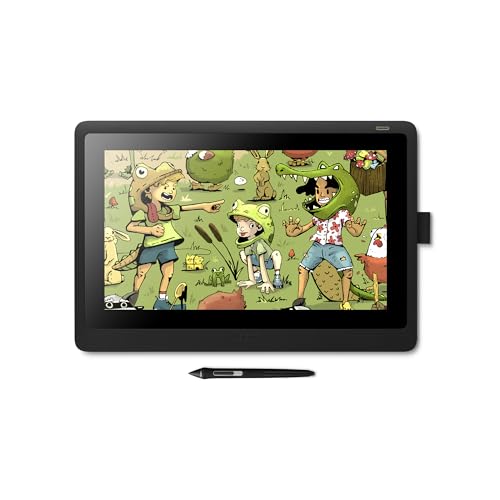
Wacom Cintiq 16 15.4" Pen Display
Best for: Animation students and hobbyists seeking a compact pen display
- Audience
- Animation
- Screen Size
- 15.4"
- Display Resolution
- Full HD
- Pen Pressure
- 8192 levels
- Features
- Stylus, Stylus Pen, Full HD Display, Tilt Support
- Color
- Black
The Wacom Cintiq 16 is a 15.4-inch pen display with a Full HD LCD screen. It includes the Pro Pen 2 with 8192 pressure levels and tilt recognition. The device weighs 4.19 pounds and measures 11.2 by 16.6 inches. It suits animation hobbyists and students needing a portable studio setup. The display offers true-to-life color quality and fingertip control for natural drawing.
- 15.4-inch Full HD LCD display with uniform brightness
- Pro Pen 2 includes tilt recognition and 8192 pressure levels
- Includes customizable switches for shortcut access
- Relaxed parallax for natural drawing feel
- 15.4-inch screen is smaller than the 22-inch and 24-inch models on this list
- Full HD resolution is lower than the 4K displays found on the Pro 16 and Pro 24 models
- Weighs 4.19 pounds, which is heavier than the Intuos Pro Small tablet
- You need a dedicated screen for drawing without the bulk of larger displays
- You require precise tilt recognition and high pressure sensitivity for detailed animation work
- You want a compact tablet that fits easily on a desk or travels well
- You need a 4K resolution for critical color grading or high-detail work
- You prefer a smaller screen size under 15 inches for maximum portability
- You want a wireless-only experience without connecting cables to your computer
Verdict: The Wacom Cintiq 16 15.4" Full HD Pen Display fits animation students and hobbyists who want a reliable, screen-based drawing tool that balances portability with professional pen performance.

Wacom Cintiq 22 22-Inch Non-Touch Pen Display
Best for: animators needing a large 22-inch HD workspace
- Audience
- Animation
- Tablet Type
- Tethered pen display
- Screen Size
- 22"
- Display Resolution
- Full HD
- Pen Pressure
- 8192
- Features
- Stylus, Stylus Pen, Full HD Display
The Wacom Cintiq 22 provides a 22-inch Full HD display for animation work. It includes the Pro Pen 2 with 8192 pressure levels and tilt recognition. The tablet measures 16.6 by 11.2 inches and weighs 4.19 pounds. This setup offers a large creative workspace for students or hobbyists. You get a responsive drawing surface with uniform brightness and true-to-life colors for detailed projects.
- 22-inch Full HD LCD display
- Pro Pen 2 with 8192 pressure levels
- Tilt recognition for natural shading
- Large 16.6 x 11.2 inch workspace
- 22-inch screen is smaller than the 24-inch and 27-inch options on this list
- 4.19 pounds is heavier than the Intuos Pro Small
- Non-touch display lacks the interactive features of the Cintiq Pro 16 and 24
- You need a large 22-inch screen for detailed animation frames
- You prefer a dedicated drawing tablet over a smaller 16-inch model
- You want precise pressure sensitivity with the included Pro Pen 2
- You require a 4K resolution display for maximum clarity
- You need a touchscreen for direct fingertip control
- You want the largest 27-inch workspace available
Verdict: Wacom Cintiq 22 22-inch HD is a solid choice for animators who prioritize a large drawing area and precise pen input over high-resolution screens or touch capabilities.
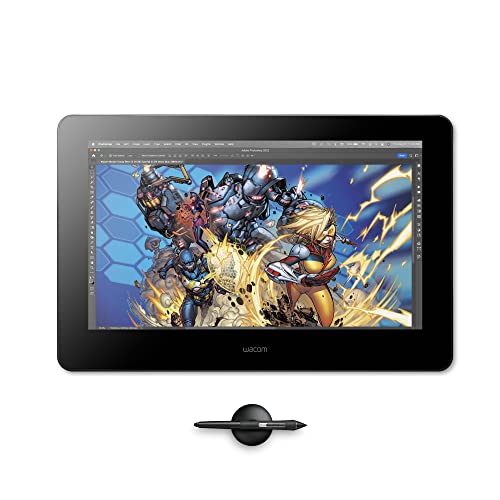
Wacom Cintiq Pro 16 4K Touchscreen
Best for: Compact 4K animation work with touch gestures
- Audience
- Animation
- Screen Size
- 16"
- Display Resolution
- 4K (3840 x 2160)
- Pen Pressure
- 8,192 levels
- Color Gamut
- 98% Adobe RGB
- Display Finish
- Etched glass
The Wacom Cintiq Pro 16 packs a 4K resolution display into a 16-inch form factor. It features a color-accurate panel covering 98% Adobe RGB, ideal for precise animation work. The etched glass screen mimics paper texture, while multi-touch gestures and eight ExpressKeys streamline your workflow. Weighing 4.19 pounds, it offers a compact yet powerful solution for digital artists.
- 4K resolution (3840 x 2160 pixels) for sharp detail
- 98% Adobe RGB color accuracy for professional output
- Etched glass screen reduces glare and mimics paper
- 8 ExpressKeys and 2 pen side switches for shortcuts
- Multi-touch gestures for intuitive on-screen control
- 16-inch display is smaller than the 22-inch and 24-inch models on this list
- 300 cd/m2 brightness is lower than typical 4K professional monitors
- 4.19 pounds weight adds bulk compared to portable pen tablets
- You need high color accuracy for animation projects
- You prefer a compact 16-inch screen size
- You want multi-touch gestures alongside pen input
- You require a screen larger than 16 inches
- You need higher brightness than 300 cd/m2
- You prefer a lightweight portable drawing slate
Verdict: Wacom Cintiq Pro 16 4K Touchscreen delivers professional color accuracy in a compact 16-inch package. It suits animators who prioritize precision and touch gestures over maximum screen real estate.

Wacom Cintiq Pro 27 27-inch
Best for: Large screen animation work requiring 4K color accuracy
- Audience
- Animation
- Screen Size
- 27"
- Display Resolution
- 4K UHD (3840X2160)
- Pen Pressure
- 8,192 levels
- Color Gamut
- 99% Adobe RGB, 98% DCI-P3
- Refresh Rate
- 120 Hz
The Wacom Cintiq Pro 27 is a large-format drawing tablet designed for animation workflows. It features a 27-inch 4K UHD touchscreen with 120 Hz refresh rate and 99% Adobe RGB color accuracy. The device includes the Pro Pen 3 with 8,192 pressure levels and eight customizable ExpressKeys. Its substantial 15.9-pound weight and 25.1-inch width require a dedicated workspace. This model suits artists prioritizing screen real estate and color precision over portability.
- 27-inch 4K UHD display with 120 Hz refresh rate
- 99% Adobe RGB and 98% DCI-P3 color gamut
- Pro Pen 3 with 8,192 pressure sensitivity levels
- Eight customizable ExpressKeys for workflow shortcuts
- Touchscreen support for multi-touch gestures
- 15.9-pound weight makes it difficult to move
- 25.1-inch width requires a large desk surface
- 27-inch size is bulkier than 16 or 17-inch alternatives
- You need a large 27-inch canvas for detailed animation work
- You prioritize high color accuracy with 99% Adobe RGB coverage
- You want a 120 Hz refresh rate for smoother drawing
- You require a portable tablet for travel
- You have limited desk space for a 25-inch wide device
- You prefer a lighter weight under 10 pounds
Verdict: Wacom Cintiq Pro 27 27-inch 4K serves animators who need maximum screen space and precise color reproduction. It fits artists with dedicated studio desks who value a 120 Hz display over portability.
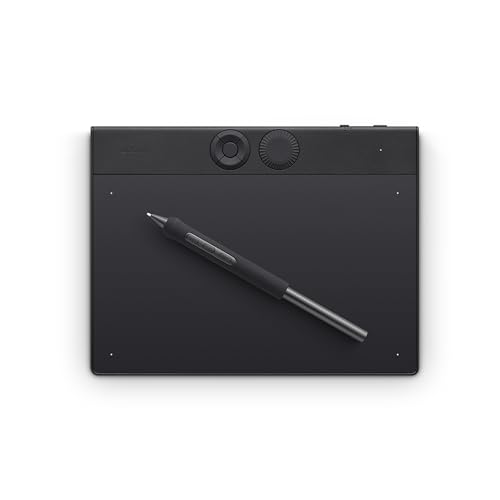
Wacom Intuos Pro Small Bluetooth Pen Tablet
Best for: Portable animation with wireless connectivity
- Audience
- Animation
- Pen Pressure
- 8192
- Features
- Stylus, Stylus Pen, Bluetooth, Shortcut Keys
- Tablet Type
- Pen Tablet
- Length
- 8.46 inches
- Width
- 6.42 inches
This small pen tablet connects via Bluetooth or USB for wireless drawing freedom. It includes the Pro Pen 3 with 8192 pressure levels and tilt support for precise animation strokes. The magnesium body measures 4mm thick and weighs 8.48 ounces. Its 8.4 by 6.4 inch active area fits a 16:9 aspect ratio for modern monitors. It offers five customizable ExpressKeys and a mechanical dial to streamline your workflow.
- Pro Pen 3 with 8192 pressure levels and tilt support
- Bluetooth and USB connectivity options
- Lightweight 8.48 ounce magnesium build
- Customizable ExpressKeys and mechanical dial
- Smaller active area than larger Cintiq models
- Requires separate computer display for drawing
- You need a portable drawing tablet for animation
- You want wireless Bluetooth connectivity
- You prefer a lightweight magnesium build
- You need an all-in-one screen with display
- You require a large active drawing area
- You prefer a non-portable desktop setup
Verdict: Wacom Intuos Pro Small Bluetooth Tablet is a portable pen tablet for animators who want wireless freedom and precision on a small footprint. It suits those who already have a monitor and need a lightweight tool for mobile work.
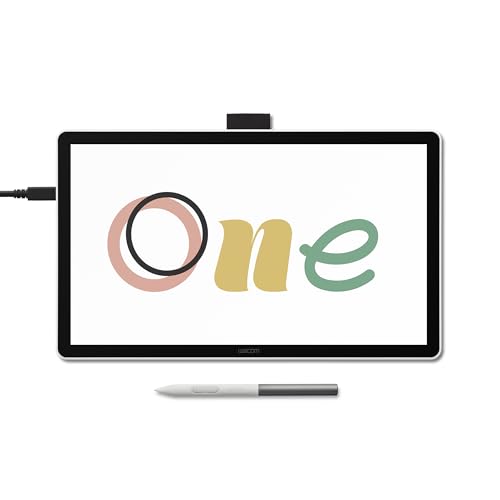
Wacom One 14 Pen Display
Best for: Animation students and beginners
- Audience
- Students, Animation, Beginners
- Tablet Type
- Pen display
- Screen Size
- 14"
- Display Resolution
- Full HD
- Color Gamut
- 98% sRGB
- Display Finish
- Laminated, paper-like texture
The Wacom One 14 is a 14-inch pen display designed for students and animation beginners. It features a laminated IPS Full HD screen with 98% sRGB color accuracy. The device includes a battery-free pen for precise pressure sensitivity. It connects via a single USB-C cable to Windows or Mac computers. This setup offers a reliable, straightforward entry point into digital drawing without complex driver issues.
- 14-inch laminated IPS Full HD display
- 98% sRGB color accuracy
- Battery-free pen with pressure sensitivity
- Single USB-C connectivity
- Includes Clip Studio Paint Pro trial
- Smaller 14-inch screen compared to other options
- Heavier at 1.65 pounds
- Lower color gamut than 4K models
- You are a student starting with animation
- You need a reliable plug-and-play setup
- You prefer a compact 14-inch workspace
- You require 4K resolution
- You need a larger 22-inch canvas
- You want a wireless Bluetooth connection
Verdict: Wacom One 14 Drawing Tablet suits beginners who want a focused, no-fuss drawing experience. It is ideal for students who prioritize a manageable screen size over high-end resolution.
Specifications side by side
| Spec | Wacom Cintiq Pro 24 4K Touch | Wacom Cintiq 16 15.4" Pen Display | Wacom Cintiq 22 22-Inch Non-Touch Pen Display | Wacom Cintiq Pro 16 4K Touchscreen | Wacom Cintiq Pro 27 27-inch | Wacom Intuos Pro Small Bluetooth Pen Tablet | Wacom One 14 Pen Display |
|---|---|---|---|---|---|---|---|
| Tablet Type | – | – | Tethered pen display | – | – | – | Pen display |
| Screen Size | 24" | 15.4" | 22" | 16" | 27" | – | 14" |
| Display Resolution | 4K (3840 x 2160) | Full HD | Full HD | 4K (3840 x 2160) | 4K UHD (3840X2160) | – | Full HD |
| Pen Pressure | 8,192 levels | 8192 levels | 8192 | 8,192 levels | 8,192 levels | 8192 | – |
| Color Gamut | 99% Adobe RGB | – | – | 98% Adobe RGB | 99% Adobe RGB, 98% DCI-P3 | – | 98% sRGB |
| Refresh Rate | – | – | – | – | 120 Hz | – | – |
| Display Finish | etched glass | – | – | Etched glass | – | – | Laminated, paper-like texture |
| Shortcut Controls | ExpressKey Remote (17 buttons) | – | – | 8 ExpressKeys | 8 ExpressKeys | – | – |
| Operating System | – | – | – | – | – | – | Windows |
| Features | – | Stylus, Stylus Pen, Full HD Display, Tilt Support | Stylus, Stylus Pen, Full HD Display | – | – | Stylus, Stylus Pen, Bluetooth, Shortcut Keys | Stylus, Stylus Pen, Full HD Display |
| Display | Touchscreen | – | Touchscreen | Touchscreen | Touchscreen | – | – |
| Color | Black | Black | Black | Black | Black | – | White |
| Audience | Animation | Animation | Animation | Animation | Animation | Animation | Students, Animation, Beginners |
| Dimensions | 26.7 × 15.5 × 1.9 inches | 16.6 × 11.2 × 1 inches | 16.6 × 11.2 × 1 inches | 16.1 × 10.5 × 0.9 inches | 14.9 × 25.1 × 1.2 inches | – | – |
| Weight | 15.9 pounds | 4.19 pounds | 4.19 pounds | 4.19 pounds | 15.9 pounds | 8.48 ounces | 1.65 pounds |
| Length | – | – | – | – | – | 8.46 inches | 13.2 inches |
| Width | – | – | – | – | – | 6.42 inches | 7.91 inches |
| Size | Wacom Cintiq Pro 24 – 24 inch | 16" | 22" non-touch | Wacom Cintiq Pro 16 – 16 inch | Wacom Cintiq Pro 27 – 27 inch | Small | 14" Display |
| Model | DTK2420K0 | DTK1660K0A | DTK2260K0A | DTH167K0A | DTH271K0A | PTK470K0A | DTC141W0 |
Key specs to compare for animation
Screen size and resolution
Screen size determines your working area. Larger displays like the 24-inch Cintiq Pro 24 4K Touch offer more space for complex timelines. Smaller screens, such as the 16-inch Cintiq Pro 16, save desk space. Resolution affects detail visibility. The 4K models provide sharper images for fine line work. Check the listed diagonal size to match your desk dimensions. Higher resolution ensures clear strokes without pixelation during close-up editing.
Touchscreen capability
Touch support allows direct interaction with the canvas. The Cintiq Pro 24 and Pro 16 include touchscreens for intuitive navigation. The Cintiq 22 is listed as non-touch, which may suit those who prefer stylus-only input. Touch gestures can speed up zooming and panning. Decide if you need direct finger control or prefer traditional stylus precision. Verify the display type in the specifications to ensure it matches your preferred workflow style.
Connectivity options
Connection type affects setup flexibility. The Intuos Pro Small uses Bluetooth for wireless operation. This model connects without cables, ideal for mobile work. Other models like the Cintiq 16 are pen displays that typically require wired connections to a computer. Wireless freedom reduces desk clutter. Check if the device supports Bluetooth if you plan to move it frequently. Wired models often offer stable, high-bandwidth connections for large files.
Operating system compatibility
Some devices are optimized for specific platforms. The Wacom One 14 is listed for Windows users. This ensures driver stability and feature access on that OS. Other models may support multiple systems. Verify the operating system requirements before purchase. Compatibility issues can disrupt your animation workflow. Ensure your computer meets the listed system requirements for seamless integration and full functionality of all pen and touch features.
Portability and weight
Weight impacts mobility. The Intuos Pro Small weighs only 8.48 ounces, making it highly portable. The Cintiq Pro 27 weighs 15.9 pounds, suited for stationary studio use. Consider how often you move your device. Lighter tablets are easier to carry to client sites. Heavier displays offer larger screens but require a dedicated desk. Check the weight specification to determine if the device fits your transport needs.
Frequently asked questions
Which Wacom tablet is best for large animation projects?
The Wacom Cintiq Pro 24 4K Touch is ideal for professional animators needing a large workspace. Its 24-inch 4K touchscreen provides a spacious, color-accurate canvas. The device measures 26.7 inches in length and weighs 15.9 pounds, making it a sturdy option for stationary studio desks rather than mobile work.
Can I use a Wacom tablet for animation without a monitor?
Yes, the Wacom Cintiq series models are pen displays, meaning they have built-in screens. The Cintiq 16, Cintiq 22, and Cintiq Pro 16 allow you to draw directly on the display. These models connect to your computer but provide the visual feedback you need without requiring a separate monitor.
Is there a portable Wacom option for animation on the go?
The Wacom Intuos Pro Small Bluetooth is designed for portability and wireless freedom. It connects via Bluetooth, allowing you to work without cables. Weighing only 8.48 ounces, it fits easily into a bag. This tablet is best for animators who already have a monitor and need a lightweight tool for mobile work.
Do Wacom animation tablets support touch gestures?
Several models in this lineup include touchscreen capabilities for intuitive navigation. The Cintiq Pro 24 4K Touch, Cintiq Pro 16 4K, and Cintiq Pro 27 all feature touchscreens. These allow you to use pinch-to-zoom and swipe gestures while animating. The Cintiq 22 and Cintiq 16 do not list touch support in their specifications.
What is the smallest Wacom display size for animation?
The Wacom One 14 Pen Display is the smallest screen option listed. It features a 14-inch Full HD display, making it suitable for beginners and students. Its compact dimensions, measuring 13.2 inches in length, save desk space. It is a focused tool for those who prioritize a manageable screen size over high-end resolution.
Which tablet offers the highest refresh rate for smooth animation?
The Wacom Cintiq Pro 27 27-inch includes a 120 Hz display. This high refresh rate ensures smooth visual feedback, which is valuable for fluid animation work. It also offers 4K color accuracy. This model is designed for animators with dedicated studio desks who value display performance over portability.
Are there Wacom tablets with shortcut keys for animators?
The Wacom Intuos Pro Small Bluetooth includes shortcut keys for efficient workflow. These keys allow you to assign common commands, speeding up your animation process. As a pen tablet, it does not have a screen, so you will draw on the tablet surface while viewing your work on a separate monitor.


