Best Windows Drawing Tablets: 9 Spec-Based Picks
Finding the best windows drawing tablets requires matching your workflow to specific hardware capabilities.

What this report covers
- Last updated
- 3 Nov 2026
Figures above are read from the product listings for the models named below. Scores are out of 10, based on listed specifications and buyer feedback.
As Amazon Associates, we earn from qualifying purchases. This means we may receive a small commission at no extra cost to you if you click through and make a purchase.
As an Amazon Associate we earn from qualifying purchases. Links on this page are affiliate links.
Finding the best windows drawing tablets requires matching your workflow to specific hardware capabilities. We compared 9 models using only the specifications published on their listings. Our top pick, the Wacom Intuos Medium Wireless Drawing Tablet, leads because its compact 7.8 by 10.4-inch size and Bluetooth connectivity suit students and artists using external monitors. This guide helps you decide whether a pen tablet or pen display fits your desk space and precision needs.
Choose pen tablet or pen display
Decide if you need a built-in screen. Pen displays like the HUION Kamvas Pro 16 offer direct drawing on a 15.6-inch panel. Pen tablets such as the Wacom Intuos Medium require an external monitor. Your choice depends on desk space and whether you prefer wireless portability or a dedicated, large canvas for creative software.
| # | Product | Best for | Price |
|---|---|---|---|
| 1 | Wacom Intuos Medium Wireless Drawing Tablet Best overall | students and artists using external monitors | |
| 2 | Wacom Intuos Pro Small Bluetooth Tablet Best 6-inch | portable precision with external monitors | |
| 3 | HUION Kamvas Pro 16 15.6-Inch Pen Display Also great | Artists needing color accuracy and ergonomic adjustability | |
| 4 | GAOMON PD1161 11.6-Inch Anti-Glare Pen Display Best budget | compact drawing setups and beginners | |
| 5 | XPPen Artist 24 Pro 23.8-Inch Pen Display Best premium | Large canvas digital art and color-critical design work | |
| 6 | GAOMON PD156Pro 15.6" Full-Laminated Tablet Best dial | artists needing a dial and 15.6-inch screen | |
| 7 | XP-Pen Artist 22 2nd 21.5-Inch Display Best 21.5-inch | artists needing a large 21.5-inch screen | |
| 8 | Wacom One Medium Bluetooth Tablet Best beginners | beginners using a separate monitor | |
| 9 | XENCELABS Pen Display 16 Lite 4K OLED Best 4k | 4K color-accurate portable drawing |
The best fit for you
- You need the most compact wireless pen tablet – Wacom Intuos Pro Small Bluetooth Tablet – This small model weighs just 15.8 ounces and fits portable workflows with external monitors.
- You want a large screen for color-critical design work – XPPen Artist 24 Pro 23.8-Inch Pen Display – The 23.8-inch display provides ample canvas real estate for heavy-duty digital art tasks.
- You require a 4K OLED display for portable drawing – XENCELABS Pen Display 16 Lite 4K OLED – This 4K OLED panel ensures high color accuracy in a quiet, portable form factor.

Wacom Intuos Medium Wireless Drawing Tablet
Best for: students and artists using external monitors
- Operating System
- Windows
- Shortcut Controls
- 4 ExpressKeys
- Features
- Stylus, Stylus Pen, Bluetooth, Battery-Free Pen, Shortcut Keys
- Color
- Black
- Tablet Type
- Pen Tablet
- Audience
- Students
The Wacom Intuos Medium is a wireless pen tablet designed for Windows. It measures 10.4 by 7.8 inches with a slim 0.4-inch profile. The device uses a battery-free pen for precise input. You can connect via Bluetooth or USB-A. It includes shortcut keys and creative software. This setup suits students and digital artists who need reliable control without a screen.
- Battery-free EMR pen technology for natural drawing feel
- Wireless Bluetooth connectivity for flexible workspace setup
- Includes creative software and online training resources
- Four customizable ExpressKeys for efficient workflow
- Compatible with all major digital art software
- No built-in display requires a separate monitor
- Medium size is smaller than screen-based competitors
- 0.4-inch thickness is bulkier than slim wired models
- You want a reliable wireless pen tablet for Windows
- You already have a monitor for digital art
- You prefer a battery-free pen for drawing
- You need an all-in-one display tablet
- You require a larger active drawing area
- You prefer a wired connection only
Verdict: The Wacom Intuos Medium Bluetooth Pen Tablet offers solid wireless performance for students and artists who already own a monitor. It fits those who value precision and software inclusion over an integrated screen.
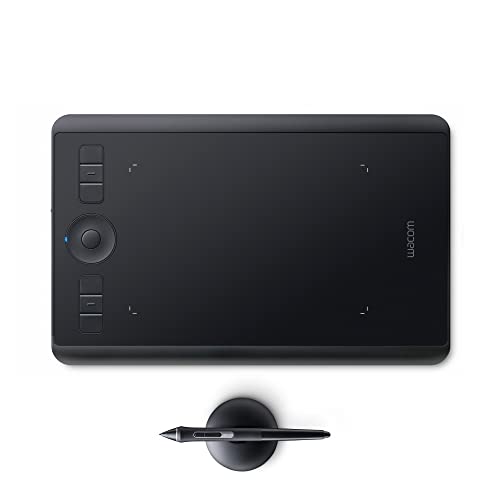
Wacom Intuos Pro Small Bluetooth Tablet
Best for: portable precision with external monitors
- Operating System
- Windows
- Pen Pressure
- 8192 levels
- Shortcut Controls
- 6 ExpressKeys, Touch Ring
- Screen Size
- 6-Inch
- Features
- Stylus, Stylus Pen, Bluetooth
- Display
- Touchscreen
The Wacom Intuos Pro Small is a wireless graphics tablet designed for Windows. It features a 6-inch active area and supports Bluetooth connectivity. The included Pro Pen 2 offers 8192 pressure levels and tilt recognition. You get six ExpressKeys and a Touch Ring for customization. This compact device suits artists who need portable precision without a built-in screen.
- 8192 levels of pressure sensitivity
- Bluetooth wireless connectivity
- Tilt recognition with Pro Pen 2
- 6 customizable ExpressKeys and Touch Ring
- 6-inch drawing area is smaller than most competitors
- 15.8-ounce weight is heavier than some alternatives
- No built-in display for direct drawing
- You need a compact tablet for travel
- You prefer using a separate monitor for your work
- You want wireless Bluetooth connectivity
- You require a large 15-inch or larger active area
- You want to draw directly on the tablet surface
- You need a 4K OLED display
Verdict: Wacom Intuos Pro Small Wireless Tablet fits professionals who prioritize pen precision and portability over screen size. It is ideal for those using external monitors.
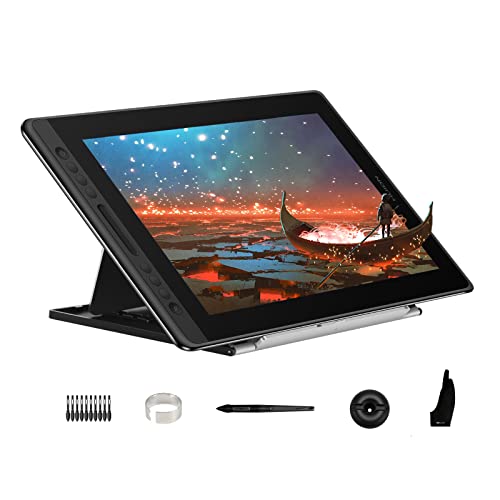
HUION Kamvas Pro 16 15.6-Inch Pen Display
Best for: Artists needing color accuracy and ergonomic adjustability
- Operating System
- Windows
- Tablet Type
- Tethered pen display
- Screen Size
- 15.6"
- Color Gamut
- 120% sRGB (92% AdobeRGB)
- Display Finish
- Fully laminated anti-glare glass
- Shortcut Controls
- 6 express keys, touch bar
The HUION Kamvas Pro 16 is a 15.6-inch pen display designed for Windows users who need a dedicated drawing monitor. It features a full-laminated anti-glare screen with a 120% sRGB color gamut and a 1000:1 contrast ratio. The device includes a battery-free pen with 60° tilt recognition and a customizable touch bar. Its adjustable stand supports angles between 20 and 60 degrees, helping you maintain a comfortable posture while working on detailed digital art.
- 15.6-inch full-laminated screen with anti-glare glass
- 120% sRGB color gamut for vibrant true-to-life colors
- Battery-free pen with 60° tilt recognition
- Adjustable stand moves between 20 and 60 degrees
- Customizable touch bar and six express keys
- 1000:1 contrast ratio is lower than competitors with higher ratios
- 15.6-inch screen size is smaller than the 21.5-inch and 24-inch options available
- 2.98-pound weight adds bulk compared to lighter non-display tablets
- You need a large, high-color-gamut screen for precise drawing
- You want an adjustable stand to reduce neck and shoulder tension
- You prefer a battery-free pen for consistent performance
- You require a standalone tablet that works without a computer
- You need a screen larger than 15.6 inches for expansive workspaces
- You prioritize a higher contrast ratio for deep black levels
Verdict: The HUION Kamvas Pro 16 15.6-Inch Pen Display fits artists who value color accuracy and ergonomic adjustability in a mid-sized format. It is a solid choice for those who need a dedicated monitor for creative software rather than a portable, standalone device.
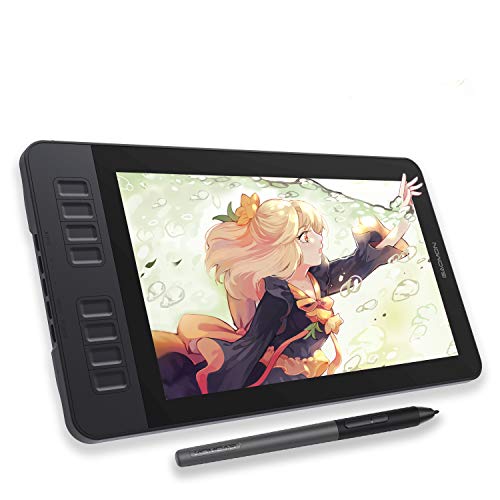
GAOMON PD1161 11.6-Inch Anti-Glare Pen Display
Best for: compact drawing setups and beginners
- Operating System
- Windows
- Tablet Type
- Tethered pen display
- Screen Size
- 11.6"
- Display Resolution
- Full HD
- Pen Pressure
- 8192
- Color Gamut
- 72% NTSC (100% sRGB)
The GAOMON PD1161 is an 11.6-inch pen display designed for Windows and Mac computers. It features a full HD IPS screen with 100% sRGB color coverage and an anti-glare matte finish. The included battery-free stylus offers 8192 pressure levels and tilt support. This compact unit weighs 1.9 pounds and includes eight programmable shortcut keys. It suits artists who want direct screen drawing without the bulk of larger models.
- 11.6-inch Full HD IPS screen with 100% sRGB color gamut
- Battery-free stylus with 8192 pressure levels and tilt support
- Eight programmable shortcut keys plus two pen buttons
- Anti-glare matte film reduces reflection and glare
- Smaller 11.6-inch screen compared to 15.6-inch or larger options on this list
- Heavier 1.9-pound build for its class
- Requires connection to a computer or laptop to function
- You want a compact pen display for a small desk setup
- You need accurate color reproduction with 100% sRGB coverage
- You prefer a battery-free pen that never needs charging
- You need a standalone tablet that works without a computer
- You require a screen larger than 13.3 inches for detailed work
- You are looking for wireless connectivity without USB cables
Verdict: GAOMON PD1161 11.6-Inch Pen Display fits beginners or students who need a reliable, color-accurate screen for drawing but have limited desk space. It delivers essential pen display specs at a compact size.

XPPen Artist 24 Pro 23.8-Inch Pen Display
Best for: Large canvas digital art and color-critical design work
- Operating System
- Windows
- Tablet Type
- Tethered pen display
- Screen Size
- 23.8 inch
- Display Resolution
- 2560 x 1440 2.5K QHD
- Pen Pressure
- 8192 levels
- Color Gamut
- 118% sRGB, 90% Adobe RGB, 84% NTSC
The XPPen Artist 24 Pro is a 23.8-inch pen display with 2.5K QHD resolution. It covers 118% sRGB and 90% Adobe RGB for accurate colors. The battery-free stylus offers 8192 pressure levels and 60° tilt. You get 20 shortcut keys and dual dial wheels. This large screen suits artists who need a spacious canvas for detailed work on Windows.
- 23.8-inch 2.5K QHD IPS display with 118% sRGB coverage
- 8192 pressure levels and 60° tilt support on the stylus
- 20 customizable shortcut keys and dual dial wheels for workflow control
- Full-laminate screen design with 178° viewing angles
- Heavier build at 15.4 pounds compared to smaller tablets
- 2.5K resolution is lower than the 4K OLED display on the XENCELABS option
- Requires a computer connection as it is not a standalone device
- You need a large 23.8-inch canvas for detailed digital painting
- You want accurate color reproduction with 118% sRGB coverage
- You prefer physical controls like dial wheels and shortcut keys
- You require a portable device under 10 pounds
- You want a standalone tablet without a computer
- You need 4K resolution for maximum pixel density
Verdict: XPPen Artist 24 Pro 23.8-Inch Pen Display is a heavy-duty workspace for illustrators who prioritize screen real estate and color accuracy over portability.
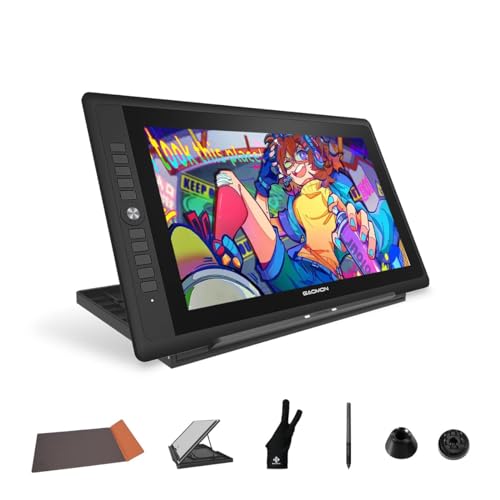
GAOMON PD156Pro 15.6" Full-Laminated Tablet
Best for: artists needing a dial and 15.6-inch screen
- Operating System
- Windows
- Tablet Type
- Tethered pen display
- Screen Size
- 15.6 inch
- Display Resolution
- 1920 x 1080 FHD
- Pen Pressure
- 8192 levels
- Color Gamut
- 120% sRGB
The GAOMON PD156Pro is a 15.6-inch pen display with a full-laminated FHD screen and 120% sRGB color gamut. It includes a battery-free stylus with tilt support and 8192 pressure levels. The device features a dial and ten programmable keys for workflow control. You need a computer to use it. This setup suits artists who want a dedicated drawing monitor with tactile controls.
- 15.6-inch full-laminated FHD screen with 120% sRGB
- Battery-free stylus with 8192 pressure levels and tilt support
- Dial key and ten programmable shortcut keys
- Lightweight 2.87-pound build with single-cable connection
- 1080p resolution is lower than the 2.5K or 4K options on this list
- Heavier and bulkier than the 11.6-inch and 16-inch models in the guide
- Requires a computer connection, unlike standalone tablets
- You want a dedicated screen with a dial for navigation
- You need a 15.6-inch display with full lamination
- You prefer a lightweight pen display under 3 pounds
- You need a standalone device without a computer
- You require 4K or 2.5K screen resolution
- You want the smallest possible 11.6-inch form factor
Verdict: GAOMON PD156Pro 15.6" Dial Pen Display fits artists who need a mid-size screen with tactile dial controls and do not mind connecting to a computer. It is a solid choice for those prioritizing screen size and navigation speed over maximum resolution.

XP-Pen Artist 22 2nd 21.5-Inch Display
Best for: artists needing a large 21.5-inch screen
- Operating System
- Windows
- Tablet Type
- Tethered pen display
- Screen Size
- 21.5"
- Pen Pressure
- 8192 levels
- Color Gamut
- 86% NTSC (Adobe RGB≥90%, sRGB≥122%)
- Features
- Stylus, Stylus Pen, Battery-Free Pen, Shortcut Keys, Tilt Support
This 21.5-inch pen display offers a 122% sRGB color gamut for vivid artwork. It features a battery-free stylus with 8,192 pressure levels and tilt support. The screen adjusts from 16 to 90 degrees for comfortable drawing. It connects via USB-C or HDMI to Windows computers. This tablet suits digital artists who need a large workspace and accurate color reproduction for detailed projects.
- 21.5-inch screen size provides ample drawing area
- 122% sRGB color gamut ensures vibrant, accurate colors
- 8,192 pressure levels with 60-degree tilt support
- Adjustable stand allows angles from 16 to 90 degrees
- Battery-free stylus requires no charging
- 21.5-inch size is smaller than the 24-inch and 27-inch options on the list
- 122% sRGB coverage is lower than the 16.7M color gamut found in other models
- Lacks a built-in dial or extensive shortcut keys compared to premium competitors
- You need a large 21.5-inch screen for detailed digital art
- You prioritize color accuracy with a 122% sRGB gamut
- You prefer a battery-free pen for uninterrupted drawing sessions
- You require a 4K resolution display for ultra-high clarity
- You need a wireless connection without cables
- You want a larger 24-inch or 27-inch screen area
Verdict: XP-Pen Artist 22 21.5-Inch Pen Display is a solid choice for artists who value a large screen and precise color accuracy. It fits those who want a dedicated drawing surface without the complexity of wireless setups.

Wacom One Medium Bluetooth Tablet
Best for: beginners using a separate monitor
- Operating System
- Windows
- Pen Pressure
- 4096 levels
- Features
- Stylus, Stylus Pen, Bluetooth, Battery-Free Pen
- Tablet Type
- Pen Tablet
- Audience
- Students, Beginners
- Dimensions
- 9.9 × 7.1 × 0.3 inches
The Wacom One Medium is a pen tablet designed for Windows users starting with digital art. It features an 8.5 by 5.3 inch active area and a battery-free pen with 4096 pressure levels. The device connects via USB-C or Bluetooth. You get a natural pen-on-paper feel with tilt recognition. This setup suits beginners who want a reliable entry point into drawing without the complexity of a screen tablet.
- Battery-free pen with 4096 pressure sensitivity
- Natural tilt recognition for shading
- Bluetooth connectivity for wireless use
- Customizable shortcut switches on the pen
- No built-in display requires a separate monitor
- Smaller active area than screen tablet competitors
- Heavier build than small-sized tablets
- You are a beginner learning digital drawing basics
- You already have a monitor to use as a display
- You want a reliable pen with tilt support
- You need an all-in-one screen tablet
- You require a small portable size
- You want high-end professional features
Verdict: Wacom One Medium Bluetooth Tablet is a practical choice for beginners who prefer using a separate monitor. It offers essential pen features like tilt and pressure sensitivity in a compact form. This device fits users who value brand reliability over integrated screens.
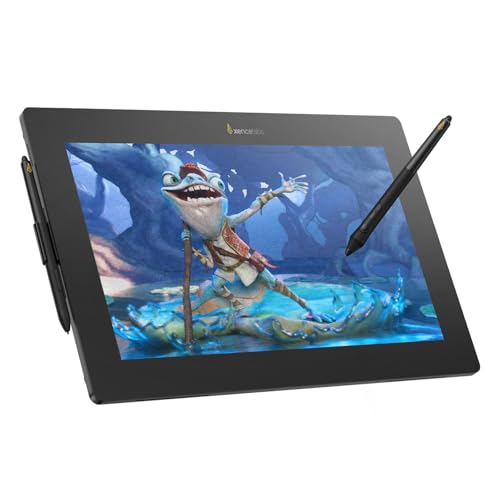
XENCELABS Pen Display 16 Lite 4K OLED
Best for: 4K color-accurate portable drawing
- Operating System
- Windows
- Tablet Type
- Tethered pen display
- Screen Size
- 16-inch
- Display Resolution
- 4K
- Display Finish
- Super AG Etching
- Features
- Stylus, Stylus Pen, Battery-Free Pen
The XENCELABS Pen Display 16 Lite is a 16-inch pen display featuring a 4K OLED screen. It delivers 1.07 billion colors and covers common color spaces for accurate work. The device uses a battery-free pen with a 3g to 500g pressure range. Its fanless metal design keeps the unit cool and silent during long sessions. This portable tablet suits artists who need high resolution and color fidelity in a thin form factor.
- 4K OLED display with 1.07 billion colors
- Fanless metal backing for silent operation
- Battery-free pen with 3g to 500g pressure sensitivity
- Super AG Etching anti-glare surface
- Supports landscape and portrait orientations
- 16-inch screen is smaller than the 22-inch and 24-inch options on this list
- 2.67-pound weight is higher than many compact wireless tablets
- Single USB-C connectivity limits cable flexibility
- You require 4K resolution for detailed digital art
- You prefer a silent, fanless device for quiet workspaces
- You want a portable display that supports portrait orientation
- You need a screen larger than 16 inches
- You require wireless connectivity without a host computer
- You need multiple ports for direct peripheral connections
Verdict: The XENCELABS Pen Display 16 Lite 4K OLED fits professionals who prioritize color accuracy and a quiet, portable form factor over screen size.
Specifications side by side
| Spec | Wacom Intuos Medium Wireless Drawing Tablet | Wacom Intuos Pro Small Bluetooth Tablet | HUION Kamvas Pro 16 15.6-Inch Pen Display | GAOMON PD1161 11.6-Inch Anti-Glare Pen Display | XPPen Artist 24 Pro 23.8-Inch Pen Display | GAOMON PD156Pro 15.6" Full-Laminated Tablet | XP-Pen Artist 22 2nd 21.5-Inch Display | Wacom One Medium Bluetooth Tablet | XENCELABS Pen Display 16 Lite 4K OLED |
|---|---|---|---|---|---|---|---|---|---|
| Tablet Type | – | – | Tethered pen display | Tethered pen display | Tethered pen display | Tethered pen display | Tethered pen display | – | Tethered pen display |
| Screen Size | – | – | 15.6" | 11.6" | 23.8 inch | 15.6 inch | 21.5" | – | 16-inch |
| Display Resolution | – | – | – | Full HD | 2560 x 1440 2.5K QHD | 1920 x 1080 FHD | – | – | 4K |
| Pen Pressure | – | 8192 levels | – | 8192 | 8192 levels | 8192 levels | 8192 levels | 4096 levels | – |
| Color Gamut | – | – | 120% sRGB (92% AdobeRGB) | 72% NTSC (100% sRGB) | 118% sRGB, 90% Adobe RGB, 84% NTSC | 120% sRGB | 86% NTSC (Adobe RGB≥90%, sRGB≥122%) | – | – |
| Display Finish | – | – | Fully laminated anti-glare glass | Anti-glare, matte film | Anti-glare film | Full-laminated, anti-glare film | – | – | Super AG Etching |
| Shortcut Controls | 4 ExpressKeys | 6 ExpressKeys, Touch Ring | 6 express keys, touch bar | 8 shortcut keys | 20 shortcut keys, 2 red dials | 10 shortcut keys, 1 dial key | – | – | – |
| Operating System | Windows | Windows | Windows | Windows | Windows | Windows | Windows | Windows | Windows |
| Features | Stylus, Stylus Pen, Bluetooth, Battery-Free Pen, Shortcut Keys | Stylus, Stylus Pen, Bluetooth | Shortcut Keys | Stylus, Stylus Pen, Battery-Free Pen, Shortcut Keys, Tilt Support | Stylus, Stylus Pen, Battery-Free Pen, Shortcut Keys, Tilt Support | Stylus, Stylus Pen, Battery-Free Pen, Tilt Support, Dial | Stylus, Stylus Pen, Battery-Free Pen, Shortcut Keys, Tilt Support | Stylus, Stylus Pen, Bluetooth, Battery-Free Pen | Stylus, Stylus Pen, Battery-Free Pen |
| Display | – | Touchscreen | Full-Laminated | Anti-Glare | – | Full-Laminated | – | – | 4K |
| Color | Black | Black | Black | Black | Black | Black | – | White | – |
| Audience | Students | – | – | – | – | – | – | Students, Beginners | – |
| Dimensions | 10.4 × 7.8 × 0.4 inches | 11.8 × 7.75 × 2 inches | 17.2 × 9.88 × 0.47 inches | 14.2 × 7.9 × 0.1 inches | 24.9 × 14.6 × 1.76 inches | 13.5 × 7.62 × 0.1 inches | 23.4 × 5.5 × 16.5 inches | 9.9 × 7.1 × 0.3 inches | – |
| Weight | 14.5 ounces | 15.8 ounces | 2.98 pounds | 1.9 pounds | 15.4 pounds | 2.87 pounds | – | 12.2 ounces | – |
| Size | Medium, Wireless (Pack of 1) | Small | 15.6 Inch | 11.6 inch | 23.8 Inch | 15.6 Inch | 21.5 Inch | Medium | Pen Display 16 Lite |
| Model | CTL6100WLK0 | PTH460K0A | Kamvas Pro 16 | GAOMON PD1161 | Artist24 Pro | A2.PD156P-0-EN0000-0-1-CY-0 | ArtistCD220F_US | CTC6110WLW0A | LPH1612U-A |
If you want vehicle storage dimensions instead of drawing hardware, compare specs for the best carports with windows.
How to Choose the Right Windows Drawing Tablet
Select pen tablet or display
Decide if you need a built-in screen. Pen displays like the HUION Kamvas Pro 16 let you draw directly on a 15.6-inch panel. Pen tablets such as the Wacom Intuos Medium require an external monitor. Your choice depends on desk space and workflow. Displays offer direct feedback, while tablets are often more portable and affordable. Check the product type to ensure it matches your setup needs.
Check screen size and portability
Screen size affects your workspace and portability. The Wacom Intuos Pro Small fits in bags for portable precision with external monitors. The XPPen Artist 24 Pro provides a large 23.8-inch canvas for stationary design work. Consider the physical dimensions listed in the specs. Larger screens offer more room but reduce mobility. Smaller models like the GAOMON PD1161 suit compact desks. Match the size to your primary usage environment.
Verify wireless connectivity options
Bluetooth support adds convenience for wireless setups. The Wacom Intuos Medium Wireless Drawing Tablet offers solid wireless performance for students and artists. Not all models include this feature. The XPPen Artist 22 2nd lacks wireless specs in its data. Check the features list for Bluetooth if you want cable-free operation. Wireless models often require charging or batteries, except for battery-free pens. Confirm connectivity needs before purchasing to avoid clutter.
Evaluate pen pressure and tilt
Pen pressure levels determine line variation. The GAOMON PD1161 and XPPen Artist 24 Pro both support 8192 levels of pressure. This spec allows for fine control in digital art. Tilt support adds another layer of realism, mimicking traditional pencils. The GAOMON PD156Pro and XPPen Artist 22 2nd include tilt support. Check the attributes for these details. Higher pressure levels generally provide smoother gradients and more natural strokes for professional work.
Assess display technology type
Display technology impacts visual clarity and glare. The HUION Kamvas Pro 16 and GAOMON PD156Pro use full-laminated displays for better image quality. The GAOMON PD1161 features an anti-glare screen for reduced reflections. The XENCELABS Pen Display 16 Lite 4K OLED offers high resolution. Check the display type in the attributes. Laminated screens reduce parallax, making drawing feel more direct. Anti-glare coatings help in bright environments. Select based on your lighting conditions and visual preferences.
Frequently asked questions
Do I need a built-in screen for Windows drawing?
It depends on your workflow. Pen tablets like the Wacom Intuos Medium require an external monitor, offering portability and precision. Pen displays, such as the HUION Kamvas Pro 16, let you draw directly on a 15.6-inch panel. Choose a display if you want direct feedback. Select a tablet if you already own a high-quality screen and value a compact setup.
What is the difference between a pen tablet and a pen display?
A pen tablet is a flat surface you use with an external monitor. The Wacom One Medium Bluetooth Tablet fits this category, offering tilt support in a compact form. A pen display has an integrated screen, like the XPPen Artist 24 Pro. You draw directly on the 23.8-inch display. Displays offer immediate visual feedback, while tablets save desk space and cost.
Which Windows drawing tablet is best for students?
The Wacom Intuos Medium Wireless Drawing Tablet is ideal for students. It features Bluetooth connectivity and a battery-free pen, ensuring reliable performance without charging hassles. Its medium size fits comfortably on most desks. For beginners, the Wacom One Medium Bluetooth Tablet is also practical. It provides essential pen features in a compact, white design suitable for classroom or home use.
Are wireless drawing tablets available for Windows?
Yes, several models support wireless connectivity via Bluetooth. The Wacom Intuos Medium Wireless Drawing Tablet connects without cables, reducing desk clutter. The Wacom Intuos Pro Small Bluetooth Tablet also offers wireless freedom for portable precision. These devices pair with your computer, allowing you to work freely. Note that pen displays like the GAOMON PD156Pro typically require a wired connection to the PC.
How large should my drawing tablet screen be?
Screen size depends on your available desk space and portability needs. The GAOMON PD1161 offers a compact 11.6-inch screen, fitting small workspaces. The HUION Kamvas Pro 16 provides a 15.6-inch panel for balanced usability. For extensive canvas real estate, the XPPen Artist 24 Pro features a 23.8-inch display. Choose a size that allows comfortable arm movement while fitting your specific workflow requirements.
Do Windows drawing tablets support tilt and pressure sensitivity?
Most modern models include advanced pen features. The GAOMON PD1161 and XPPen Artist 22 2nd both support 8192 levels of pen pressure and tilt recognition. The Wacom One Medium Bluetooth Tablet also offers tilt and pressure sensitivity. These specs allow for natural brush strokes and shading. Check the product attributes to confirm these features are included in your chosen model.
Is a 4K display necessary for digital art?
A 4K display is not essential but benefits professionals prioritizing color accuracy. The XENCELABS Pen Display 16 Lite 4K OLED offers high resolution in a portable form factor. It suits users who value detail over screen size. For most artists, standard resolutions on models like the HUION Kamvas Pro 16 are sufficient. Choose 4K only if your workflow demands extreme pixel density for fine details.


