3 Best XP-Pen Drawing Tablets Under $500, Compared
Finding the best XP-Pen drawing tablets under $500 requires looking at published specifications.
What this report covers
- Last updated
- 4 Nov 2026
Figures above are read from the product listings for the models named below. Scores are out of 10, based on listed specifications and buyer feedback.
As Amazon Associates, we earn from qualifying purchases. This means we may receive a small commission at no extra cost to you if you click through and make a purchase.
As an Amazon Associate we earn from qualifying purchases. Links on this page are affiliate links.
Finding the best XP-Pen drawing tablets under $500 requires looking at published specifications. We compared 3 models to help you choose. The XP-Pen Artist 22 2nd leads because its 21.5-inch screen offers a large canvas for detailed digital art on a large desktop screen. This pick prioritizes screen size and precise pen control over portability. The other options focus on standalone functionality and lighter weight for artists on the go. These selections are based strictly on the specs listed on the product pages. Use this guide to decide which tablet fits your workflow and space.
Choose Screen Size for Your Setup
Your workspace determines the best XP-Pen tablet. The Artist 22 2nd features a 21.5-inch pen display, ideal for a fixed desktop where you need a large canvas for detailed art. If you require portability, the Magic Drawing Pad offers a standalone experience. It weighs just 1.3 pounds and includes 256GB of storage, allowing you to create anywhere without a computer.
| # | Product | Best for | Price |
|---|---|---|---|
| 1 | XP-Pen Artist 22 2nd 21.5 Inch Pen Display Best overall | detailed digital art on a large desktop screen | |
| 2 | XPPen Magic Drawing Pad 12.2" 256GB Best budget | portable standalone digital art creation | |
| 3 | XP-Pen Magic Drawing Pad 12.2 Standalone Also great | portable standalone digital art creation |
The best fit for you
- You want the largest screen for detailed work – XP-Pen Artist 22 2nd 21.5 Inch Pen Display – The 21.5-inch display provides a large canvas for desktop artists.
- You need a portable device without a computer – XPPen Magic Drawing Pad 12.2" 256GB – This standalone tablet features 256GB storage and a lightweight design.
- You prefer a black standalone drawing tablet – XP-Pen Magic Drawing Pad 12.2 Standalone – It offers 16K pressure levels in a slim black package.

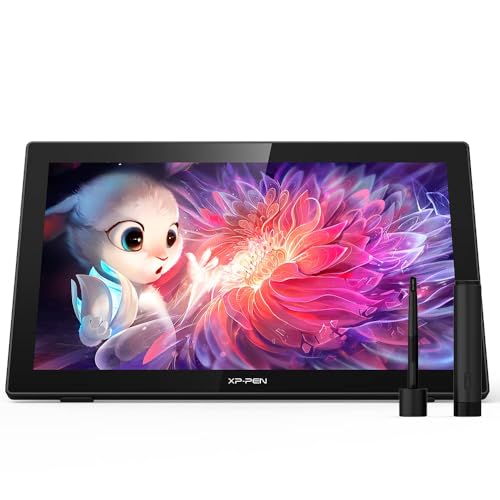
XP-Pen Artist 22 2nd 21.5 Inch Pen Display
Best for: detailed digital art on a large desktop screen
- Tablet Type
- Tethered pen display
- Screen Size
- 21.5"
- Display Resolution
- 1920 x 1080
- Pen Pressure
- 8192 levels
- Color Gamut
- 86% NTSC (Adobe RGB≥90%, sRGB≥122%)
- Operating System
- Windows
This XP-Pen Artist 22 2nd is a 21.5-inch pen display with a 1920×1080 resolution and 122% sRGB color gamut. It features a battery-free stylus with 8,192 pressure levels and 60-degree tilt support. The 8ms response time ensures smooth line delivery. It connects via USB-C to Windows or Mac computers. The large working area and adjustable stand suit detailed digital art workflows.
- 21.5-inch 1920×1080 HD LCD screen
- 122% sRGB color gamut for vivid hues
- Battery-free stylus with 8,192 pressure levels
- 60-degree tilt function support
- Adjustable stand from 16 to 90 degrees
- 17.6 pounds weight makes it less portable
- 8ms response time is slower than premium models
- Requires separate USB-C cable for connection
- You need a large 21.5-inch drawing area for detailed work
- You prioritize accurate color reproduction with 122% sRGB coverage
- You use a desktop setup with an adjustable stand
- You require a lightweight device for travel
- You want a standalone tablet without a computer
- You need a faster response time than 8ms
Verdict: XP-Pen Artist 22 2nd 21.5 Inch Pen Display offers a large canvas and precise pen control for desktop artists. It fits users who value screen size and color accuracy over portability.

XPPen Magic Drawing Pad 12.2" 256GB
Best for: portable standalone digital art creation
- Tablet Type
- Standalone
- Screen Size
- 12.2-inch
- Display Resolution
- 2160*1440
- Pen Pressure
- 16,384 levels
- Color Gamut
- 97% sRGB
- Display Finish
- AG-etched
This standalone tablet runs Android 14, so you do not need a computer to draw. It features a 12.2-inch screen with 16384 pressure levels and 16.77 million colors. The 8000 mAh battery provides thirteen hours of use. Weighing 1.3 pounds, it fits in a bag. It suits artists who want a portable, all-in-one device for creating on the go.
- 16K pressure-sensitive stylus with tilt recognition
- 12.2-inch 2160×1440 display with 97% sRGB
- 8000 mAh battery lasts thirteen hours
- Android 14 system with Google Play access
- Weighs only 1.3 pounds for portability
- 12.2-inch screen is smaller than the 22-inch competitor
- 8 GB RAM is less than high-end desktop setups
- Single 12.2-inch size option available
- You want a portable device without a computer
- You need a long battery life for travel
- You prefer a lightweight tablet under 1.5 pounds
- You require a screen larger than 12.2 inches
- You need a traditional pen-only tablet without a display
- You want to use desktop software only
Verdict: XP-Pen Magic Drawing Pad 12.2 offers a complete standalone drawing experience in a lightweight package. It fits artists who need portability and long battery life without a computer.

XP-Pen Magic Drawing Pad 12.2 Standalone
Best for: portable standalone digital art creation
- Tablet Type
- Standalone
- Screen Size
- 12.2"
- Display Resolution
- 2160×1440
- Pen Pressure
- 16384
- Color Gamut
- 97% sRGB
- Storage
- 256GB
The XP-Pen X3 Pro is a 12.2-inch standalone drawing tablet that works without a computer. It features an 8GB RAM and 256GB storage configuration running Android 14. The display offers 2160×1440 resolution and 97% sRGB color gamut. You get 16,384 pressure levels for precise strokes. The 8000mAh battery provides up to 13 hours of use. This device suits artists who need portability and all-in-one performance.
- 12.2-inch 2160×1440 display with 97% sRGB
- 16,384 pressure levels for precise drawing
- 8GB RAM and 256GB internal storage
- 13-hour battery life on 8000mAh cell
- Lightweight 599g design for portability
- 12.2-inch screen is smaller than the 22-inch Artist 22
- Standalone unit requires separate computer for full desktop software
- Single 12.2-inch size option available
- You need a portable device that does not require a computer
- You want high pressure sensitivity for detailed artwork
- You prefer a lightweight tablet for travel
- You require a large screen larger than 12.2 inches
- You need a traditional tablet that connects to a PC
- You prioritize maximum screen real estate over portability
Verdict: The XP-Pen 12.2 Inch Standalone Drawing Tablet fits artists who prioritize portability and standalone functionality. It delivers precise pressure sensitivity and ample storage in a slim, lightweight package for on-the-go creation.
Specifications side by side
| Spec | XP-Pen Artist 22 2nd 21.5 Inch Pen Display | XPPen Magic Drawing Pad 12.2" 256GB | XP-Pen Magic Drawing Pad 12.2 Standalone |
|---|---|---|---|
| Tablet Type | Tethered pen display | Standalone | Standalone |
| Screen Size | 21.5" | 12.2-inch | 12.2" |
| Display Resolution | 1920 x 1080 | 2160*1440 | 2160×1440 |
| Pen Pressure | 8192 levels | 16,384 levels | 16384 |
| Color Gamut | 86% NTSC (Adobe RGB≥90%, sRGB≥122%) | 97% sRGB | 97% sRGB |
| Display Finish | – | AG-etched | – |
| Storage | – | 256GB | 256GB |
| Operating System | Windows | – | – |
| Features | Stylus, Stylus Pen, Battery-Free Pen, Shortcut Keys, Tilt Support | Stylus, Stylus Pen, Tilt Support | – |
| Color | Black | Purple | Black |
| Dimensions | 21.2 × 13.1 × 10.2 inches | – | – |
| Weight | 17.6 pounds | 1.3 pounds | 1.3 pounds |
| Length | – | 11.4 inches | – |
| Width | – | 7.48 inches | – |
| Size | 21.5 Inch | 279 x 192 x 6.9 mm | 12.2 inch |
| Model | ArtistCD220F | Magic Drawing Pad | X3 Pro |
How to choose the right XP-Pen tablet
Prioritize Screen Size
Screen size dictates your workflow. The Artist 22 2nd features a 21.5-inch display, offering a large canvas for detailed digital art on a desktop screen. This size suits users who value precision over portability. Smaller screens are easier to move but offer less space. Check the diagonal measurement to ensure it fits your desk. A larger display allows for more complex compositions without zooming in frequently. Consider your workspace dimensions before selecting a model with a big panel.
Check Operating System
Compatibility determines which computers work with your tablet. The Artist 22 2nd supports Windows, meaning you must connect it to a compatible PC. Standalone models like the Magic Drawing Pad operate independently. You do not need a computer for these devices. Verify your current system supports the required operating system. Mismatched software can prevent the tablet from functioning. Ensure your driver compatibility is confirmed before purchasing. This step saves time and avoids connection issues during setup.
Evaluate Storage Capacity
Storage matters for standalone devices. The Magic Drawing Pad includes 256GB of space. This allows you to save many projects without external drives. Non-standalone tablets rely on your computer for storage. If you buy a pen display, storage is less critical. For portable artists, ample internal memory is essential. Check the gigabyte count to ensure it meets your needs. Large files require more space. Adequate storage prevents you from managing files externally constantly.
Consider Weight and Portability
Weight affects how easily you can move your device. The Artist 22 2nd weighs 17.6 pounds, making it a fixed desktop unit. It is not designed for travel. In contrast, the Magic Drawing Pad weighs only 1.3 pounds. This lightweight design fits easily into a bag. You can draw anywhere with a standalone model. Check the weight specifications if you travel often. A heavy tablet restricts your mobility. Choose a light model for on-the-go creation sessions.
Review Pen Features
Pen technology impacts drawing precision. Look for tilt support and pressure levels. The Magic Drawing Pad offers 16K pressure levels. This ensures smooth line variations. Battery-free pens reduce maintenance needs. Shortcut keys on the Artist 22 2nd improve workflow efficiency. Tilt support allows for natural shading techniques. Check the attributes list for these specific features. The right pen tools enhance your creative process significantly. Match the features to your artistic style and technical requirements.
Frequently asked questions
Which XP-Pen tablet is best for desktop art?
The Artist 22 2nd is the top choice for desktop artists. It features a 21.5-inch pen display that provides a large canvas for detailed work. The device includes tilt support and a battery-free pen for precise control. Its substantial size suits users who prioritize screen real estate over portability.
Can I draw without a computer on XP-Pen tablets?
Yes, the Magic Drawing Pad models operate as standalone devices. They include 256GB of storage for saving files directly to the tablet. You can create art independently without connecting to a PC or Mac. This feature makes them ideal for artists who need to work away from a desk.
How much storage do the standalone XP-Pen tablets have?
Both the purple and black Magic Drawing Pad models offer 256GB of internal storage. This ample space allows you to save numerous projects without needing external drives. You do not need to worry about running out of room for your digital sketches and finished illustrations.
Which XP-Pen tablet is the most portable?
The Magic Drawing Pad is the most portable option. It weighs only 1.3 pounds and measures 11.4 inches in length. The slim design fits easily into a bag. You can take your art anywhere without the bulk of a traditional pen display or a heavy computer.
Does the Artist 22 2nd support tilt?
Yes, the Artist 22 2nd includes tilt support. This feature allows the pen to detect angle changes, adding natural shading to your strokes. It works with the included battery-free stylus to provide a responsive drawing experience. This is useful for artists who want realistic brush dynamics.
What operating systems work with the XP-Pen Artist 22 2nd?
The Artist 22 2nd is designed for Windows operating systems. It functions as a pen display, meaning you connect it to your computer to draw on the screen. You will need a compatible Windows PC to utilize its 21.5-inch display and full feature set.
What is the difference between the two Magic Drawing Pads?
The primary difference is the color. One model is purple, while the other is black. Both share the same 12.2-inch size, 256GB storage, and standalone functionality. You can choose based on your personal aesthetic preference, as the performance and specifications remain identical for both versions.


