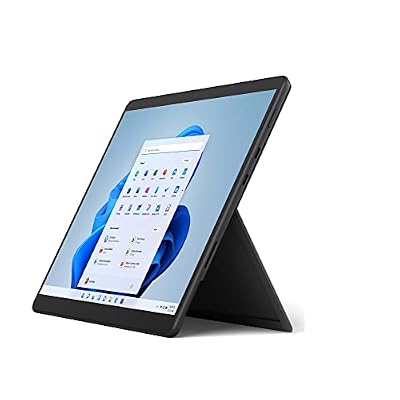
Fusion5 2026 Version 10.1″ Windows 11 Pro Tablet Review: Who It Fits and Who Should Skip It
This fusion5 version 10 1 windows 11 pro tablet review covers the Fusion5 Helios 10.

What this report covers
- Last updated
- 4 Nov 2026
Figures above are read from the product listings for the models named below. Scores are out of 10, based on listed specifications and buyer feedback.
As Amazon Associates, we earn from qualifying purchases. This means we may receive a small commission at no extra cost to you if you click through and make a purchase.
As an Amazon Associate we earn from qualifying purchases. Links on this page are affiliate links.
This fusion5 version 10 1 windows 11 pro tablet review covers the Fusion5 Helios 10. It is a 10.1-inch Windows 11 Pro device assembled in the USA. The hardware centers on two defining specs: an Intel 15th Gen Alder Lake N150 processor and 12GB of DDR5 RAM. These components work with a 512GB SSD to handle productivity tasks. The unit includes an active cooling fan to manage heat during heavy workloads. You get a metal body and full-function connectivity options. It offers a sharp FHD+ display for clear visuals. This setup targets users needing portable desktop power.
- Intel 15th Gen Alder Lake N150 processor for improved multitasking speed.
- 12GB DDR5 RAM paired with a 512GB SSD for fast storage access.
- Active cooling fan prevents throttling during extended use.
- 10.1-inch FHD+ display with a 16:10 aspect ratio for better productivity.
Good fit for
This tablet suits professionals who need Windows 11 Pro in a portable form factor. The 12GB of DDR5 RAM and active cooling make it ideal for multitasking with office applications. The full-function USB-C ports and Micro HDMI output allow you to connect to external monitors and peripherals easily. If you require a durable metal device assembled in the USA for business or travel, this configuration supports your workflow. The 512GB SSD provides ample space for files and apps without slowing down your system.
Who can skip it
You should look at another option if you prioritize long battery life over raw performance. The 4500mAh battery may not last all day under heavy processing loads. This device is also not ideal for media consumption due to its small 10.1-inch screen size. Gamers will find the integrated graphics insufficient for demanding titles. If you need a lightweight device for casual reading or browsing, the metal build and cooling fan add unnecessary weight and complexity. This unit is designed for productivity, not entertainment.
Verdict
The Fusion5 Helios 10 delivers solid Windows 11 Pro performance for productivity-focused users. Its active cooling and DDR5 RAM make it a reliable choice for mobile office work.
Key specs explained for you
Intel 15th Gen Alder Lake N150
This processor delivers up to 158% more performance than the previous PRO N5 model. You will notice smoother multitasking and faster workflow execution. It handles demanding applications with greater ease. This speed advantage makes the device suitable for users who need responsive computing power for productivity tasks without lag or stuttering.
12GB DDR5 RAM
Next-generation DDR5 memory ensures smooth operation when running multiple applications simultaneously. You can switch between programs quickly without system slowdowns. This amount of memory supports efficient multitasking for office work, browsing, and media consumption. It helps maintain performance stability during extended use sessions on your tablet.
10.1" FHD+ Display (1920×1200, 400 Nits)
The screen offers sharp visuals with a taller 16:10 aspect ratio. You get better productivity space for documents and web pages. The 400-nit brightness ensures readability in various lighting conditions. This resolution and format provide vivid details for streaming, reading, and browsing in a compact design that fits easily in your hands.
Active Cooling Fan
An integrated fan prevents overheating and avoids performance throttling during heavy workloads. You can rely on stable performance for extended periods of use. This feature is ideal for productivity tasks and multitasking that require sustained power. It ensures the tablet remains cool and responsive even when running demanding applications for long durations.
512GB SSD Storage
High-speed SSD storage provides fast boot times and ample space for your files. You can store numerous apps, documents, and media without worrying about running out of room. The speed ensures quick access to your data. This capacity supports a versatile computing experience, keeping your system responsive and organized for daily use.
Design and build quality
The listing describes a premium metal body with a professional finish. This durable casing suggests a device built for longevity rather than disposable electronics. According to the listing, the unit is assembled in Florida, USA. This manufacturing choice implies stricter quality control and potentially faster logistics for buyers in the region. The materials are CE and FCC compliant, ensuring they meet standard safety regulations for consumer electronics.
You hold a tablet measuring 10 inches in length and 6.69 inches in width. The device sits at 0.43 inches thick and weighs 1.4 pounds. This compact form factor fits easily into bags or small desks. The 10.1-inch display dominates the front, framed by the metal chassis. The 16:10 aspect ratio provides extra vertical space, which helps when you are reading documents or browsing web pages.
Connectivity ports are placed for practical access. You get two full-function USB-C ports, a USB 3.0 port, a Micro HDMI output, and a 3.5mm headphone jack. This layout supports multiple peripherals without needing dongles. The inclusion of a built-in cooling fan indicates the design prioritizes sustained performance. You can expect stable operation during heavy workloads, as the fan prevents overheating and throttling. This active cooling system allows the metal body to dissipate heat effectively while maintaining speed.
Setup and everyday use
Setup begins with the pre-installed Windows 11 Pro operating system. You do not need to install drivers or additional software to start working. The device boots quickly thanks to the 512GB SSD. This storage capacity allows you to keep your operating system, applications, and files on one drive without immediate external backups. The 12GB of DDR5 RAM supports smooth multitasking. You can switch between web browsers, office suites, and media players without significant lag. The active cooling fan is a key feature for daily use. It prevents the Intel 15th Gen Alder Lake N150 processor from throttling during heavy workloads. This means you can run demanding applications for extended periods without the device slowing down due to heat. The 10.1-inch FHD+ display offers a 16:10 aspect ratio. This taller screen is practical for reading documents and browsing the web. You get 1920×1200 resolution and 400 nits of brightness, which aids visibility in various lighting conditions. Connectivity is straightforward. Two full-function USB-C ports, a USB 3.0 port, and a Micro HDMI output provide flexibility. You can connect external monitors, storage drives, or peripherals easily. The 3.5mm headphone jack allows for direct audio connection. Battery life is supported by a 4500mAh cell. You can recharge it fully using the included 36W USB-C Power Delivery adapter. This fast charging capability ensures minimal downtime between tasks. The metal body adds durability. It feels solid in hand and resists minor bumps. The compact 10-inch form factor makes it portable. You can carry it in a standard bag. The device is designed for productivity and everyday computing tasks. It suits users who need a reliable Windows tablet for work or study. The combination of speed, cooling, and ports makes it a versatile tool for daily use.
Before you buy this tablet
You should verify peripheral compatibility before purchasing. The tablet includes two full-function USB-C ports, a USB 3.0 port, and a Micro HDMI output. You will need appropriate adapters or cables to connect standard USB-A devices or external monitors. The 3.5mm headphone jack allows for wired audio, which is useful in noisy environments. Because the device uses Windows 11 Pro, you can run full desktop applications. This makes it distinct from standard Android or iPad options in this category. You may want a protective case, as the metal body, while durable, benefits from impact protection. The active cooling fan suggests you should avoid blocking ventilation areas. Keep the device away from direct sunlight to preserve the 400-nit display. This tablet suits users who need a portable, full-PC experience. It fits best for those who prioritize processing power and connectivity over a lightweight, always-on mobile device. Consider your need for desktop software versus mobile apps when choosing between this and other tablets.
Check before you buy
- Check if you need USB-A adapters for your existing cables.
- Verify that your apps are compatible with Windows 11 Pro.
- Ensure you have a protective case for the metal body.
- Confirm your need for desktop software over mobile apps.

Fusion5 Helios 10 10.1" Windows 11 Pro Tablet
Best for: Portable Windows productivity and multitasking
- Screen Size
- 10.1"
- Internal Storage
- 512GB
- Processor
- Intel 15th Gen Alder Lake N150
- RAM
- 12GB DDR5
- Operating System
- Windows
- Dimensions
- 10 × 6.69 × 0.43 inches
The Fusion5 Helios 10 is a 10.1-inch Windows 11 Pro tablet assembled in the USA. It features a 15th Gen Intel Alder Lake N150 processor, 12GB of DDR5 RAM, and a 512GB SSD. The device includes an active cooling fan and a 400-nit FHD+ display. You get full connectivity with USB-C ports and Micro HDMI. This build suits users needing reliable multitasking and portable productivity.
- 15th Gen Intel Alder Lake N150 processor with active cooling fan
- 12GB DDR5 RAM and 512GB SSD for fast multitasking
- 10.1-inch FHD+ display with 400-nit brightness
- Assembled in the USA with a metal body
- 1.4-pound weight adds bulk for one-handed use
- 10.1-inch screen size limits workspace compared to larger tablets
- 4500mAh battery capacity may require frequent recharging during heavy workloads
- You need a portable Windows device for office tasks
- You value US assembly and durable metal construction
- You require multiple ports for peripherals and displays
- You prefer lightweight tablets for extended handheld reading
- You need a larger screen for detailed creative work
- You want all-day battery life without charging
Verdict: Fusion5 Helios 10 10.1" Windows 11 Pro Tablet fits professionals who need a compact, powerful Windows machine for travel. It delivers solid performance for multitasking in a durable, US-assembled package.
Specifications side by side
| Spec | Fusion5 Helios 10 10.1" Windows 11 Pro Tablet |
|---|---|
| Screen Size | 10.1" |
| Internal Storage | 512GB |
| Processor | Intel 15th Gen Alder Lake N150 |
| RAM | 12GB DDR5 |
| Storage | 512GB |
| Operating System | Windows |
| Dimensions | 10 × 6.69 × 0.43 inches |
| Weight | 1.4 pounds |
| Size | 10.1" |
| Model | Helios10 |
Frequently asked questions
Is the Fusion5 Helios 10 good for business travel?
Yes, it fits professionals who need a compact Windows machine. It weighs 1.4 pounds and measures 0.43 inches thick. The durable metal body and US assembly suggest it handles travel well. You get a portable device that balances power with portability for on-the-go work.
Does this tablet have enough storage for daily files?
It includes 512GB of storage. This capacity allows you to keep your operating system, applications, and files locally. The fast SSD boot times mean you spend less time waiting. You can store significant data without relying solely on cloud services for your core workflow.
What operating system does the Fusion5 Helios 10 run?
It runs Windows 11 Pro. You do not need to install drivers or additional software to start working. The pre-installed OS allows for immediate productivity. This version supports professional features and full desktop applications, making it suitable for complex multitasking tasks.
How portable is the 10.1-inch screen size?
The 10-inch screen offers a balance between viewing area and portability. The device measures 6.69 inches wide and 10 inches long. This size fits easily into most bags. You get a display large enough for documents but small enough for comfortable handheld use during commutes.
Is the build quality suitable for long-term use?
The listing describes a premium metal body with a professional finish. This durable casing suggests a device built for longevity. It is assembled in Florida, USA, which implies stricter quality control. You get a robust machine designed to withstand daily handling rather than disposable electronics.
Can I connect external monitors to this tablet?
Yes, it includes a Micro HDMI output. You can connect external displays for expanded workspace. The tablet also features two full-function USB-C ports and a USB 3.0 port. You will need appropriate adapters or cables to connect standard USB-A devices or older peripherals.