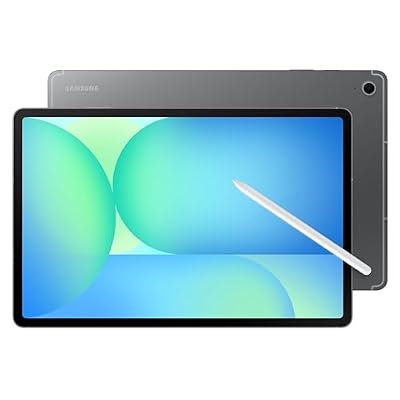
Microsoft Surface Go 2-10.5″ Touch-Screen vs Microsoft Surface Pro 7 12.3in (2026): Key Differences
You are comparing the microsoft surface go 2 10 5 touch screen vs surface pro 7 12 3in.

What this report covers
- Last updated
- 4 Nov 2026
Figures above are read from the product listings for the models named below. Scores are out of 10, based on listed specifications and buyer feedback.
As Amazon Associates, we earn from qualifying purchases. This means we may receive a small commission at no extra cost to you if you click through and make a purchase.
As an Amazon Associate we earn from qualifying purchases. Links on this page are affiliate links.
You are comparing the microsoft surface go 2 10 5 touch screen vs surface pro 7 12 3in. Both devices offer 128GB of storage and 8GB of RAM. They share a platinum finish and Windows operating system. The main difference is the screen size. The Go 2 has a 10.5-inch display. The Pro 7 features a larger 12.3-inch screen. This affects portability and workspace.
Screen Size
10.5 inches
12.3 inches
Processor
Intel Core m3
Intel Core i5-1035G4
Resolution
1920 x 1280
2736 x 1824
Weight
1.15 lbs
1.7 lbs
Ports
USB-C, Surface Connect
USB 3.0, Mini DisplayPort
Cameras
not listed
5MP front, 8MP rear
Choose the first if
- You need the lightest possible tablet for travel.
- You prefer a smaller screen for one-handed use.
- You want a device that starts at 1.15 lbs.
Choose the second if
- You need a higher resolution display for detailed work.
- You require faster processing with a Core i5 chip.
- You want multiple port types like USB 3.0 and Mini DisplayPort.
Verdict
The Surface Go 2 is better for users prioritizing extreme portability and a smaller footprint. The Surface Pro 7 suits those who need more screen real estate and processing power. Choose based on whether you value weight or performance.
Surface Go 2 vs Pro 7 Specs
Screen size and resolution
Edge: Microsoft Surface Pro 7 12.3-inch
The Microsoft Surface Go 2 features a 10.5-inch PixelSense touchscreen with a resolution of 1920 x 1280 pixels, resulting in a pixel density of 216 ppi. In contrast, the Microsoft Surface Pro 7 offers a larger 12.3-inch PixelSense display. This larger screen provides a higher resolution of 2736 x 1824 pixels. The increased screen real estate on the Pro 7 allows for more detailed visuals and better multitasking capabilities. You get sharper images on the Pro 7 due to its higher pixel count. The Go 2 remains compact, which suits portable use, but the Pro 7 delivers a superior visual experience for media consumption and productivity tasks.
Processor performance
Edge: Microsoft Surface Pro 7 12.3-inch
Processing power differs significantly between these two tablets. The Surface Go 2 is equipped with an Intel Core m3 processor. This chip is designed for efficiency and light tasks, offering up to 3.4Hz clock speeds. The Surface Pro 7 steps up with a 10th Gen Intel Core i5-1035G4 processor running at 3.70GHz. The i5 chip provides more computational power and better handling of demanding applications. If you plan to run multiple programs or edit documents, the Pro 7 will feel faster. The Go 2 is adequate for basic browsing and media, but the Pro 7 is the stronger choice for performance-heavy workflows.
Graphics capabilities
Edge: Microsoft Surface Pro 7 12.3-inch
Graphics performance is another area where the models diverge. The Surface Go 2 uses integrated Intel HD Graphics 615. This is sufficient for standard desktop tasks and video playback. The Surface Pro 7 utilizes Intel Iris Plus Graphics. This graphics solution generally offers better performance for light gaming and more complex visual tasks. The Iris Plus architecture provides improved rendering speeds and efficiency. For users who need occasional graphic acceleration, the Pro 7 has the advantage. The Go 2 handles everyday graphics without issue, but the Pro 7 is more capable for visually intensive work.
Camera and multimedia
Edge: Microsoft Surface Pro 7 12.3-inch
Multimedia features vary between the two devices. The Surface Pro 7 includes both a 5MP front-facing camera and an 8MP rear-facing camera, supporting 1080p HD video recording. This setup is useful for video calls and photography. The Surface Go 2 data does not specify camera details, so its capabilities are unknown from this source. Additionally, the Pro 7 features stereo speakers with Dolby Audio-enhanced sound, offering richer audio output. The Go 2 mentions a 3.5mm headphone jack, allowing for private listening. If cameras and built-in speakers are important to you, the Pro 7 is the clear winner.
Connectivity and ports
Edge: Microsoft Surface Pro 7 12.3-inch
Port selection differs between the tablets. The Surface Go 2 provides a USB-C port, a 3.5mm headphone jack, a Surface Connect port, and a MicroSDXC card reader. It also supports the Surface Dial. The Surface Pro 7 offers a full-size USB 3.0 port, a microSD card reader, a headphone jack, a Mini DisplayPort, and a charging port. The Pro 7 also includes Bluetooth 4.0 and Wi-Fi 802.11a/b/g/n/ac. The Go 2 lacks a full-size USB port, which may require adapters. The Pro 7 provides more versatile connectivity options for traditional peripherals and displays.
Portability and weight
Edge: Microsoft Surface Go 2 10.5" Tablet
Portability is a key factor for tablet users. The Surface Go 2 is described as the lightest Surface yet, starting at just 1.15 lbs. Its dimensions are 9.65 inches in height and 6.9 inches in length. The Surface Pro 7 weighs 1.7 pounds and measures 7.9 inches in height and 11.5 inches in length. The Go 2 is significantly lighter and more compact, making it easier to hold for long periods or carry in a bag. The Pro 7 is larger and heavier, which may cause fatigue during handheld use. If you prioritize lightweight portability, the Go 2 is the better option.
Which Surface fits your workflow best
Users prioritizing portability and light weight
Our pick: Microsoft Surface Go 2 10.5" Tablet
The Surface Go 2 weighs just 1.15 lbs and measures 6.9 by 9.65 inches. This compact form factor makes it easier to hold for long periods. You get a 10.5-inch display that fits in smaller bags. The 9-hour battery life supports unplugged use. It is the lighter option for travel or casual reading.
Users needing higher resolution and performance
Our pick: Microsoft Surface Pro 7 12.3-inch
The Surface Pro 7 features a 12.3-inch screen with 2736 x 1824 resolution. This offers sharper text and more screen real estate. It uses an Intel Core i5 processor, which is faster than the Go 2's m3 chip. The larger display is better for multitasking and detailed work. You get more pixels for the same RAM.
Users wanting more connectivity options
Our pick: Microsoft Surface Pro 7 12.3-inch
The Surface Pro 7 includes a full-size USB 3.0 port and a Mini DisplayPort. These allow you to connect more peripherals without adapters. It also has Bluetooth 4.0 and stereo speakers. The Go 2 only has a single USB-C port. If you need to plug in multiple devices directly, the Pro 7 is the more versatile choice.

Microsoft Surface Go 2 10.5" Tablet
Best for: portable, lightweight Windows tablet use
- Screen Size
- 10.5 inches
- Internal Storage
- 128 GB SSD
- Processor
- Intel Core m3
- RAM
- 8 GB
- Display Type
- PixelSense
- Battery Life
- Up to 9 hours
The Microsoft Surface Go 2 is a lightweight tablet with a 10.5-inch PixelSense touchscreen. It uses an Intel Core m3 processor and 8GB of RAM for everyday tasks. The 128GB SSD offers basic storage. Weighing 1.15 lbs, it is the lightest Surface model. It runs Windows 11 and connects via USB-C. This device suits users who need a portable, compact computer for light work and media consumption.
- 10.5-inch PixelSense touchscreen with 1920 x 1280 resolution
- Lightweight design at just 1.15 lbs
- Intel Core m3 processor with 8GB RAM
- 128GB SSD storage and MicroSD card reader
- Smaller 10.5-inch display compared to the 12.3-inch Surface Pro 7
- Lower 128GB storage capacity versus higher-tier models
- Intel Core m3 processor is less powerful than i5 options
- You need a highly portable device that fits easily in a bag
- You primarily use apps that do not require heavy processing power
- You prefer a compact 10.5-inch screen for handheld use
- You require a large 12.3-inch display for detailed work
- You need high performance for demanding multitasking or gaming
- You require more than 128GB of internal storage
Verdict: Microsoft Surface Go 2 10.5" Tablet is a compact, lightweight option for users who prioritize portability over screen real estate and raw power. It fits those who need a simple, travel-friendly Windows device for basic tasks.
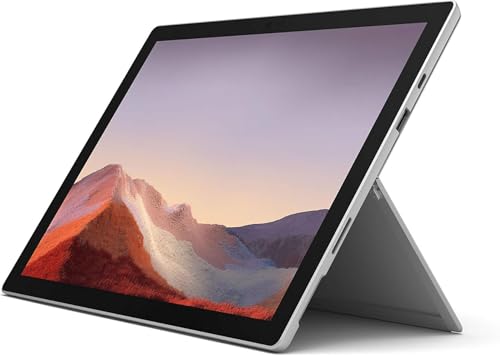
Microsoft Surface Pro 7 12.3-inch
Best for: users needing high-res display and i5 power
- Screen Size
- 12.3-inch
- Internal Storage
- 128GB SSD
- Processor
- Intel Core i5-1035G4
- RAM
- 8GB
- Display Type
- PixelSense
- Connectivity
- 802.11a/b/g/n/ac Wi-Fi, Bluetooth 4.0
The Microsoft Surface Pro 7 features a 12.3-inch PixelSense touchscreen with 2736 x 1824 resolution. It runs on an Intel Core i5-1035G4 processor with 8GB RAM and a 128GB SSD. This 1.7-pound device offers full-size USB 3.0 and Mini DisplayPort connectivity. It suits users who need a versatile Windows tablet with strong performance for daily tasks and media consumption.
- Intel Core i5-1035G4 3.70GHz processor
- 12.3-inch 2736 x 1824 PixelSense display
- 8GB RAM and 128GB SSD storage
- Full-size USB 3.0 and Mini DisplayPort
- 128GB storage capacity is limited
- 1.7-pound weight adds bulk for portability
- You need a larger 12.3-inch screen for productivity
- You require full-size USB 3.0 connectivity
- You want a powerful i5 processor for multitasking
- You prefer a lighter device under 1.5 pounds
- You need more than 128GB of internal storage
- You prioritize a smaller 10-inch form factor
Verdict: Microsoft Surface Pro 7 12.3in i5 fits professionals who value a high-resolution display and robust processing power over compact size. It is ideal for users who need desktop-class performance in a tablet form factor.
Specifications side by side
| Spec | Microsoft Surface Go 2 10.5" Tablet | Microsoft Surface Pro 7 12.3-inch |
|---|---|---|
| Screen Size | 10.5 inches | 12.3-inch |
| Internal Storage | 128 GB SSD | 128GB SSD |
| Processor | Intel Core m3 | Intel Core i5-1035G4 |
| RAM | 8 GB | 8GB |
| Display Type | PixelSense | PixelSense |
| Connectivity | – | 802.11a/b/g/n/ac Wi-Fi, Bluetooth 4.0 |
| Battery Life | Up to 9 hours | – |
| Storage | 128GB | 128GB |
| Operating System | Windows | – |
| Display | Touchscreen | – |
| Dimensions | 6.9 × 0.33 × 9.65 inches | 11.5 × 0.33 × 7.9 inches |
| Weight | – | 1.7 pounds |
| Size | Surface Go 2 | 8GB | 128GB | 8GB RAM 128GB SSD |
| Color | Platinum | Platinum |
| Model | Microsoft Surface Go 2 | Surface Pro 7 |
Frequently asked questions
Is the Surface Go 2 smaller than the Surface Pro 7?
Yes, the Surface Go 2 is more compact. It measures 6.9 inches in length and 9.65 inches in height. The Surface Pro 7 is larger, with a length of 11.5 inches and a height of 7.9 inches. Both devices share the same width of 0.33 inches. The Go 2 is designed for handheld use, while the Pro 7 is built for desktop-style productivity.
Do both tablets have the same amount of RAM?
Yes, both devices include 8GB of RAM. The Surface Go 2 is listed with an 8GB configuration. The Surface Pro 7 also features 8GB of RAM paired with 128GB of SSD storage. This shared memory capacity allows both tablets to handle multitasking similarly, though the Pro 7 has a more powerful processor for heavier workloads.
Which Surface device is lighter to carry?
The Surface Go 2 is lighter. It weighs 1.15 pounds, making it easy to hold for extended periods. The Surface Pro 7 weighs 1.7 pounds. The extra weight of the Pro 7 comes from its larger chassis and more robust internal components. If you prioritize a lightweight device for travel, the Go 2 is the better choice.
Can I use the Surface Go 2 as a primary computer?
It depends on your needs. The Surface Go 2 is best for portable, lightweight Windows tablet use. It is ideal for basic tasks and travel. The Surface Pro 7 offers i5 power and a high-resolution display, fitting professionals who need desktop-class performance. If you require heavy processing power, the Pro 7 is more suitable than the compact Go 2.
Do these models come in the same color?
Yes, both devices are available in Platinum. The Surface Go 2 is listed in a Platinum finish. The Surface Pro 7 also comes in Platinum. This shared color option allows you to match accessories or maintain a consistent aesthetic across your Microsoft devices. The finish does not impact performance or functionality.
Is the storage capacity identical on both devices?
Yes, both tablets offer 128GB of storage. The Surface Go 2 provides 128GB of internal space. The Surface Pro 7 also includes 128GB of SSD storage. This capacity is sufficient for documents, photos, and moderate app usage. You may need external storage if you plan to keep large media files or extensive software libraries on either device.