XP-Pen XPPen Artist Pro 14 Gen2 Drawing Tablet Alternatives: 6 Similar Picks Compared
You are looking for xp pen xppen artist pro 14 gen2 drawing tablet alternatives because your needs may differ from its specific design.

What this report covers
- Last updated
- 4 Nov 2026
Figures above are read from the product listings for the models named below. Scores are out of 10, based on listed specifications and buyer feedback.
As Amazon Associates, we earn from qualifying purchases. This means we may receive a small commission at no extra cost to you if you click through and make a purchase.
As an Amazon Associate we earn from qualifying purchases. Links on this page are affiliate links.
You are looking for xp pen xppen artist pro 14 gen2 drawing tablet alternatives because your needs may differ from its specific design. The original model offers a compact 14-inch full-laminated screen with 16K pressure sensitivity and a wireless remote. It is a pen display that requires a computer connection and emphasizes portability with a foldable stand. However, you might prefer a different screen size, a distinct brand, or additional physical shortcut keys. Some users seek larger workspaces or lighter builds that this particular unit does not provide. We selected these alternatives because their specifications overlap with the original product. This ensures you can compare direct competitors on shared features like laminated displays and tilt support. The list includes options ranging from 14 to 21.5 inches, allowing you to find a device that matches your exact workflow requirements. Each pick shares core capabilities with the Artist Pro 14 Gen2 while offering unique variations in form factor and control layout. You can choose based on whether you prioritize screen real estate, weight, or specific button configurations. This comparison helps you identify the best fit for your digital art or design projects.
How Alternatives Compare to Original
GAOMON PD156Pro 15.6" Full-Laminated Tablet
The GAOMON PD156Pro offers a larger 15.6-inch full-laminated screen compared to the 14-inch display on the original. It retains the dial and shortcut keys for tactile control. However, it provides only 8192 pressure levels, which is half the sensitivity of the original's 16K resolution. The color gamut covers 120% sRGB area, differing from the original's 99% sRGB coverage. You get a single-cable setup similar to the original's bundled connectivity. This model suits illustrators who prefer a bigger canvas and do not need the highest pressure precision. It is a practical alternative for those prioritizing screen size over maximum stylus nuance.
XP-Pen Artist 15.6 Pro Drawing Tablet
This XP-Pen model features a 15.6-inch full-laminated display, giving you more workspace than the 14-inch original. It also supports 16K pressure levels, matching the original's high sensitivity. The key difference is the inclusion of physical shortcut keys alongside the dial, whereas the original relies on a wireless remote. The build is heavier at 7.28 pounds, making it less portable than the original's compact design. It is ideal for artists who want a dedicated dial and keys without sacrificing pressure resolution. If you need a mid-size screen with tactile controls, this is a strong option.
HUION KAMVAS Pro 16 15.6-Inch Pen Display
The HUION KAMVAS Pro 16 provides a 15.6-inch full-laminated screen, offering more real estate than the original. It includes shortcut keys for tactile input, similar to the dial functionality. However, it uses 8192 pressure levels, which is lower than the original's 16K capability. The weight is 2.65 pounds, making it slightly lighter than some competitors but still substantial. It lacks the wireless remote found with the original. This tablet is best for artists who value screen accuracy and physical buttons over maximum pressure sensitivity. It is a solid choice for those who do not need the highest resolution stylus data.
GAOMON PD2200 21.5-Inch Drawing Tablet
The GAOMON PD2200 features a large 21.5-inch full-laminated screen, significantly larger than the original's 14-inch display. It includes shortcut keys for direct control, replacing the need for a wireless remote. The model does not specify pressure levels, so you cannot compare precision directly. The weight is 8.49 pounds, making it much heavier and less portable than the original. It is designed for artists who prioritize a large canvas for detailed work. If you need screen real estate and physical controls over portability and high pressure resolution, this model fits your needs.
HUION Kamvas 22 Plus 21.5" Pen Display
This HUION model offers a 21.5-inch full-laminated QLED display, providing a much larger workspace than the original. It supports Android connectivity, similar to the original's compatibility options. The device lacks shortcut keys and a dial, relying instead on the stylus or external controls. It is heavier at 7.5 pounds, reducing portability compared to the original. The model does not list pressure sensitivity levels, so precision cannot be directly compared. It is suitable for artists who need a large, color-accurate screen and do not mind a heavier, tethered setup. It is a good choice for stationary illustration work.
HUION KAMVAS 16 15.6-Inch Drawing Tablet
The HUION KAMVAS 16 features a 15.6-inch full-laminated screen, offering more space than the original. It includes shortcut keys for tactile control, differing from the original's wireless remote approach. The pressure sensitivity is 8192 levels, which is lower than the original's 16K resolution. The weight is 2.78 pounds, making it slightly heavier than the original but still manageable. It supports Android connectivity, aligning with the original's versatility. This model is ideal for artists who prioritize portability and a full-laminated screen with anti-glare protection. It is a practical alternative for those who value physical buttons over maximum pressure precision.
| # | Product | Best for | Price |
|---|---|---|---|
| 1 | XPPen Artist Pro 14 Gen2 14-Inch Pen Display Best overall | Compact 14-inch digital illustration and design | |
| 2 | GAOMON PD156Pro 15.6" Full-Laminated Tablet Also great | portable digital art with dial controls | |
| 3 | XP-Pen Artist 15.6 Pro Drawing Tablet Best premium | artists needing a dial and 15.6-inch full-laminated screen | |
| 4 | HUION KAMVAS Pro 16 15.6-Inch Pen Display Best budget | artists prioritizing screen accuracy and tactile controls | |
| 5 | GAOMON PD2200 21.5-Inch Drawing Tablet Also great | artists needing a large 21.5-inch workspace | |
| 6 | HUION Kamvas 22 Plus 21.5" Pen Display Also great | Large canvas digital illustration and animation | |
| 7 | HUION KAMVAS 16 15.6-Inch Drawing Tablet Also great | portable illustration and design work |

XPPen Artist Pro 14 Gen2 14-Inch Pen Display
Best for: Compact 14-inch digital illustration and design
- Tablet Type
- Tethered pen display
- Screen Size
- 14"
- Pen Pressure
- 16384 levels
- Color Gamut
- 99% sRGB, 123% sRGB
- Display Finish
- Full laminated, anti-glare etched glass
- Shortcut Controls
- Wireless Shortcut Remote
The XP-Pen Artist Pro 14 Gen2 is a 14-inch pen display that connects to a computer. It features a full-laminated anti-glare screen with 99% sRGB coverage and 16K pressure levels. The included wireless remote and tilt support streamline your workflow. This device suits digital artists who need precise color accuracy and a compact 14-inch workspace for detailed illustration work.
- 16K pressure sensitive stylus for precise lines
- Full-laminated anti-glare screen with 99% sRGB coverage
- Includes wireless shortcut remote and dial
- Supports tilt recognition for natural shading
- 14-inch display is smaller than the 15.6 and 16-inch options on this list
- Requires connection to a computer and is not standalone
- 16K pressure levels are fewer than the 32K+ levels found in some competitors
- You need a compact 14-inch drawing area for detailed work
- You want a wireless remote for quick function access
- You prioritize high color accuracy with 99% sRGB coverage
- You need a standalone tablet that works without a computer
- You prefer a larger 16-inch or 22-inch screen real estate
- You require 32K or higher pressure sensitivity levels
Verdict: The XP-Pen Artist Pro 14 Gen2 14-inch offers a compact, color-accurate workspace with 16K pressure sensitivity. It fits digital illustrators who value portability and wireless control over larger screen sizes.
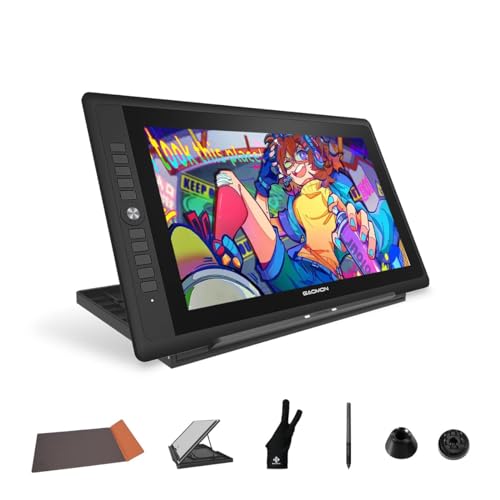
GAOMON PD156Pro 15.6" Full-Laminated Tablet
Best for: portable digital art with dial controls
- Tablet Type
- Tethered pen display
- Screen Size
- 15.6 inch
- Display Resolution
- 1920 x 1080 FHD
- Pen Pressure
- 8192 levels
- Color Gamut
- 120% sRGB
- Display Finish
- Full-laminated, anti-glare film
The GAOMON PD156Pro is a 15.6-inch pen display with full-laminated technology and a 120% sRGB color gamut. It features an anti-glare screen and a battery-free stylus with 8192 pressure levels. The device connects via a single cable and includes a dial plus ten shortcut keys. It weighs 2.87 pounds and measures 12mm thick. This model suits artists who need a portable, paper-like drawing surface for digital illustration.
- 15.6-inch full-laminated display with 120% sRGB color gamut
- Battery-free stylus with 8192 pressure levels and tilt support
- Includes a dial and 10 programmable shortcut keys
- Single-cable connection for power and data
- Pre-applied anti-glare film for a paper-like experience
- 120% sRGB color gamut is lower than competitors offering 130% or 140%
- 8192 pen pressure levels are fewer than rivals providing 16384 levels
- 15.6-inch screen is smaller than the 21.5-inch or 22-inch options available
- You want a full-laminated screen with an anti-glare finish
- You prefer a dial and shortcut keys for workflow efficiency
- You need a lightweight, single-cable connected pen display
- You require a color gamut wider than 120% sRGB
- You need more than 8192 pressure levels for your stylus
- You want a screen larger than 15.6 inches
Verdict: GAOMON PD156Pro 15.6-Inch Drawing Tablet is a practical pick for illustrators who value a portable, single-cable setup with a dial and shortcut keys, provided its 120% sRGB and 8192 pressure levels meet your needs.

XP-Pen Artist 15.6 Pro Drawing Tablet
Best for: artists needing a dial and 15.6-inch full-laminated screen
- Screen Size
- 15.6"
- Display Resolution
- 1920×1080 FHD
- Pen Pressure
- 16384 levels
- Color Gamut
- 88% NTSC (120% sRGB)
- Display Finish
- Full-laminated
- Shortcut Controls
- 8 shortcut keys, Red Dial
The XP-Pen Artist 15.6 Pro is a 15.6-inch pen display designed for use with a computer. It features a full-laminated IPS screen with 1920×1080 resolution and 120% sRGB color coverage. The tablet includes a battery-free stylus with 16384 pressure levels and tilt support. You get eight customizable express keys and a programmable red dial for workflow efficiency. The device has a slim 11 mm profile.
- 15.6-inch full-laminated IPS display with 1920×1080 resolution
- 16384 levels of pen pressure sensitivity with tilt support
- 120% sRGB color gamut for accurate color reproduction
- Includes a programmable red dial for zooming and scrolling
- Eight customizable express keys for shortcut access
- Heavier build at 7.28 pounds compared to lighter competitors
- Smaller screen size than 16-inch and 22-inch alternatives
- Lower color accuracy rating of 88% NTSC versus higher standards
- You want a full-laminated screen with a dedicated dial for navigation
- You need a 15.6-inch display that fits standard desk setups
- You prefer a slim 11 mm profile for your workspace
- You require a standalone tablet that does not need a computer
- You need a screen larger than 15.6 inches for detailed work
- You prioritize a lighter device under 5 pounds for portability
Verdict: The XP-Pen Artist 15.6 Pro Pen Display offers a balanced mix of resolution and color for artists who need a dedicated dial. It fits users who want a mid-size screen with a slim profile but can manage the heavier weight.
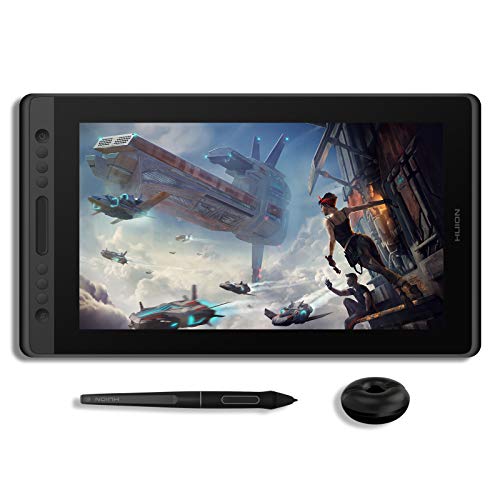
HUION KAMVAS Pro 16 15.6-Inch Pen Display
Best for: artists prioritizing screen accuracy and tactile controls
- Tablet Type
- Tethered pen display
- Screen Size
- 15.6"
- Pen Pressure
- 8192
- Display Finish
- Full-laminated anti-glare glass
- Shortcut Controls
- 6 express keys, 1 touch bar
- Features
- Stylus, Stylus Pen, Battery-Free Pen, Shortcut Keys, Tilt Support
This 15.6-inch pen display uses full-lamination technology to reduce parallax and improve drawing accuracy. It features an anti-glare glass screen with 120% sRGB color gamut coverage. The battery-free stylus offers 8192 pressure levels and 60-degree tilt support. You get six express keys and a programmable touch bar for workflow control. It connects to a computer for use with major drawing software.
- Full-laminated screen reduces parallax for precise cursor tracking.
- 120% sRGB color gamut provides vivid image reproduction.
- Battery-free PW507 stylus with 8192 pressure levels.
- 60-degree tilt support for natural line variation.
- Includes express keys and a programmable touch bar.
- 8192 pressure levels are lower than the 16384 levels found on competing models.
- 120% sRGB color coverage is less than the 130% or 140% sRGB on other options.
- 2.65-pound weight is heavier than some 15.6-inch alternatives.
- You want a full-laminated screen with anti-glare coating.
- You need tilt support for expressive brush strokes.
- You prefer physical shortcut keys and a touch bar.
- You require 16384 pressure levels for maximum detail.
- You need a color gamut exceeding 120% sRGB.
- You want a lighter display under 2.5 pounds.
Verdict: Huion KAMVAS Pro 16 15.6-Inch Pen Display suits artists who value parallax reduction and tactile controls. It fits those who do not need the highest pressure sensitivity or widest color gamut available.
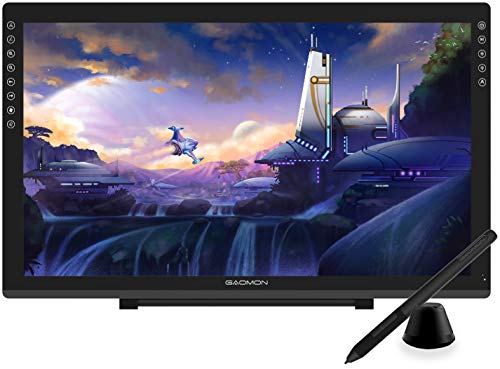
GAOMON PD2200 21.5-Inch Drawing Tablet
Best for: artists needing a large 21.5-inch workspace
- Tablet Type
- Tethered pen display
- Screen Size
- 21.5 inch
- Pen Pressure
- 8192 levels
- Color Gamut
- 130% sRGB, 92% NTSC
- Display Finish
- Full-laminated, anti-glare film
- Shortcut Controls
- 8 touch shortcut keys
The GAOMON PD2200 is a 21.5-inch pen display designed for digital art and online teaching. It features a full-laminated screen with 130% sRGB coverage and 8192 pressure levels. The battery-free stylus includes tilt support. It connects to computers and includes eight customizable touch shortcut keys. This large format suits users who want a spacious canvas for detailed work.
- 21.5-inch full-laminated display area
- 130% sRGB color gamut
- 8192 pressure levels with tilt support
- Eight customizable touch shortcut keys
- Battery-free stylus included
- Heavier at 8.49 pounds compared to smaller alternatives
- Lower 8192 pen pressure levels versus 16384 on some competitors
- 1000:1 contrast ratio is lower than QLED options
- You need a large 21.5-inch canvas for detailed drawing
- You want a full-laminated screen with wide color coverage
- You prefer physical shortcut keys for workflow efficiency
- You require a standalone tablet without a computer
- You prioritize a QLED display with higher contrast
- You need the maximum 16384 pressure level sensitivity
Verdict: GAOMON PD2200 21.5-Inch Pen Display offers a large, color-accurate workspace for artists who value screen real estate and physical shortcuts. It fits those who prioritize a big canvas over portability or peak pressure resolution.
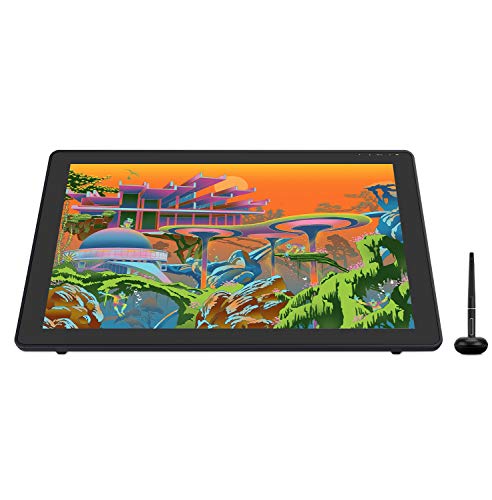
HUION Kamvas 22 Plus 21.5" Pen Display
Best for: Large canvas digital illustration and animation
- Tablet Type
- Tethered pen display
- Screen Size
- 21.5 inch
- Display Resolution
- 1920 x 1080 FHD
- Pen Pressure
- 8192 levels
- Color Gamut
- 140% sRGB
- Display Finish
- Full-laminated, etched anti-glare glass
The HUION Kamvas 22 Plus is a 21.5-inch FHD pen display with full lamination and 140% sRGB color coverage. It uses a battery-free PW517 stylus with 8192 pressure levels and tilt support. The unit weighs 7.5 pounds and connects via dual USB-C ports. You get a large workspace for detailed digital art, though the device requires a host computer to function.
- 21.5-inch FHD display with 140% sRGB color gamut
- Full-lamination technology reduces parallax for precise cursor alignment
- Battery-free PW517 stylus with 8192 pressure levels and ±60° tilt
- Dual USB-C connection design for stable connectivity
- Heavier build at 7.5 pounds compared to smaller 14-16 inch alternatives
- Lower stylus pressure rating of 8192 levels versus 16384 levels on some competitors
- Requires connection to a computer or Android device; not standalone
- You need a large 21.5-inch canvas for complex compositions
- You prioritize wide color accuracy with 140% sRGB coverage
- You want a full-laminated screen to minimize parallax
- You prefer a lightweight, portable setup under 5 pounds
- You need a standalone tablet that works without a computer
- You require the highest pressure sensitivity of 16384 levels
Verdict: The HUION Kamvas 22 Plus 21.5" QLED Pen Display fits artists who need a large, color-accurate workspace and do not mind a heavier, tethered device.

HUION KAMVAS 16 15.6-Inch Drawing Tablet
Best for: portable illustration and design work
- Tablet Type
- Tethered pen display
- Screen Size
- 15.6"
- Pen Pressure
- 8192 levels
- Color Gamut
- 120% sRGB
- Display Finish
- Full-laminated, anti-glare film
- Shortcut Controls
- 10 customizable shortcut keys
The HUION KAMVAS 16 is a 15.6-inch pen display with a full-laminated screen and 8192 levels of pen pressure. It includes an anti-glare film for reduced eye strain and 10 programmable shortcut keys. The battery-free stylus supports tilt, and the unit weighs 2.78 pounds. This setup suits artists needing a portable, color-accurate display for digital illustration and design work.
- 120% sRGB color gamut for accurate colors
- Full-laminated display reduces parallax
- Battery-free PW517 stylus with tilt support
- 10 programmable shortcut keys
- Lightweight at 2.78 pounds
- 8192 pressure levels is lower than the 16384 levels found on the XPPen 15.6-inch alternative
- 15.6-inch screen is smaller than the 16-inch and 22-inch options in this guide
- Anti-glare film adds a layer that may slightly alter screen clarity compared to bare glass
- You want a portable pen display under 3 pounds
- You need 10 shortcut keys for workflow efficiency
- You prefer an anti-glare surface for eye comfort
- You require 16384 or higher pressure sensitivity
- You need a screen larger than 15.6 inches
- You want a QLED display panel
Verdict: The HUION KAMVAS 16 15.6-inch Pen Display fits artists who prioritize portability and a full-laminated screen with anti-glare protection. It is a solid choice for illustrators who value a lightweight build and a generous number of shortcut keys.
Specifications side by side
| Spec | XPPen Artist Pro 14 Gen2 14-Inch Pen Display | GAOMON PD156Pro 15.6" Full-Laminated Tablet | XP-Pen Artist 15.6 Pro Drawing Tablet | HUION KAMVAS Pro 16 15.6-Inch Pen Display | GAOMON PD2200 21.5-Inch Drawing Tablet | HUION Kamvas 22 Plus 21.5" Pen Display | HUION KAMVAS 16 15.6-Inch Drawing Tablet |
|---|---|---|---|---|---|---|---|
| Tablet Type | Tethered pen display | Tethered pen display | – | Tethered pen display | Tethered pen display | Tethered pen display | Tethered pen display |
| Screen Size | 14" | 15.6 inch | 15.6" | 15.6" | 21.5 inch | 21.5 inch | 15.6" |
| Display Resolution | – | 1920 x 1080 FHD | 1920×1080 FHD | – | – | 1920 x 1080 FHD | – |
| Pen Pressure | 16384 levels | 8192 levels | 16384 levels | 8192 | 8192 levels | 8192 levels | 8192 levels |
| Color Gamut | 99% sRGB, 123% sRGB | 120% sRGB | 88% NTSC (120% sRGB) | – | 130% sRGB, 92% NTSC | 140% sRGB | 120% sRGB |
| Display Finish | Full laminated, anti-glare etched glass | Full-laminated, anti-glare film | Full-laminated | Full-laminated anti-glare glass | Full-laminated, anti-glare film | Full-laminated, etched anti-glare glass | Full-laminated, anti-glare film |
| Shortcut Controls | Wireless Shortcut Remote | 10 shortcut keys, 1 dial key | 8 shortcut keys, Red Dial | 6 express keys, 1 touch bar | 8 touch shortcut keys | – | 10 customizable shortcut keys |
| Operating System | – | Windows | – | – | Windows | Android | Android |
| Features | Stylus, Stylus Pen, Battery-Free Pen, Tilt Support, Dial | Stylus, Stylus Pen, Battery-Free Pen, Tilt Support, Dial | Stylus, Stylus Pen, Shortcut Keys, Tilt Support, Dial | Stylus, Stylus Pen, Battery-Free Pen, Shortcut Keys, Tilt Support | Stylus, Stylus Pen, Battery-Free Pen, Shortcut Keys, Tilt Support | Stylus, Stylus Pen, Battery-Free Pen, Tilt Support | Stylus, Stylus Pen, Battery-Free Pen, Shortcut Keys, Tilt Support |
| Display | Full-Laminated | Full-Laminated | Full-Laminated | Full-Laminated | Full-Laminated | Full-Laminated | Full-Laminated |
| Color | Black | Black | Red | Black | Black | Black | Black |
| Length | 5.02 inches | – | – | 17.3 inches | – | – | 9.96 inches |
| Width | 14 inches | – | – | 9.84 inches | – | – | 16.7 inches |
| Dimensions | – | 13.5 × 7.62 × 0.1 inches | 17.4 × 11 × 0.51 inches | – | 20.6 × 12.4 × 0.1 inches | 21.5 × 12.7 × 0.75 inches | – |
| Weight | – | 2.87 pounds | 7.28 pounds | 2.65 pounds | 8.49 pounds | 7.5 pounds | 2.78 pounds |
| Size | 14 inch | 15.6 Inch | 15.6 Inch | 15.6 Inch | 21.5 inch | 21.5 Inch | 15.6inch |
| Model | MD140FH | A2.PD156P-0-EN0000-0-1-CY-0 | Artist 15.6 Pro | Huion KAMVAS Pro 16 | GAOMON PD2200 | GS2202-US | GS1562 |
Frequently asked questions
Which alternative offers the largest screen size?
The GAOMON PD2200 and HUION Kamvas 22 Plus both feature a 21.5-inch display. These models provide a significantly larger workspace than the 14-inch original. They are ideal for artists who prioritize screen real estate over portability. Note that these larger units are heavier and typically require a tethered connection to your computer.
Do these alternatives support tilt recognition?
Yes, all listed alternatives support tilt recognition. This feature allows the pen to detect angle changes, enabling more natural shading and line variation. You can use this functionality with any of the seven models, including the GAOMON PD156Pro and the HUION KAMVAS 16, for a more realistic drawing experience.
Which model is the lightest for travel?
The GAOMON PD156Pro weighs 2.87 pounds, making it one of the lighter options. The HUION KAMVAS 16 is also portable at 2.78 pounds. Both are significantly lighter than the original XP-Pen Artist Pro 14 Gen2 or the heavier 21.5-inch models. These weights suit illustrators who need to move their setup frequently.
Are shortcut keys available on all alternatives?
Most models include physical shortcut keys for quick access to tools. The GAOMON PD156Pro, XP-Pen Artist 15.6 Pro, and HUION KAMVAS 16 all feature these controls. However, the GAOMON PD2200 and HUION Kamvas 22 Plus rely on battery-free pens and tilt support rather than extensive onboard buttons. Check the specific feature list for your chosen device.
Which alternative has the highest pressure sensitivity?
The XP-Pen Artist 15.6 Pro and the original XP-Pen Artist Pro 14 Gen2 both offer 16K pressure levels. This provides finer control over line weight and opacity. Other models, such as the GAOMON PD156Pro and HUION KAMVAS Pro 16, offer 8192 levels, which is still highly responsive for most digital art tasks.
Do any alternatives use a QLED display?
The HUION Kamvas 22 Plus features a QLED display. This technology often provides better color accuracy and contrast compared to standard LCD panels. It is suitable for artists who need precise color reproduction on a large 21.5-inch canvas. Other models in this list use full-laminated displays but do not specify QLED technology.
Which model includes a dial for control?
The GAOMON PD156Pro and the XP-Pen Artist 15.6 Pro both include a dedicated dial. This physical control allows you to adjust brush size or opacity without moving your hand to the keyboard. The original XP-Pen Artist Pro 14 Gen2 also features this dial. This tactile control can improve workflow efficiency for detailed illustration work.


